Need help?
Do you have a question about the ECA GSM-18V4.1 and is the answer not in the manual?
System stores up to 2000 users to trigger gate via call, checking caller ID.
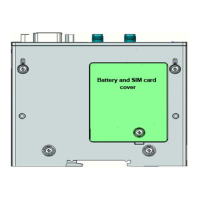
Connect SIM and antenna before powering. Operates on 12-18V AC/DC. Black is negative, Red is positive.
Holds 1600 authorized and 400 limited users, total 2000 phone numbers.
White/Blue wires for N.O. & Com. N.C. selectable via external jumper.
Program up to 1600 normal users via SMS, including adding and deleting numbers.
Format command '9999format' to delete all numbers, requires confirmation.
Use '9999clock' SMS command to retrieve the unit's current time, date, and weekday.
Program up to 400 special users with limited access times or days via SMS.
Select between momentary (Pulse) or latch (ON/OFF) relay functions via SMS.
Configure relay pulse duration from 00 to 99 seconds using SMS commands.
Query the current ON/OFF status of the unit's relay via SMS command '9999relay'.
Check GSM network signal strength (0-5) by sending SMS '9999reception'.
Enable/disable automatic registration of incoming caller IDs as users via SMS.
Prevent or allow system access and relay activation by locking/unlocking via SMS.
Overtake system control, keeping relay active until cancellation; notifies users during hold.
Activate/cancel function allowing any incoming call to open the gate, bypassing authorization.
Reset all phone numbers and functions to factory defaults via SMS, requires confirmation.
Change the default password '9999' using SMS command '9999passwordXXXX'.
Check gate status (Open/Closed) by connecting a magnetic read-switch to INPUT-1.
Customize SMS messages sent for INPUT-1 status changes (gate closed/open).
Use INPUT-2 for alerts (doorbell/gate open) by connecting a trigger; sends SMS to programmed number.
Configure weekly timer ON/OFF times and days of week via SMS command.
Retrieve current weekly timer settings and events using SMS command '9999WT.report'.
Delete all current weekly timer settings using SMS command '9999WT.clear'.
Program yearly timer ON/OFF periods and dates via SMS, overriding weekly timer.
Retrieve registered yearly timer events and schedules via SMS command '9999YT.report'.
Delete all yearly timer settings and events using SMS command '9999YT.clear'.
 General
| Brand | ECA |
|---|---|
| Model | GSM-18V4.1 |
| Category | IP Access Controllers |
| Language | English |


 To Next Page