P/N A51-4473-16 Page 16 Rev 4.3.3
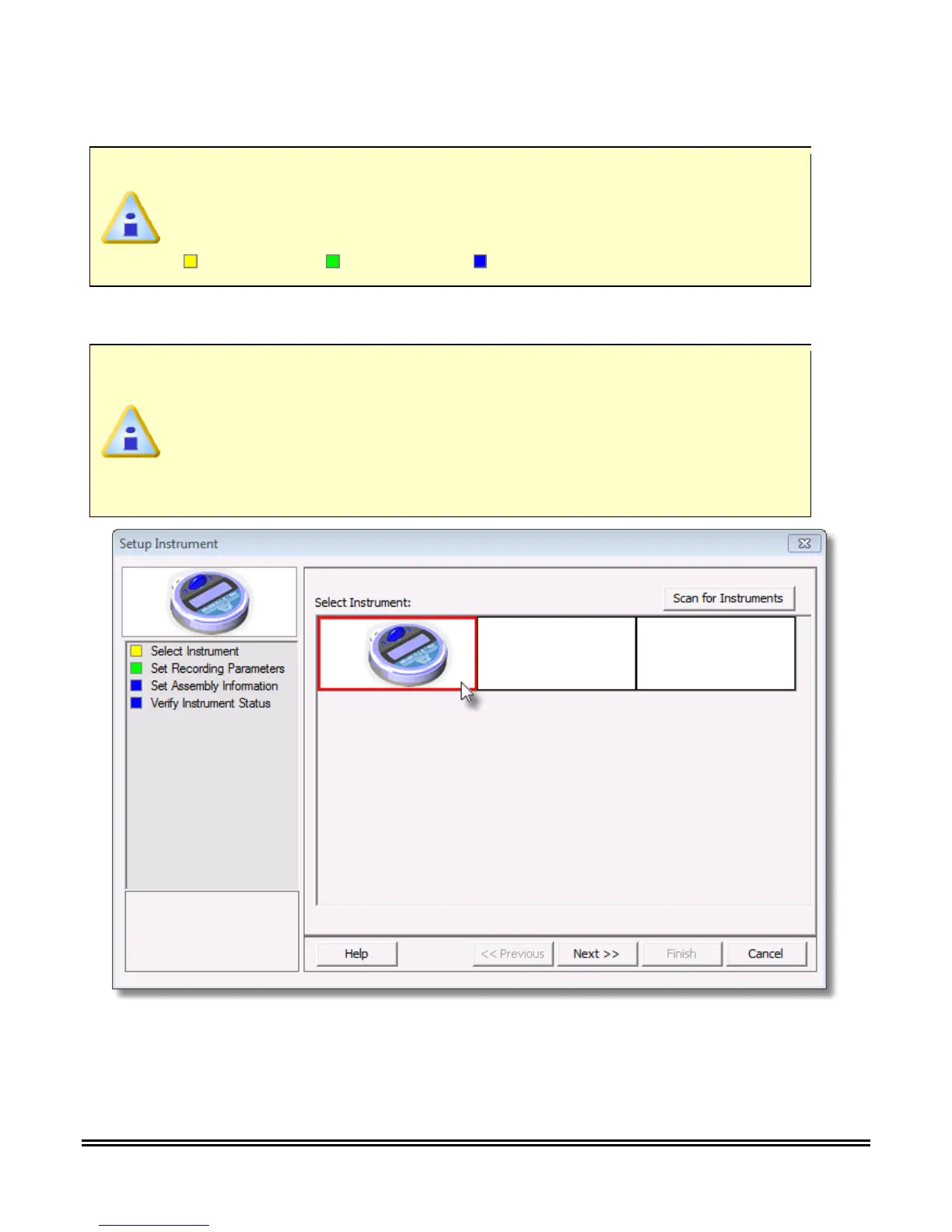
3) On the M.O.L.E. menu, click Setup Instrument and the workflow wizard appears.
When navigating through the wizard, the step list on the left uses a color key to
inform the user of the current step, steps that have been completed and remaining
steps.
4) Select the desired instrument from the dialog box. If there is none displayed, select the Scan for
Instruments command button to detect all connected instruments.
If the software does not detect a M.O.L.E. Profiler, using the communication cable
connect it to the computer and click the Scan for Instruments command button to
search again. M.O.L.E.® MAP software allows multiple instruments to be connected
to a computer at one time. Selecting the Scan for Instruments command button will
detect all instruments and display them in the dialog box. If no instrument is
detected the software displays all of the Demonstration thermal profilers to select
from.
5) Select the Next command button.



 To Next Page