32
F4 Preview
Press 【F3】to replay the waveforms of selected file
F5 Edit
Press 【F3】to edit the patient information of selected file
F6 Query
Press 【F6】to query the patient data by ID, Name, Sex, Age and
check time
F7 Exit
Press【F7】to exit current menu
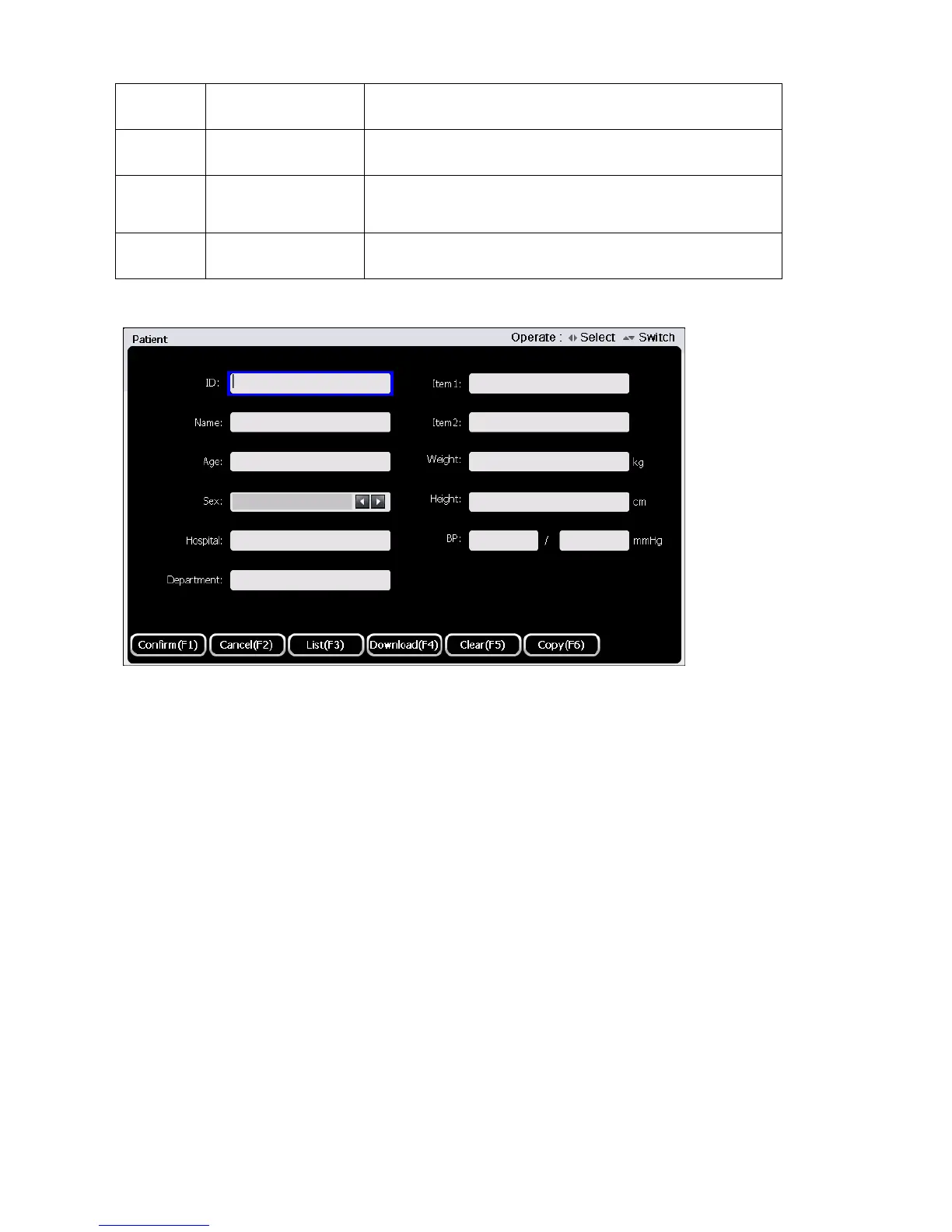
Edit: Edit the patient information here; it is able to edit the name, ID etc. as below:
Press F1 “Confirm” to save patient information and return to previous menu.
Press F2 “Cancel” to cancel current patient information input and return to previous menu.
Press F3 “List” to show all the patient records saved on SD card.
Press F4 “Download” to download patient information via FTP server if ECG is been connected to PC.
Press F5 “Clear” to clear current patient information.
Press F6 “Copy” to copy the last patient information to fill the blank.
Query: Query the patient data by ID, Name, Sex, Age and check time as below.



 To Next Page