45
confirmation “and ” Heart rate range”. Use and to “enable” and “disable”.
Press 【F1】 button to save auto analysis setup and return, or press 【F2】 button to cancel and
return.
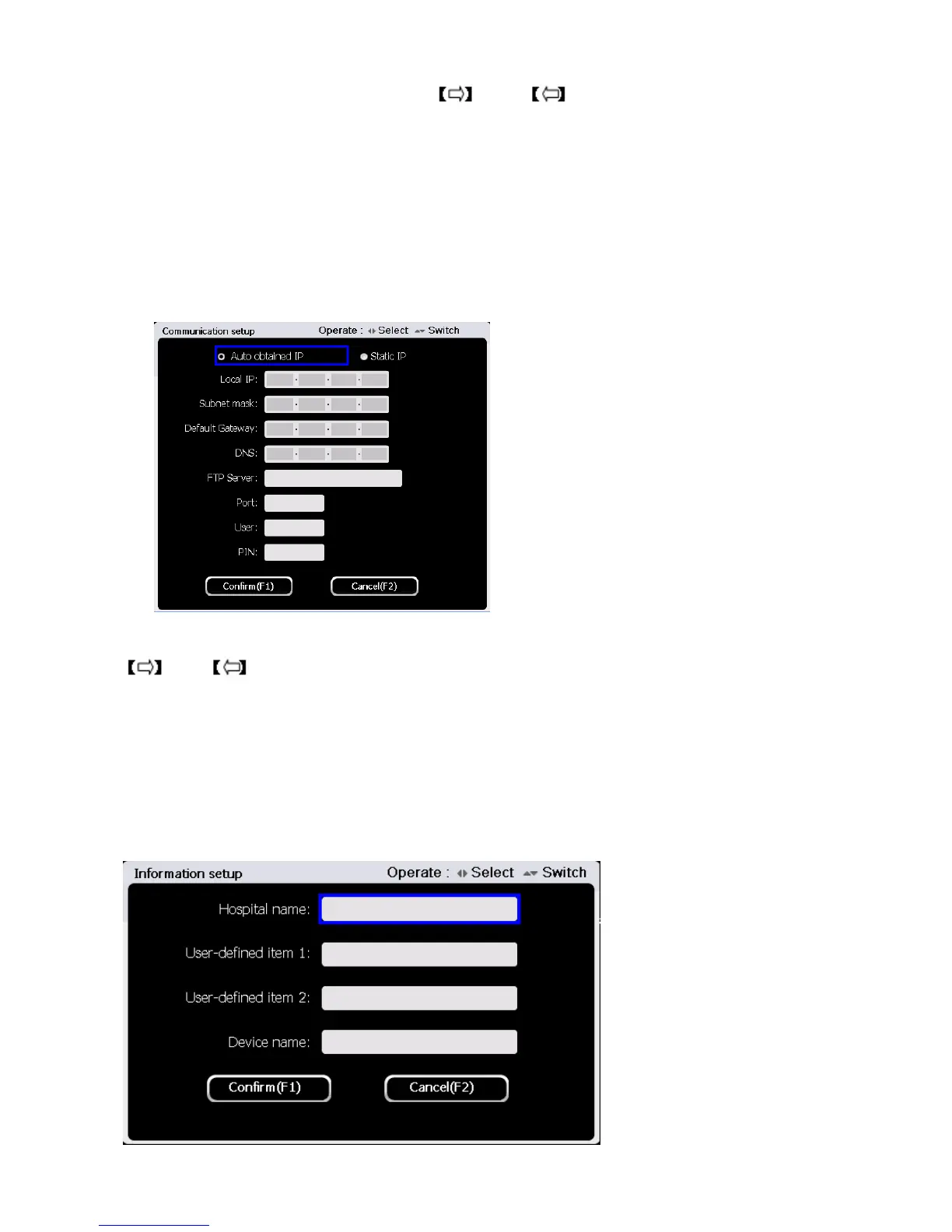
5.9.4 Communication Setup
Press【3】to enter communication setup in the system setup interface. The interface is shown as
figure below:
At the communication setup interface, use 【▲】and【▼】button to select setting items, and use
and number keys and letter keys to set and input.
Press 【F1】 button to save communication setup and return, or press 【F2】 button to cancel and
return.
5.9.5 Information Setup
Press button 【4】to enter information setup in the system setup interface. The interface is shown as
below:



 To Next Page