46
At the information setup interface, use 【▲】and【▼】button to select setting items, and use
number keys and letter keys to select and input.
Press 【F1】 button to save information setup and return, or press 【F2】 button to cancel and return.
5.9.6 Admin Configuration
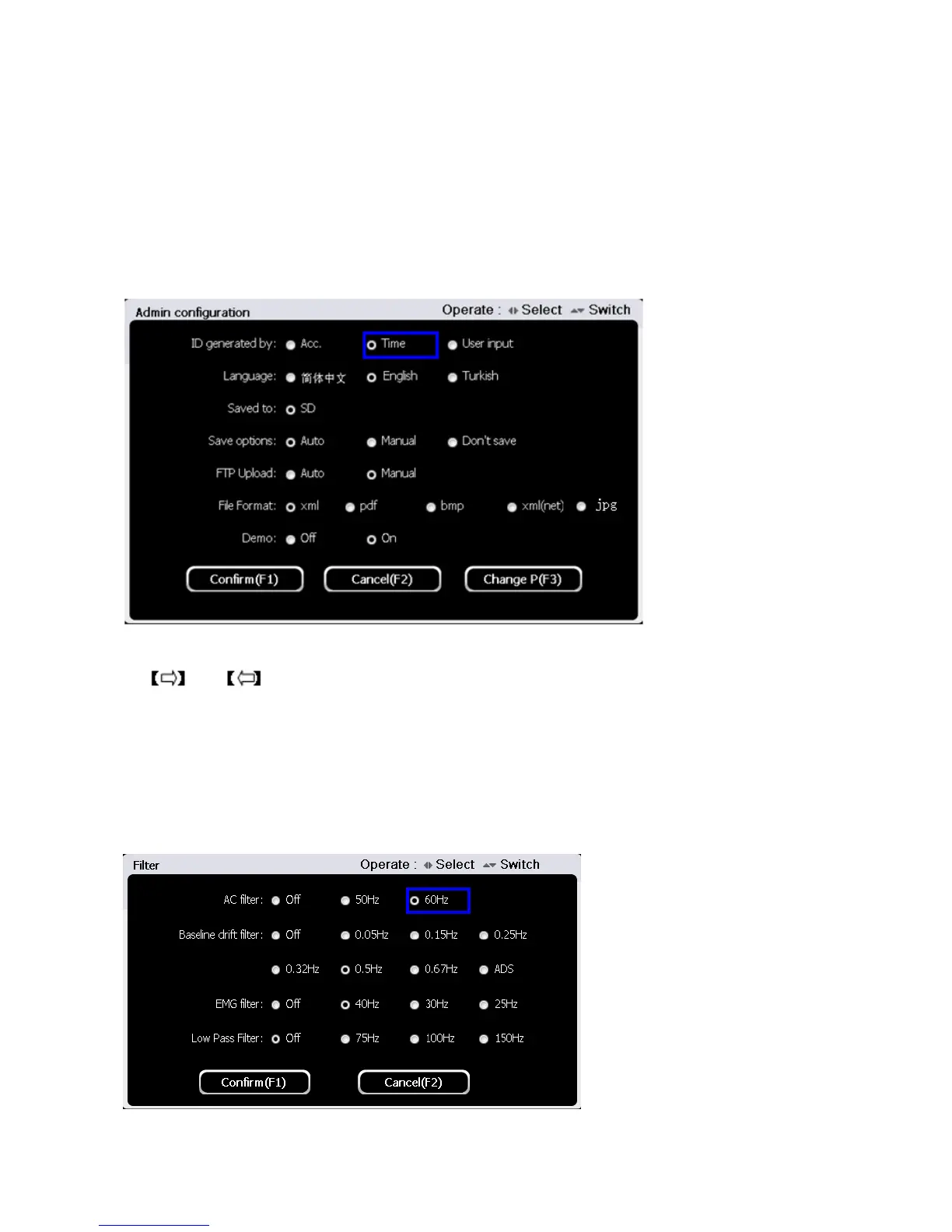
Press button【5】to enter Admin setup/configuration at the system setting interface. Type in password
123456 and press 【F1】to enter. The interface is shown as figure below:
Use 【▲】and【▼】button to select setting items of “ID generated by, “Language” “Saved to” etc.,
use and to set. After administrator setup finished, press 【F1】 button to save and return,
or press 【F2】 button to cancel and return.
5.9.7 Filter Setup
Press button【6】to enter filter setup at the system setup interface. The interface is shown as figure
below:
In the filter setup interface, use 【▲】and【▼】button to select setting times among “AC filter”,



 To Next Page