26
4. Close the battery cover and screw it tightly clockwise. (As picture D)
4.6 Loading Recording Paper
Two kinds of thermal paper can be used. One is Z-fold thermal paper; the other one is rolled
thermal paper.
(Note: when using the Z-fold thermal paper, the paper roller should be taken out)
Loading Roll Paper
The applied width for the recording paper is 216 mm, load the paper according to following steps.
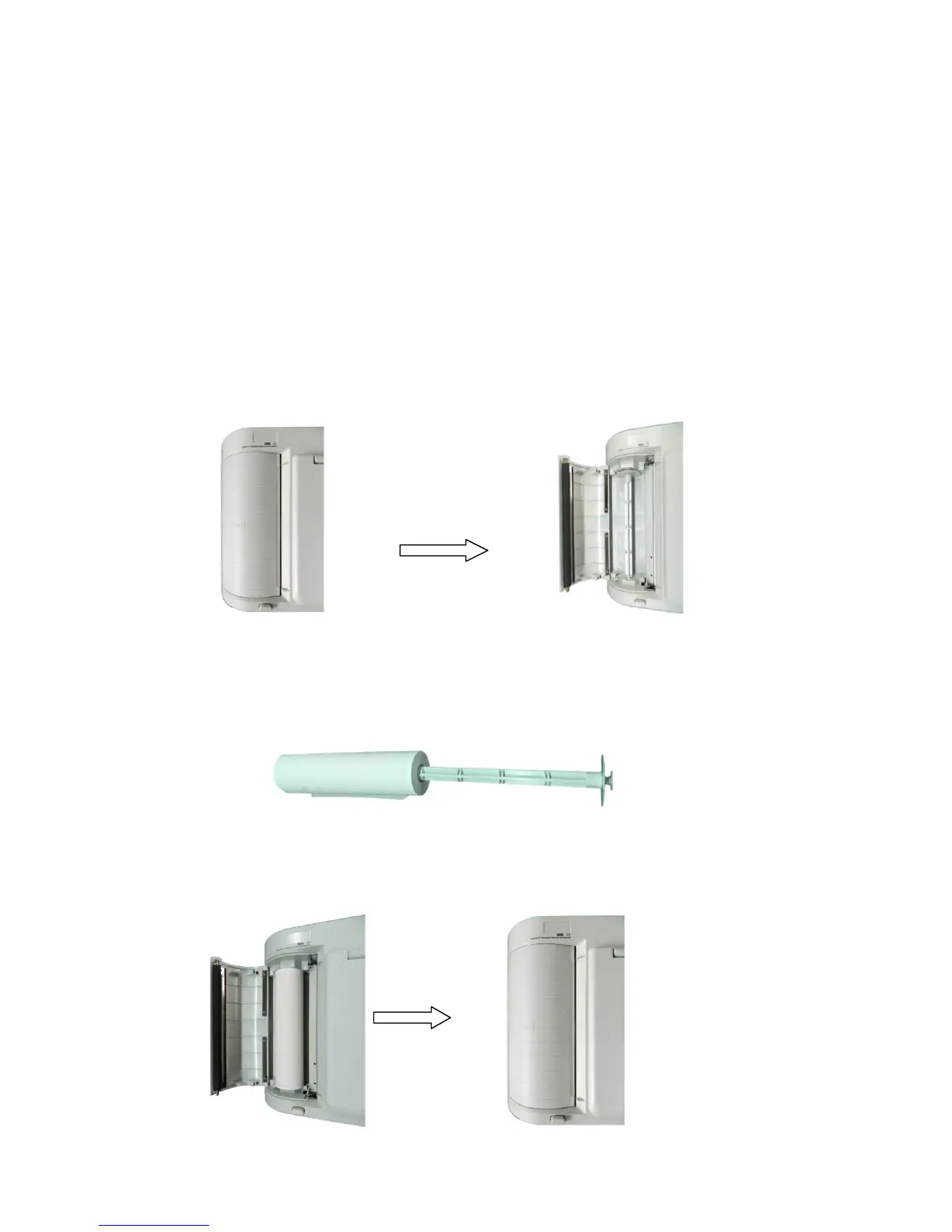
Press the Open Button to open the paper compartment cover according to the arrow shown in the
figure.
1) Take out the paper rollers from the paper compartment. Insert the rollers into the rolled paper as
shown below
2) As shown in the figure below, put the paper with rollers back into the paper compartment. After
that, pull about 2cm of the paper out and close the cover.



 To Next Page