6
4 Connecting the HG520b
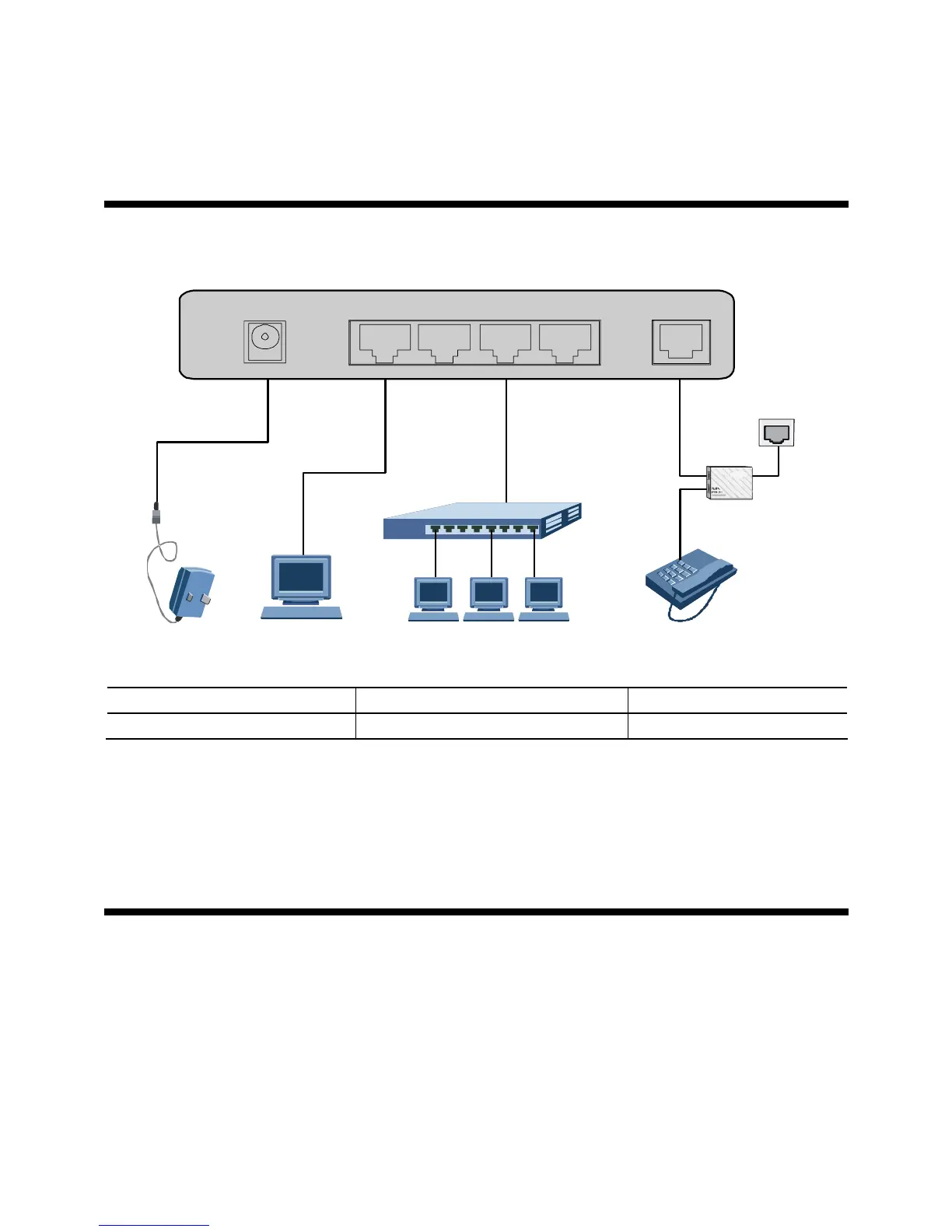
You can connect the HG520b as follows.
21226
4
5
POWER LAN4 LAN3 LAN2 LAN1 ADSL
2
3
1 Power adaptor 2 Computer 3 Switch
4 Splitter 5 Phone Jack 6 Phone
5 Configuring the HG520b
You can access the Internet by use the following two methods:
z
Using the Embedded PPP Dial-Up Software of the HG520b to Get Online
z
Using the PPP Dial-Up Software of the Computer to Get Online



 To Next Page