19
Installation Guide
19
tel - 1-866-766-2267
email - gmsupport@echomaster.com
Illustrations are typical and may not match exact vehicle detail
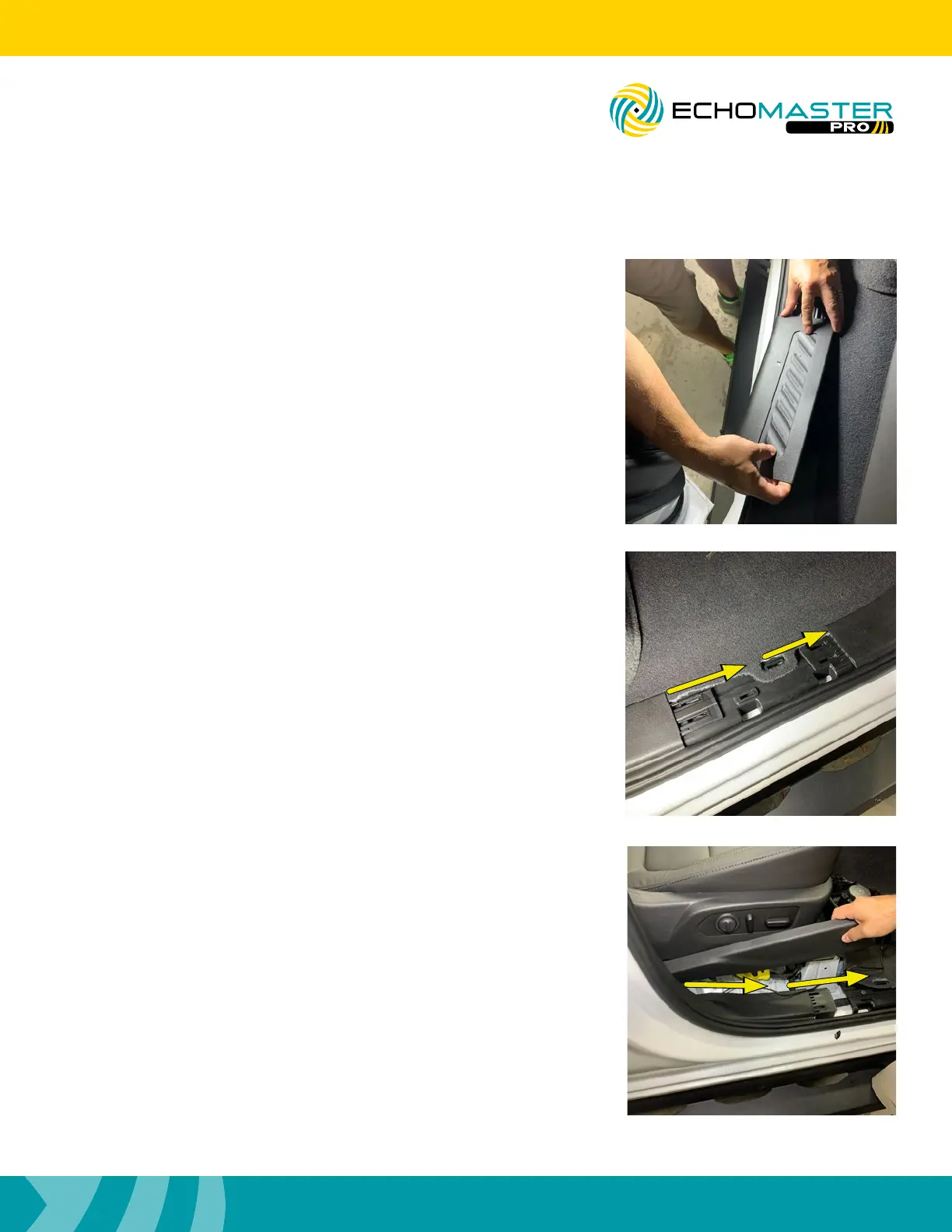
Step 5
Remove the passenger side rear door sill using a plastic
trim tool. Pull loose the rubber door seal between the rear
door sill and the upper trim panel removed in step 3.
Step 7
Remove the front passenger seat trim panel and continue
routing the cable to the passenger kick area. Tuck the
cable behind the trim panels and under the carpet while
routing it to the front of the vehicle
FCTP-GM2003
Trailering Camera System
Step 6
Tuck the in-line filter box behind the trim panel and route
the RVC-W8-FLTR cable down from the power filter to the
floor area, then towards the front of the vehicle. Tuck the
cable behind the trim panels and under the carpet while
routing it to the front of the vehicle.



 To Next Page