11
email - gmsupport@echomaster.com (US) - tel - 866-766-2267
Installation Guide
10
email - gmsupport@echomaster.com (US) - tel - 866-766-2267
Illustrations are typical and may not match exact vehicle details.
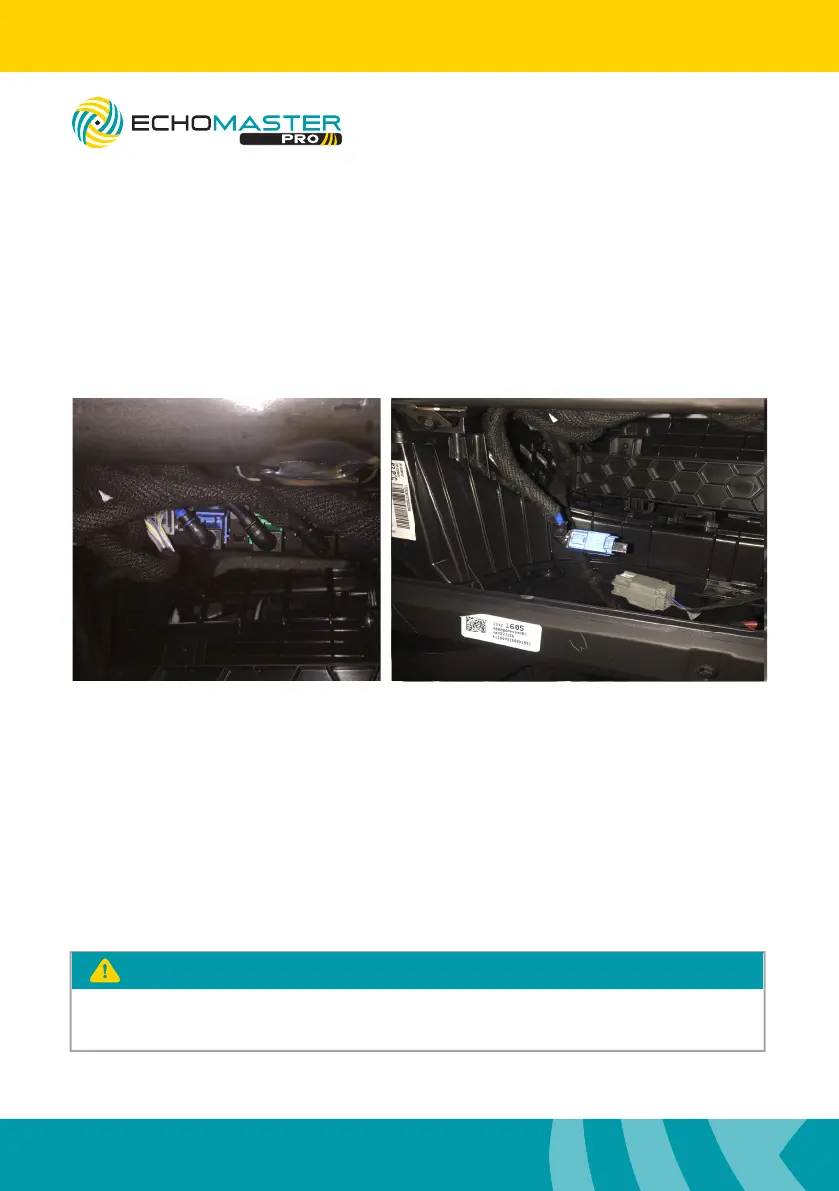
LVDS Connection
Locate HMI module high in glove compartment cavity.
Disconnect the BLUE LVDS connector.
Connect the loose male LVDS connector into female EchoMaster connector.
Connect the male EchoMaster LVDS connector into HMI module.
Secure loose wiring with zipties.
Re-install
Reinstall all removed panels and test system.
8” Radio - Press and hold the “BACK” button for three seconds to enter the
IntelliHaul camera view. Press the “BACK” button to return to the previous screen.
4” Radio - Press and hold the “HOME” button for three seconds to enter the
IntelliHaul camera view. Press the “BACK” button to return to the factory screen.
The camera is accessible after 7 seconds while in reverse. Press and hold the
“BACK” button on the 8” and the “HOME” button on the 4” to access.
PLEASE NOTE
FC-CHMSL-SIL
Integrated Towing Assistance Package



 To Next Page