Tip for Data Setting :
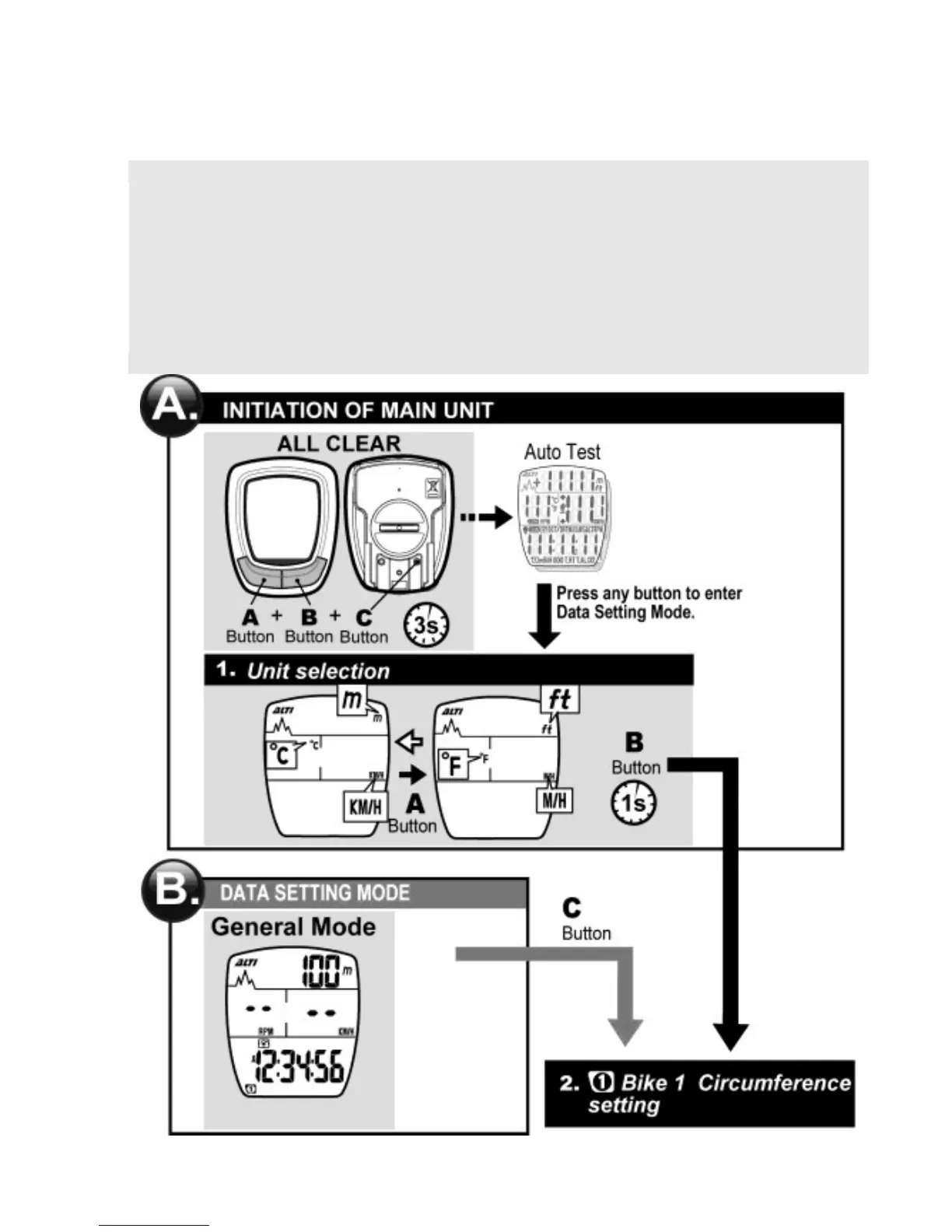
1. Press the A button to change the value of a flickering digit.
Press the B button to move to the next digit in a loop.
2. Press and hold the B button for 1 second to move to the next setting
when the current setting is finished.
3. If the computer is idle during Data Setting Mode for 20
seconds, it'll automatically return to General Mode.



 To Next Page