EasyManua.ls Logo

Echowell Ui 35 - User Manual

Echowell Ui 35
26 pages
Print Icon
To Next Page IconTo Next Page
Loading...
English
· Wheel Circumference Measurement ___________
· Button function description ___________________
· Data setting ___________________________
· LCD (icon) display__________________________
· General function Display__________________
· General Mode Display_______________________
· Sensor pairing_____________________________
· Functions(SPEED)______________________
· Functions(RPM)______________________
· Functions(Temperaur)____________________
·
Functions(CO2)
______________________
·
Functions(Others)
______________
·
Maintenance Reminder/
About Pedal Revolution /
About RPM Limit___________________
· About LAP( for Ui35 only )_____________
· LCD Brightness Adjust /
Low Battery Indicator_______________
· Battery Replacement_______________
· Specifcations_____________________
· Trouble Shooting_______________
· Precaution_______________________
· General Specifications______________
Index
English
01.
02.
03~06.
07.
08~09.
10.
11.
12~13.
14~15.
15.
15~16.
16~17.
18.
19.
20.
21.
22.
23~24.
24.
25.

Questions and Answers

Summary

Wheel Circumference Measurement

Precise Measurement

How to manually measure wheel circumference for accurate settings.

Quick Table

Use a reference table to find suitable circumference values.

Button Function Description

Data Setting Mode

Buttons for entering and navigating data setting mode.

General Mode

Buttons for changing functions and modes in general operation.

Other Modes

Buttons for Lap, Lap review, and maintenance modes.

Data Setting: Core Parameters

Unit, Clock, and Date Setting

Configure units, time (12/24H), and date.

RPM Setting

Set the RPM limit.

Data Setting: Bike and Maintenance

Bike and Odometer Settings

Configure bike profiles, circumference, and initial odometer.

Maintenance Setting

Set maintenance reminder intervals.

Data Setting: Time and CO2

Trip Time and CO2 Saving Settings

Configure trip riding time and CO2 saving values.

Total Pedal Revolution Setting

Set initial total pedal revolutions.

Sensor Pairing

LCD Contrast Setting

LCD (icon) Display

General Function Display

General Function Display (Ui35)

Lap Review Mode

Detailed display of lap data and review options for Ui35.

General Mode Display

Sensor Pairing Process

Get signals from Sensors

How to receive signals from speed and RPM sensors.

Speed Functions

Speed and Trip Data

Current speed, average, max speed, trip distance, and odometer.

Speed Functions (continued)

Riding Time and Maintenance

Trip riding time, total riding time, and maintenance reminders.

Speed Pacer

Compares current speed with average speed using arrows.

RPM Functions

RPM and Limit Settings

Displays RPM, max/avg RPM, trip pedal revolution, and RPM limit.

Total Pedal Revolution

Accumulates total pedal revolutions for the bike.

RPM;Temp;CO2 Functions

Total RPM and CO2 Saving

Total pedal revolutions, RPM limit pacer, trip/total CO2 saving.

Temperature Functions

Displays current, max, and min temperatures.

CO2;Other Functions

Total CO2 Saving (Bikes 1+2)

Accumulates total CO2 saving for both bikes.

Other Functions: Clock and Calendar

Set clock format, view calendar, and select units.

Other Functions (continued)

Circumference and Brightness

Set wheel circumference and adjust LCD brightness.

Battery Indicators and Auto Features

Low battery indicator, auto detect bikes, and auto start/stop.

Maintenance Reminder

Pedal Revolution and RPM Limit

About LAP (for Ui35 only)

Lap Data and Reset

Displays recorded lap data and procedures for clearing it.

LCD Brightness Adjust

LCD 4 grades brightness

Adjusts screen brightness across four levels.

Low Battery Indicator

Battery Replacement

Main Unit and Transmitter Battery Change

How to replace batteries in the main unit and transmitters.

Specifications

Trouble Shooting

Precaution

General Specifications

Overview

This document describes a bicycle computer, likely a model Ui35, with various functions for tracking riding data, maintenance, and other features.

Function Description

The device offers a comprehensive set of functions categorized into Speed, RPM (Cadence), Temperature, CO2 Saving, and General functions.

Speed Functions:

  • Current Speed: Displays the real-time speed during riding, updated every second.
  • Average Speed: Shows the average speed during a ride. This data is cleared upon computer reset or battery change. It automatically resets to zero if riding time exceeds 100 hours or distance exceeds 1000 KM (or miles).
  • Maximum Speed: Records the highest speed achieved during a ride. This data is cleared upon computer reset or battery change.
  • Trip Distance: Accumulates the distance covered during a single trip. Cleared upon computer reset or battery change.
  • Odometer: Accumulates the total distance covered by the bike. This data cannot be cleared by reset operations.
  • Total Odometer (Bikes 1+2): Accumulates the total distance for two bikes (if configured). This is the sum of ODO 1 and ODO 2 and cannot be cleared by reset operations.
  • Trip Riding Time: Records the accumulated riding time for a single trip. Cleared upon computer reset or battery change, and automatically starts measuring upon receiving wheel signals.
  • Total Riding Time: Accumulates the total riding time for a bike. This data cannot be cleared by reset operations.
  • Total Riding Time (Bikes 1+2): Accumulates the total riding time for two bikes. This is the sum of T_RIDINGTIME bike 1 and bike 2 and cannot be cleared by reset operations.
  • Maintenance: A reminder function that displays an icon (MAINTAIN) to prompt bike maintenance after a preset distance (Bike1: 300km/miles, Bike2: 990km/miles).
  • Speed Pacer: Indicates the comparison between current and average speed. An upward arrow flashes if current speed is above or equal to average speed, while a downward arrow flickers if current speed is below average speed.

RPM Functions (Cadence):

  • RPM (Revolutions Per Minute): Measures rotational speed, updated every second. The current RPM is shown on the middle display. For Bike 1, it resets to zero if the crank is not turned for over 4 seconds; for Bike 2, it resets after 2 seconds.
  • Maximum RPM: Records the maximum cadence achieved during riding. Cleared upon computer reset or battery change.
  • Average RPM: Displays the average cadence during riding, updated every second. Cleared upon computer reset or battery change.
  • Trip Pedal Revolution: Accumulates pedal revolutions during a trip. Data for Bike 1 and Bike 2 can be cleared by a Data Reset operation.
  • RPM Limit: Allows setting an RPM value. A pacer symbol and beep sound will activate when RPM exceeds this limit, indicating a need to shift to a higher gear for easier riding.
  • Total Pedal Revolution: Accumulates total pedal revolutions. Data cannot be cleared by Data Reset but can be cleared by an All Clear operation. The displayed value is ten times the real value (e.g., 38 means 380 turns).
  • Total Pedal Revolution (Bikes 1+2): Accumulates total pedal revolutions for both bikes. This is the sum of Bike 1 and Bike 2 data and cannot be cleared by Data Reset but can be cleared by an All Clear operation. The displayed value is one hundred times the real value (e.g., 188 means 18800 turns).
  • RPM Limit Pacer: A pacer symbol reminds the user when RPM is over the limit (with a beep sound), suggesting a shift to an upper gear.

Temperature Functions:

  • Current Temperature: Automatically detects and displays the current temperature in °C or °F.
  • Maximum / Minimum Temperature: Displays the maximum and minimum temperatures recorded during a ride. Cleared upon computer reset or battery change.

CO2 Saving Functions:

  • Trip CO2 Saving: Accumulates the CO2 saving amount since the last RESET operation.
  • Total CO2 Saving: Accumulates the total CO2 saving. This data can only be cleared by the All Clear operation.
  • Total CO2 Saving (Bikes 1+2): Accumulates the total CO2 saving for two bikes. This is the sum of T.CO2 Bike1 and T.CO2 Bike2 and cannot be cleared by a reset operation.

Other Functions:

  • Clock Time (12H/24H Alternative): Allows setting the clock in either 12-hour (with AM/PM) or 24-hour format. Only the clock time is displayed in sleep mode.
  • Calendar: Displays the date in month/day/year format, with an auto-display range from 01.01.2013 to 12.31.2099.
  • Unit Selection: Allows choosing between KM/H and M/H.
  • Circumference (Wheel Size): Used to set the wheel circumference for accurate speed and distance measurements. Can be set precisely by rolling the wheel or by selecting a value from a reference table.
  • LCD Brightness Adjust: Offers 4 grades of brightness adjustment.
  • Low Battery Indicator: Displays an icon when the battery is low, indicating it's time for a replacement. A blinking icon means new data may not be stored.
  • Auto Detect (Bike1 / Bike2): The computer is designed for two bikes and automatically shifts between them after separate pairing.
  • Auto Start / Stop: To save battery, the computer automatically switches off (displaying only CLK data) after about 15 minutes of inactivity. It turns on automatically when riding or by pressing a button.
  • LAP (for Ui35 only): Allows dividing a trip or training into up to 30 records. Users can start a new lap, review lap data when stopped, and clear LAP data by holding A and B buttons in the LAP function group icon. Lap data includes Speed (Average/Maximum/Distance/Ride Time), RPM (Average/Maximum/Revolution). The 31st lap record automatically overwrites the 1st.

Important Technical Specifications

  • Operating Temperature: 0°C - 50°C (32°F - 122°F)
  • Storage Temperature: -10°C - 60°C (14°F - 140°F)
  • Sensor & Transmitter: No-contact magnet sensor with wireless transmitter
  • Suitable Fork Sizes: 12 mm - 50 mm (0.5" - 2.0")
  • Battery: CR2032
  • Dimensions & Weight:
    • Main Unit: 58.6 x 42.6 x 15.6mm / 29.0g
    • Speed / RPM transmitter: 39.4 x 37.6 x 14.85mm / 15.0g
  • Speed Range: 0-199.9 KM/H, 0-120.0 M/H
  • Trip Distance Range: 0-999.99 KM/MILE
  • Odometer Range: 0-999999 KM/MILE
  • Total Odometer (Bike1+Bike2) Range: 0-1999999 KM/MILE
  • Trip Riding Time Range: 00H00M00S-99H59M59S
  • Total Riding Time Range: 00H00M-9999H59M
  • Total Riding Time (Bike1+Bike2) Range: 0-19999H59M
  • Maintenance Range: 0-999 KM/MILE
  • Current/Average/Maximum RPM Range: 0-199 RPM
  • Trip Pedal Revolution Range: 0-999999 RPM
  • RPM Limit Range: 10-199 RPM
  • Total Pedal Revolution Range: 0-999999*100 RPM
  • Total Pedal Revolution (Bike1+Bike2) Range: 0-1999999*100 RPM
  • Temperature Range: -10~60℃, 14~140°F
  • Trip/Total CO2 Saving Range: 0-999.99 KG/LB
  • Calendar Range: 2013-2099
  • Circumference Range: 0-3999 mm
  • LCD Brightness Adjust: L1~L4
  • Low Battery Indicator: <2.6V
  • Auto Start/Stop: 1 second on, 119 seconds off

Usage Features

  • Button Function Description:
    • ALL CLEAR: Hold A+B+C for 3 seconds (then automatic warm-up).
    • Enter fast pairing: A+B+C in warm-up mode.
    • Enter clear eeprom: A+B+C for 1 second in warm-up mode.
    • Data Setting Mode:
      • A Button: Increase setting digital (hold 1s for auto increase).
      • B Button: Change setting digital.
      • C Button: Enter next date setting mode.
      • D Button: Quit date setting mode.
    • Lap Mode (for Ui35 only):
      • A Button: Start/stop Lap function.
      • B Button: Change to next Lap.
      • C Button: Enter Lap review mode.
    • Lap Review Mode (for Ui35 only):
      • A Button: Change Lap No.
      • B Button: Change Lap data.
      • C Button: Return to general mode.
      • A+B Button: Hold 3 seconds to reset lap data.
    • General Mode:
      • A Button: Change function group (hold 1s for change screen display).
      • B Button: Change function mode.
      • C Button: Enter Lap and Lap review mode (for Ui35 only); hold 3s to turn on RF power (mount on bracket).
      • D Button: Enter data setting mode.
      • A+B Button: Hold 3 seconds for data reset.
    • Maintenance Mode:
      • A+B Button: Hold 3 seconds to reset reminder to default value.
  • Sensor Pairing:
    • Hold D button for 1 second to enter setting loop.
    • Press D to find SENSOR PAIRING.
    • Choose bike 1 or 2 (by pressing B).
    • Press A to show coded ID.
    • If no signal is received for 30 seconds, it will show "TIME OUT"; check installation, battery, and re-pair.
    • The computer supports 2 bikes and automatically shifts between them after separate pairing.
    • All computers and transmitters are factory-paired. Re-pairing is needed if no signal is received, or when buying/replacing new parts.
    • Sensor pairing data is retained even after battery changes.
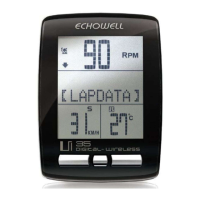
  • LCD (icon) Display: Shows current speed, RPM, KM/H, percentages, low battery indicator, and function display.
  • General Function Display: Organizes data into groups (GENERAL, SPEED, CADENCE, TEMP, SUM DATA, BATTERY) with options to switch between groups and modes.
  • General Mode Display: Shows different information depending on the device's state (Power off, Before Installed Onto The Bracket, Onto The Bracket, During Riding).
  • LCD Brightness Adjust: Can be adjusted in 4 grades. To reset, remove the computer from the bracket, hold C to enter setting mode, then hold A to find BRIGHTNESS SETTING.

Maintenance Features

  • Maintenance Reminder: A function to remind users about maintaining their bike after a preset distance.
  • Battery Replacement:
    • Main Unit: Replace the CR2032 battery within a few days when the low-battery icon appears or blinks. New data will not be stored if the battery is not changed.
    • Speed (RPM) Transmitter: Replace the CR2032 battery when its power is nearly exhausted to prevent weak and unstable data transmission. Ensure the positive (+) pole faces the sensor cap.
  • Troubleshooting Guide: Provides solutions for common issues like no display, no current speed/incorrect data, and no current RPM/incorrect data. This includes checking battery, contacts, sensor/magnet positions, circumference, and moving away from interference sources.
  • Precaution:
    • Pay attention to the road while riding.
    • Do not disassemble the main unit or accessories.
    • Periodically check the sensor, magnet, and main unit positions and gaps.
    • Do not use thinner, alcohol, or benzene for cleaning.
    • Avoid leaving the main unit exposed to direct sunlight.
    • Care for the chest belt: wash with suds, rinse, dry naturally. Avoid high temperatures or corrosive materials.
    • Be aware that physical condition can affect signal intensity.
    • Avoid using the heart rate monitor near strong electromagnetic fields (trolley cars, tram stops, transformers, etc.).
    • Consult a doctor or coach before using the Heart Rate Transmitter if you have cardiopulmonary disease, obesity, or have not exercised for a long time.

Echowell Ui 35 Specifications

General IconGeneral
BrandEchowell
ModelUi 35
CategoryBicycle Accessories
LanguageEnglish

Related product manuals