EN 19
Maximum Speed
Average Speed
Trip Distance
Trip Riding Time
Maximum RPM
Average RPM
Trip Pedal Revolution
Lap 30 sets with data:
Any Key
A
B
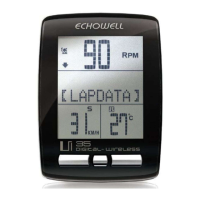
About LAP ( for Ui35 only)
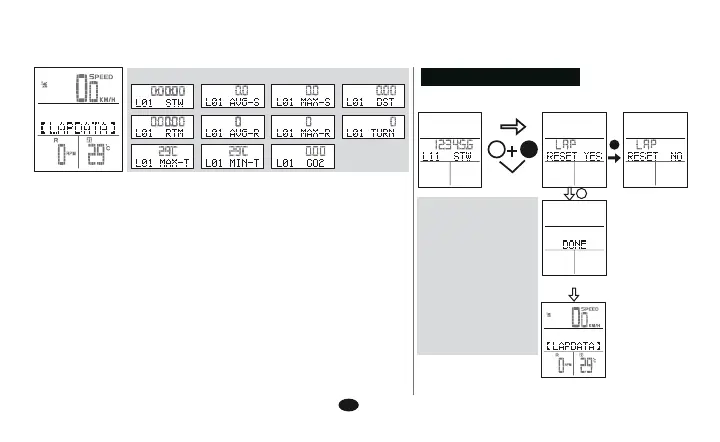
Lap Data Group
With LAP function, you can have the trip or training divided into
several (up to 30) records.
1. Press C to find the LAP icon, press Start to record a new
Lap.
2. Lap review is allowed only when you stop riding.
3. In Lap Data Group
Speed ( AVERAGE / MAXIMUM / DISTANCE / RIDE TIME )
RPM ( AVERAGE / MAXIMUM / REVOLUTION )
4. 31st Lap record will automatically cover the 1st Lap
record.
5. To clear the LAP data, LAP function group icon, hold 3 seconds
A and B button.
+
B
A
3’s
LAP DATA RESET
Lap data can be cleared only in the LAP icon (LAP mode.)


 To Next Page