EN 20
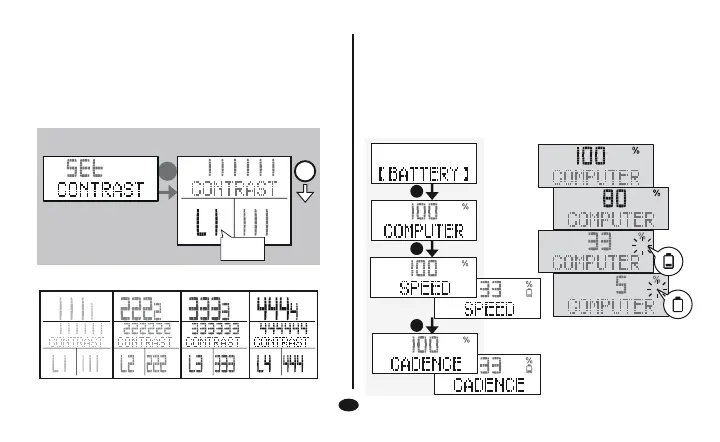
LCD Brightness Adjust
4 grades adjust the brightness.
To reset it you need to pull off the computer from the
bracket.
Hold 1 second the D button to enter setting mode, find the
CONTRAST SETTING.
Low Battery Indicator
LCD Brightness Adjust Setting
C
A
LCD
4 grades brightness
B
B
B
1~4
Battery status detects (batteries in computer and in
transmitters):
If you do not change the battery in a few hours, the
computer may still work for a few days. The data will
be displayed as usual, but the new data will not be
stored before the battery is changed.


 To Next Page