10
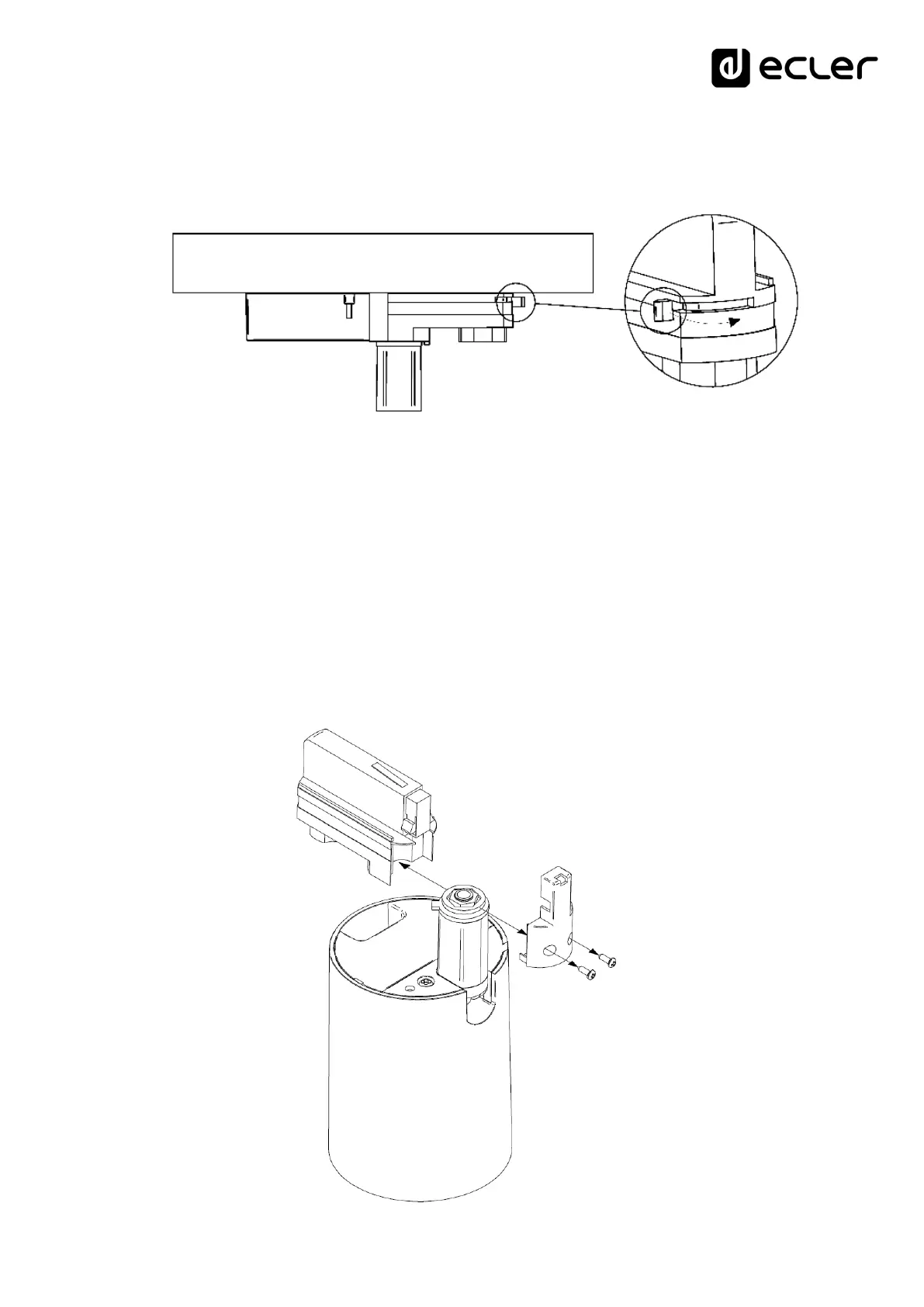
5. Make sure that the wheel of the adapter is in the OFF position. Turn the safety
lock to secure the speaker to the light rail. Turn the wheel to a position other than
OFF and the safety catch will be locked
6. Align the speaker to the desired position on the vertical and horizontal axes
7. If the TRAIL103 is to be removed from the rail, the box with the clamp terminals
must be removed first.
7.2. Surface installation procedure:
1. Remove the box with the terminals, and cut the three audio cables (red, blue and
black) from the part closest to the clip terminals
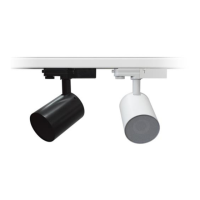
2. Remove the light rail mounting accessory. To do this, remove the fixing screws as
shown in the picture


 To Next Page