− 7 −
ENGLISH
Part Names and Functions/Connections
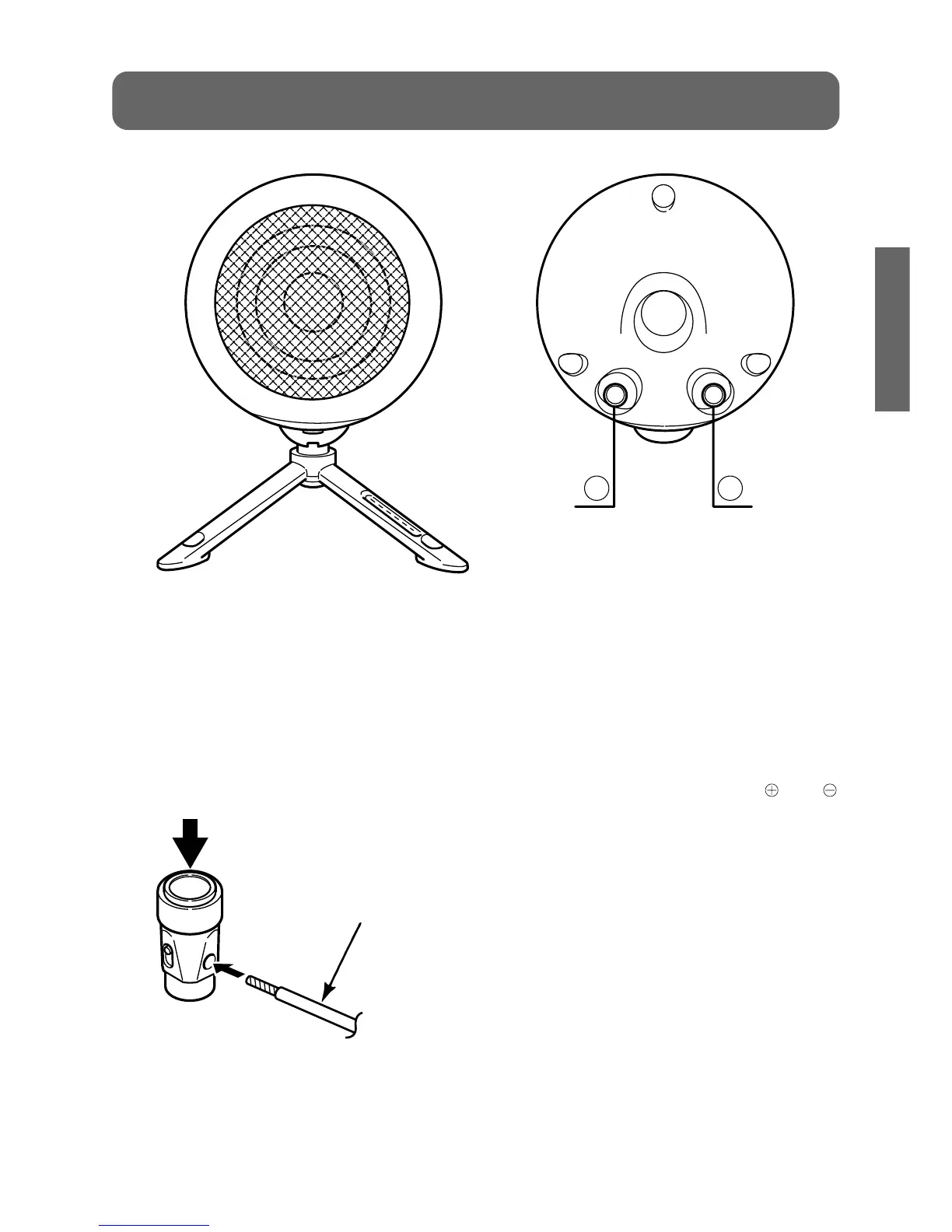
①, ②Speaker input terminals
When connecting the speakers, insert the
ends of the speaker cables so that they do
not touch neighbouring terminals.
While pressing the terminal with your finger,
insert the speaker cable into the hole. Check
that the speaker cable does not pull out
after the terminal is released.
*Connect the cable with the black stripe to
the black terminal.
*It is recommended that the accessory
speaker cables are used. (These cables
are designed to provide optimum sound
quality for this system.)
*The 307 is not provided with accessory
cables, so you will need to purchase them
separately. (Make sure that the and
cables are connected correctly.)


 To Next Page