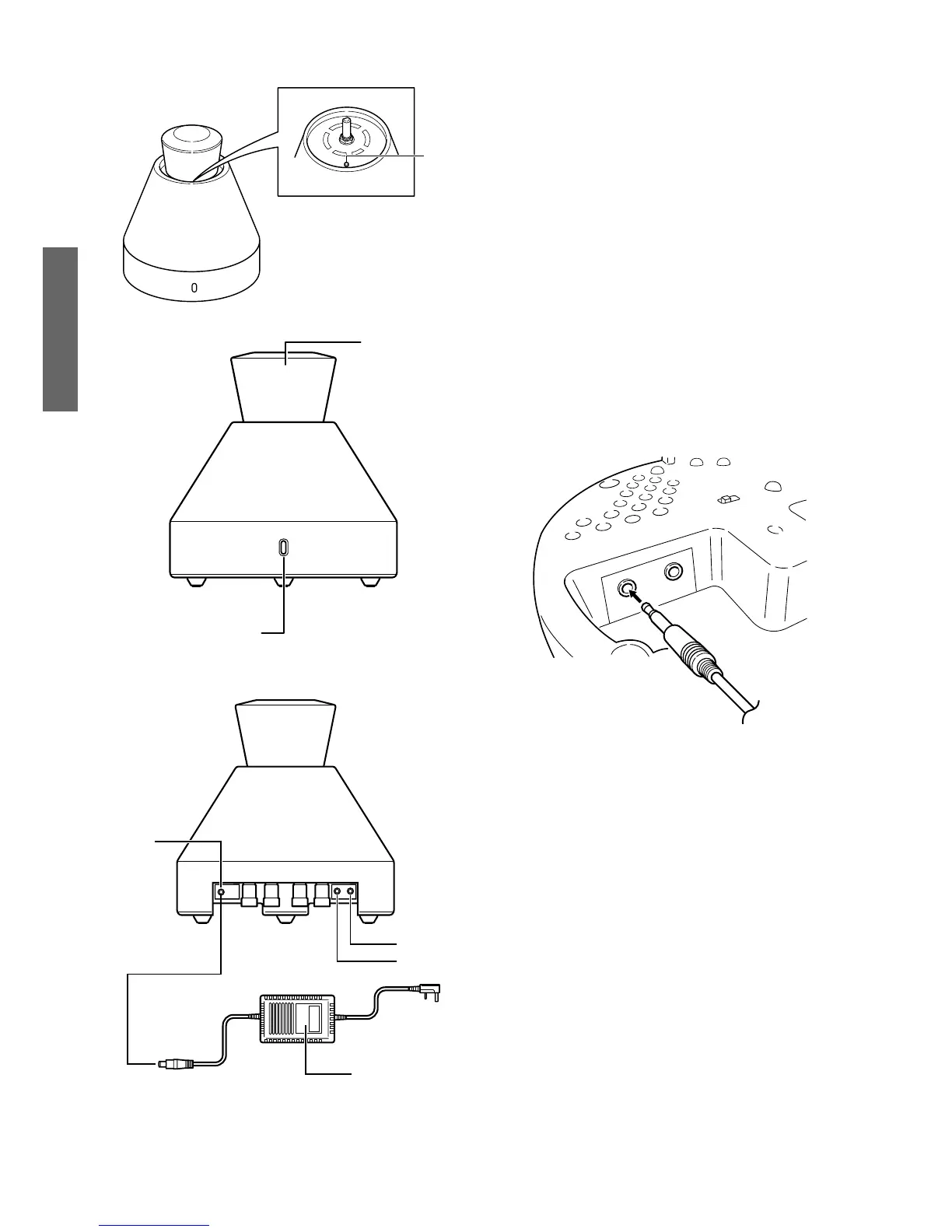
①Power indicator
Power button "ON" : indicator lights
Power button "OFF"
②Volume control knob.
This knob is used to adjust the volume.
*If the amplifier is connected to a playback
device such as a portble CD player or to
the headphone jack of a computer, adjust
the volume to the appropriate level at the
playback device or computer
③Line-input terminal
Use a stereo mini cable to connect a device
to this terminal.
*If the amplifier is connected to a playback
device such as a portable CD player or to
the headphone jack of a computer, use
the accessory stereo mini cable.
④Line-output terminal
This terminal is used to output signals from
the amplifier to a sub-woofer. For stereo
output, the output signal volume will increase
when the volume control knob is turned
clockwise.
⑤Power button
Turns power ON and OFF.
⑥Power connector
Connect power supply here.
*Do not connect anything other than
the AC
adapter, otherwise it may cause problems
with operation and/or fire.
⑦AC adapter
*Input voltage and the shape of plug vary in
the destination.


 To Next Page