6.
Removing and inserting discs
IHow to remove a disc
~t
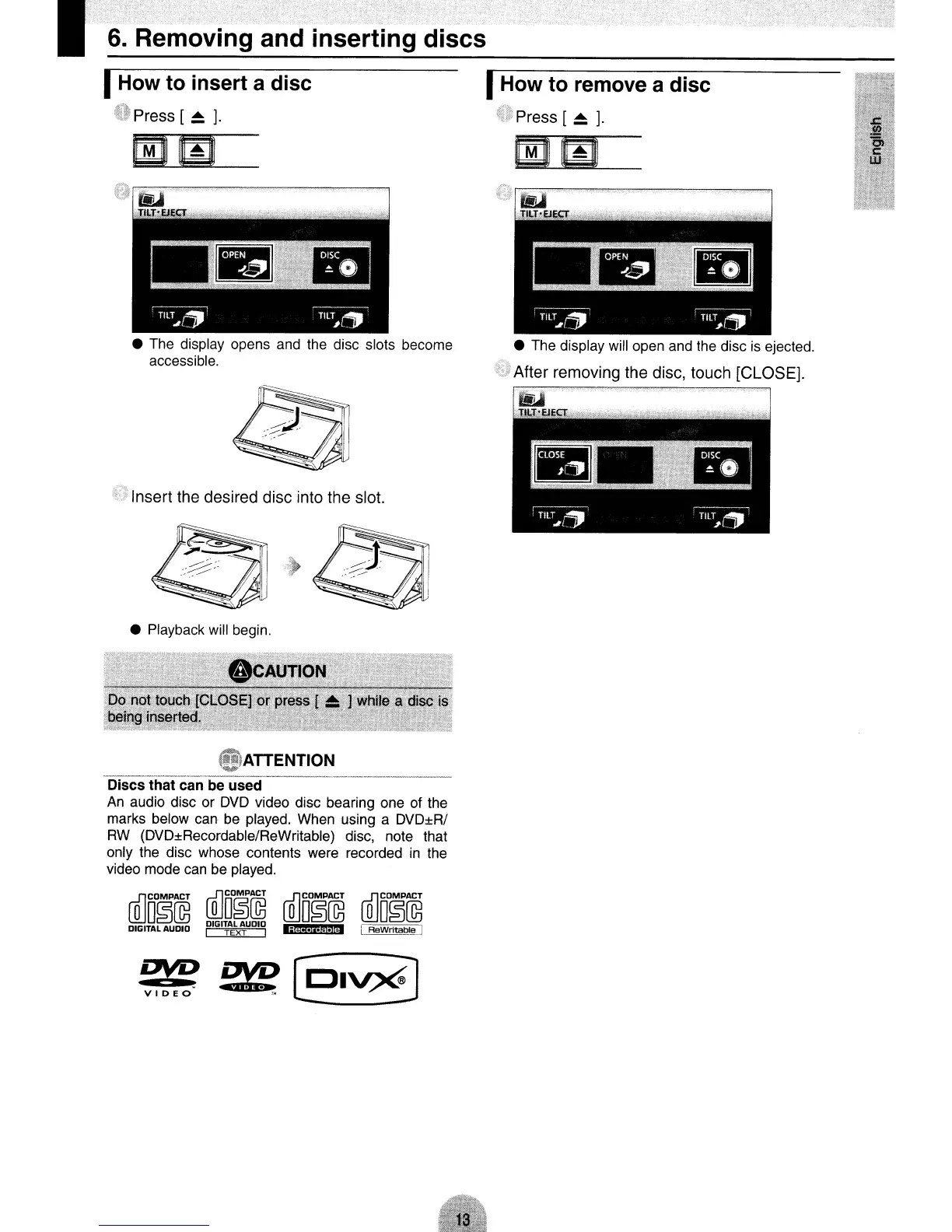
Press [
~
].
IHow to insert a disc
v Press
[~
].
• The display opens
and
the
disc slots become
accessible.
1.1.>
Insert the desired disc into the slot.
• The display will open
and
the
disc
is
ejected.
• Playback will begin.
"'ATTENTION
-----_._.-._--------------'-,-----~
Discs that can be used
An
audio disc or
DVD
video disc bearing one of the
marks below can
be
played. When using a DVD±R/
RW
(DVD±Recordable/ReWritable) disc, note that
only the disc whose contents were recorded
in
the
video mode
can
be
played.
r£lCOMPACT
(Q]Do~@
r£lCOMPACT
r£lCOMPACT
LlliO~@
D~G1TALAUDIO
LlliO~@
LlliO~@
DIGITAL AUDIO I TEXT I
Iji$;·!'·f$ltid
I ReWritable I



 To Next Page