7/12
ESI Quick Start-up Guide
www.ecoer.com
01.2021Manufacturer reserves the right to change specifications or designs without notice.
Control Board Settings
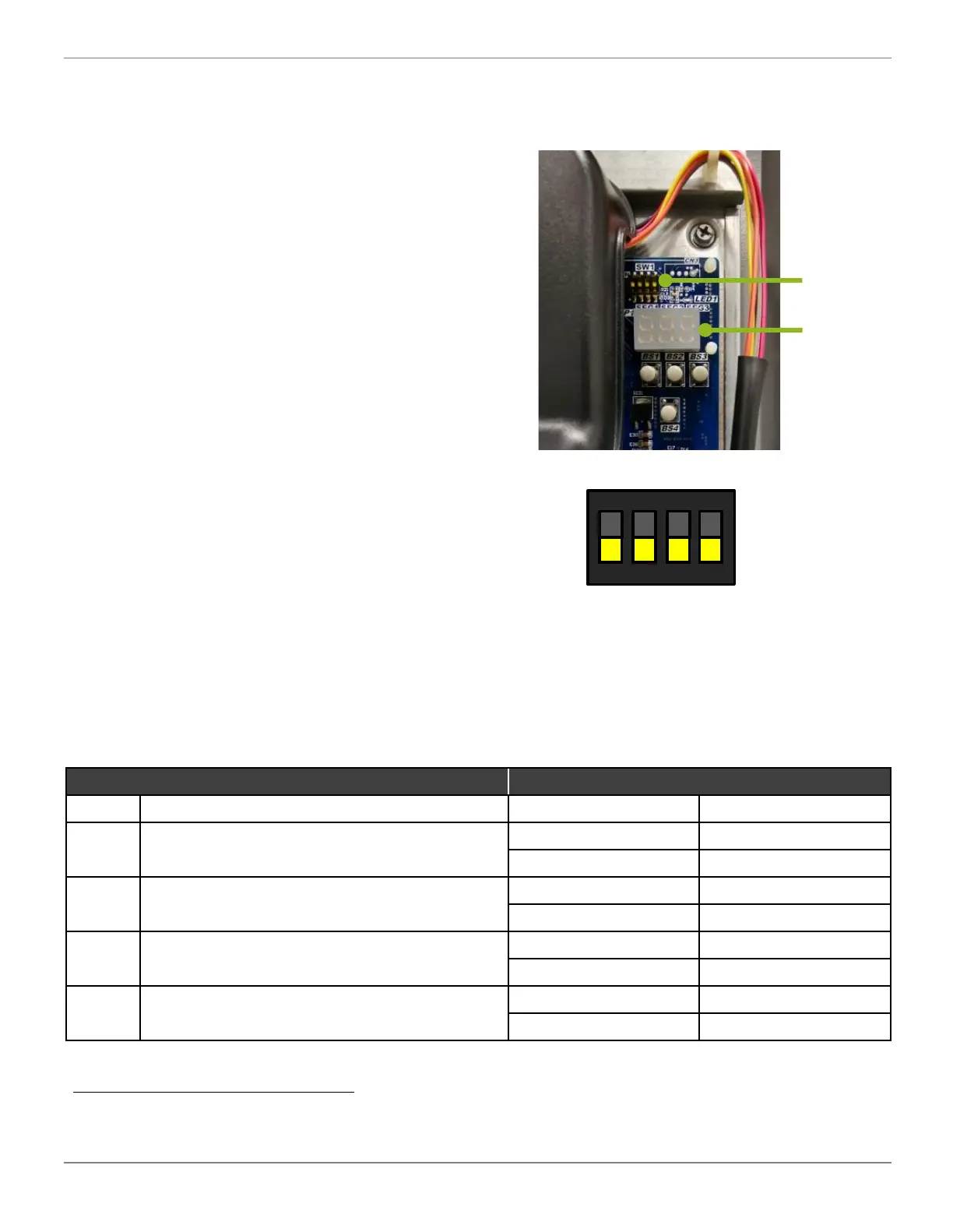
SW1 Dip switch Description
NO. Setting item Status
Content
1
Snow Sensor Control
*a
ON
Disable
OFF (factory)
Enable
2
Capacity selection
ON
2 or 4 Ton
OFF (factory)
3 or 5 Ton
3
AC only / Heat pump
ON
AC only
OFF (factory)
Heat pump
4
Command response for IoT
ON
No
OFF (factory)
Yes
1 2 3 4
ON
DIP
SW1
Use minor straight
screwdriver to dial.
In most scenarios, it is recommended to keep all
outdoor unit board dip switch positions in their
manufacturer default positions. There are some
specific scenarios when it makes sense to
change dip switch settings.
Dip Switch SW1
SW1-1 sets the Snow Sensor Control mode.
SW1-2 selects Tonnage of the condensing unit.
SW1-3 sets Air Conditioner or Heat Pump
SW1-4 is suggested to remain in the factory
default position (OFF). IoT command responses
such as remote field setting, troubleshooting,
software programming etc. only work when this
switch remains in the OFF position.
Must power off the unit for at least two (2) minute to activate your dial of switches.
Dip
Switches
Display
a. ver203 or above support this function.


 To Next Page