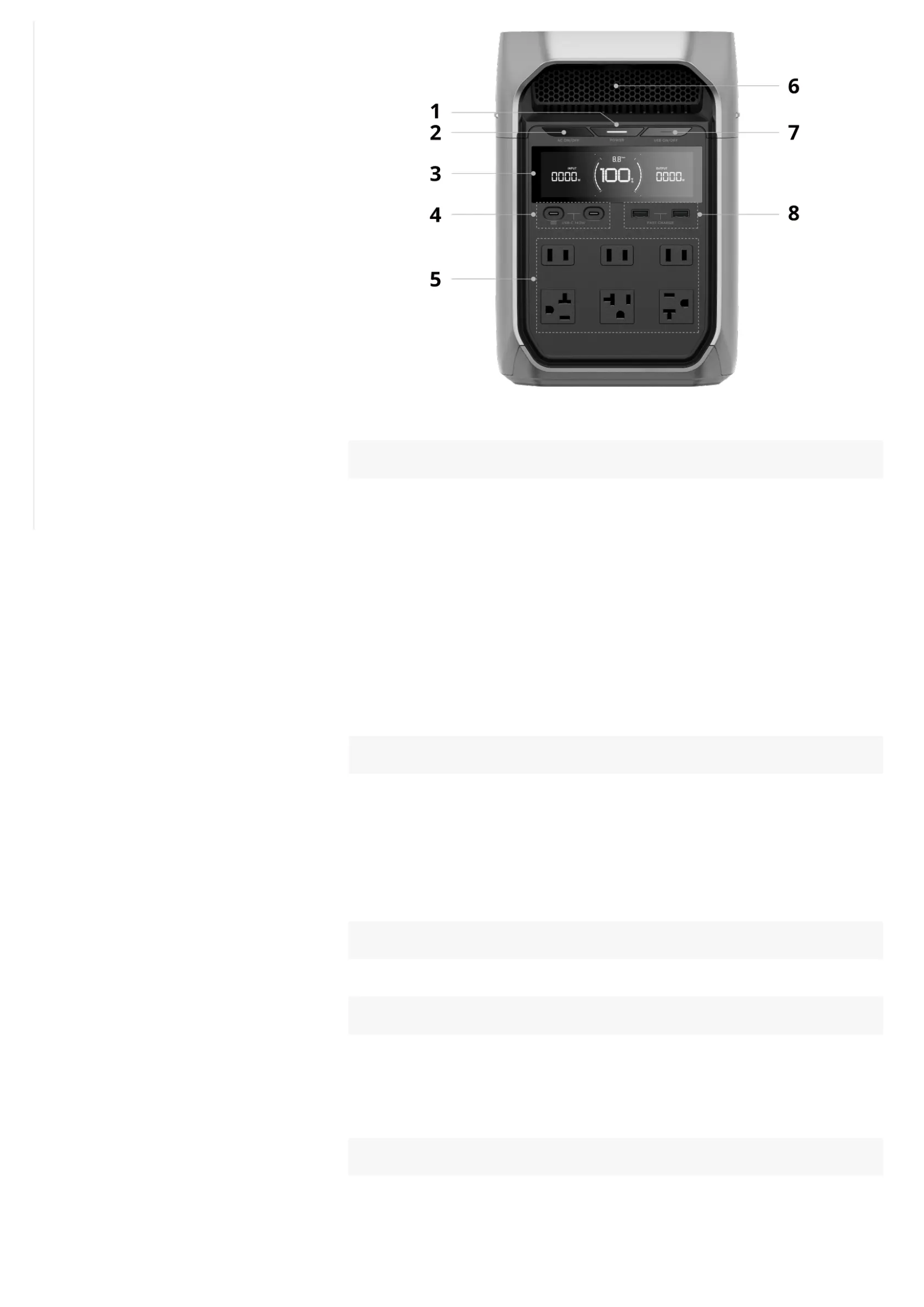
1 Main power button ¹
Power on/off
• Press the button once to turn on the power station. Long press the button for
2 seconds to turn it off.
Screen on/off
• After the power station is turned on, press once to turn on or off the display
screen.
Reset IoT connections
• While the power station is off, long press the button until the screen displays
the power-on animation twice to reset the Bluetooth and Wi-Fi connections.
2 AC output control button ²
AC output on/off
• Press the button once to enable or disable the corresponding power outputs.
Change AC operating frequency
• Press and hold the button for 10 seconds to change the AC output
frequency for practical usage purposes.
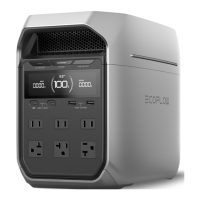
3 Display screen
Displays operating status.
4 USB-C output ports
• Supplies power to charge phones, laptops, game consoles, or other
devices).
• Allows wired communication ³ with other devices (NAS devices, host
computers, etc.) via the port.
5 AC output sockets
Supplies power to AC loads (household appliances or other equipment). The
appearance and specification of AC Output and Input sockets vary according
to your local standards.
Uninterrupted Power Supply (UPS):
Backup for Essential Devices
Storage and Maintenance
Storage
Cleaning
Maintain Battery Health
Safety Instructions and Compliances
Disclaimer
Operation
Storage
In Case of Emergency
Recycling and Disposal
Regulatory Compliance
Technical Specifications
Appendix
What's in the Box
Accessory List










 To Next Page