EasyManua.ls Logo

EcoFlow PowerInsight - Dashboard

EcoFlow PowerInsight
12 pages
Print Icon
To Next Page IconTo Next Page
To Previous Page IconTo Previous Page
Loading...
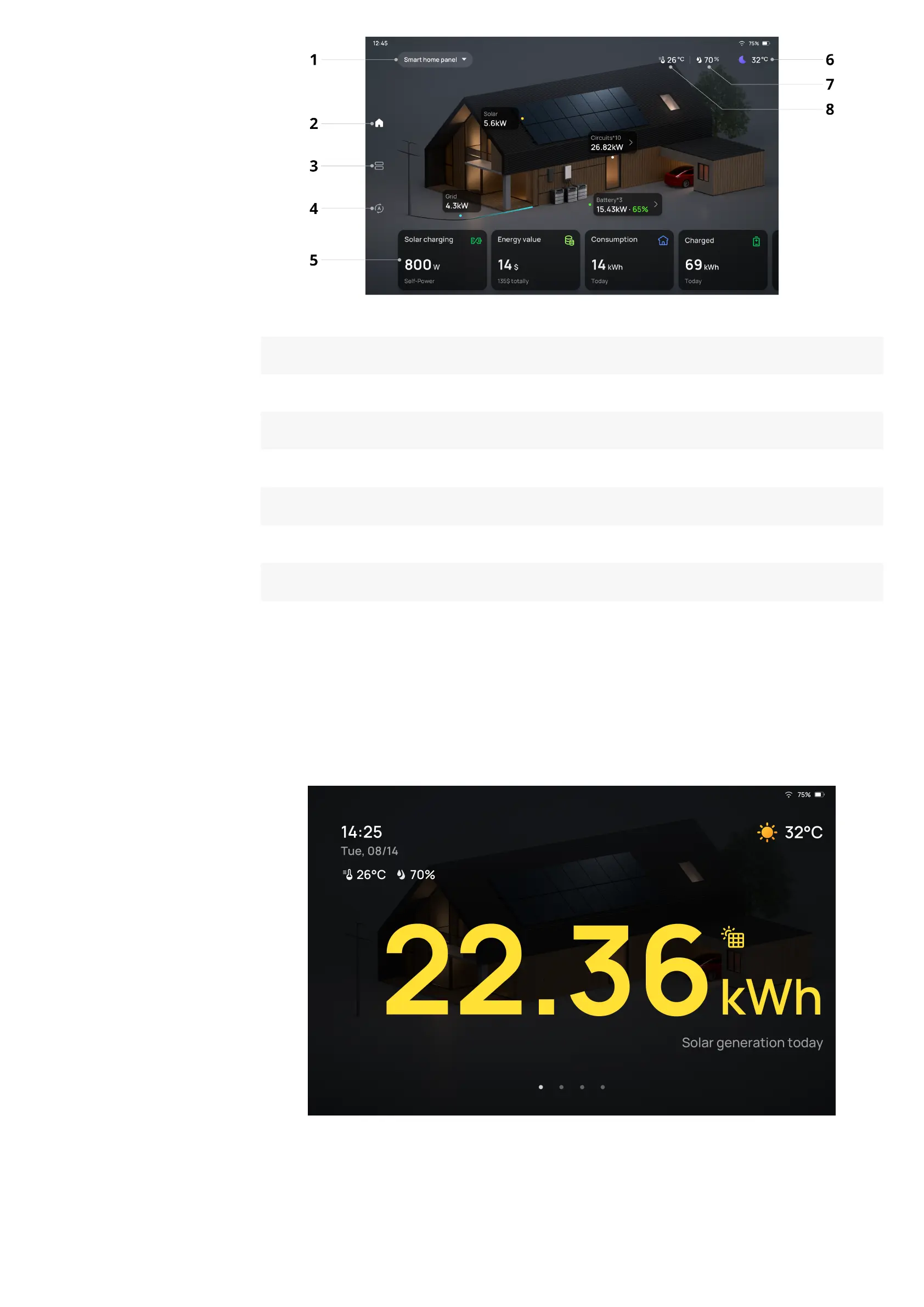
1 Your system or device
2 Home page
3 Device list
4 Automation
5 Operating mode* and data (Tap to set mode or see the dashboard)
6 Weather and outdoor temperature
7 Humidity
8 Room temperature
Whether or not the operating mode widget is included depends on the connected
system.
On standby, the screen saver displays temperature, humidity, time and energy data.
Dashboard
Tap widgets on the home page to enter the dashboard. In the dashboard, you can view
data by day, month or year, including solar power generation in Total savings, total


Other manuals for EcoFlow PowerInsight

Related product manuals