77
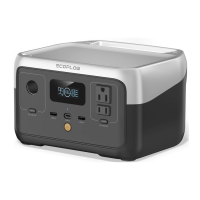
Main powerMain power
bu&onbu&on
Short press to turn on the product, long press for 3 seconds to turn o" the product
88
USB-A outputUSB-A output
portport
Powers up devices with a rated power <12W
99 AC input portAC input port Use an original RIVER 2 AC charging cable for AC input (wall outlet supported)
1010 FanFan Do not block the vent to avoid poor heat dissipation
1212 DC input portDC input port Support car/solar charging input
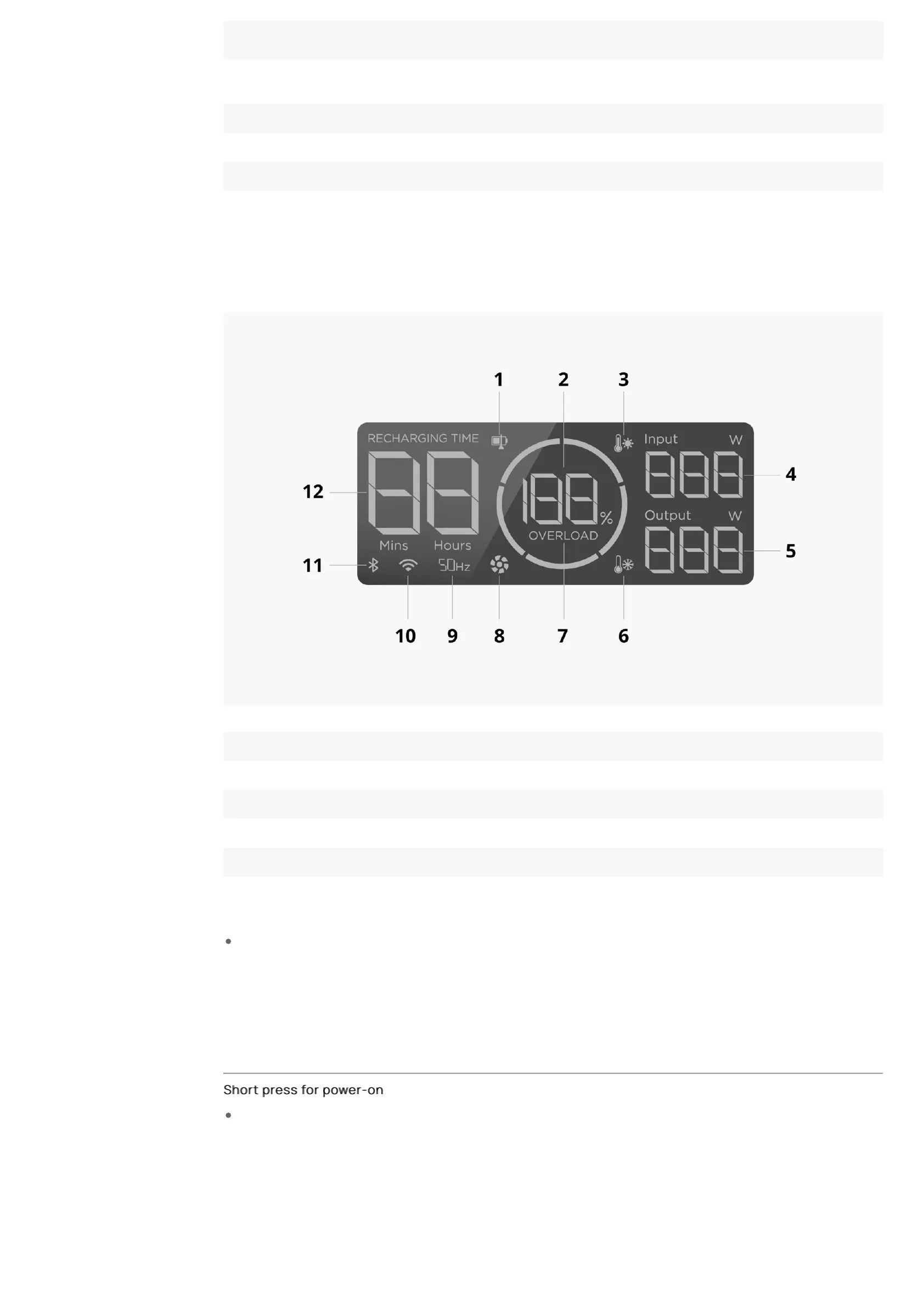
LCD IconsLCD Icons
11 Discharge/Recharge level limitation 77 Overload warning*
22 Remaining ba&ery percentage 88 Fan
33 High temperature warning* 99 AC output frequency
44 Input power 1010 Wi-Fi connection
55 Output power 1111 Bluetooth connection
66 Low temperature warning* 1212 Remaining charge/discharge time
Refer to "Troubleshooting" for details.
Power On/O"Power On/O"
Short press for power-onShort press for power-on
Press the main power bu&on again to turn o" the LCD screen. If the product is not used for 5 minutes, it will enter
hibernation and the LCD screen will turn o".


 To Next Page