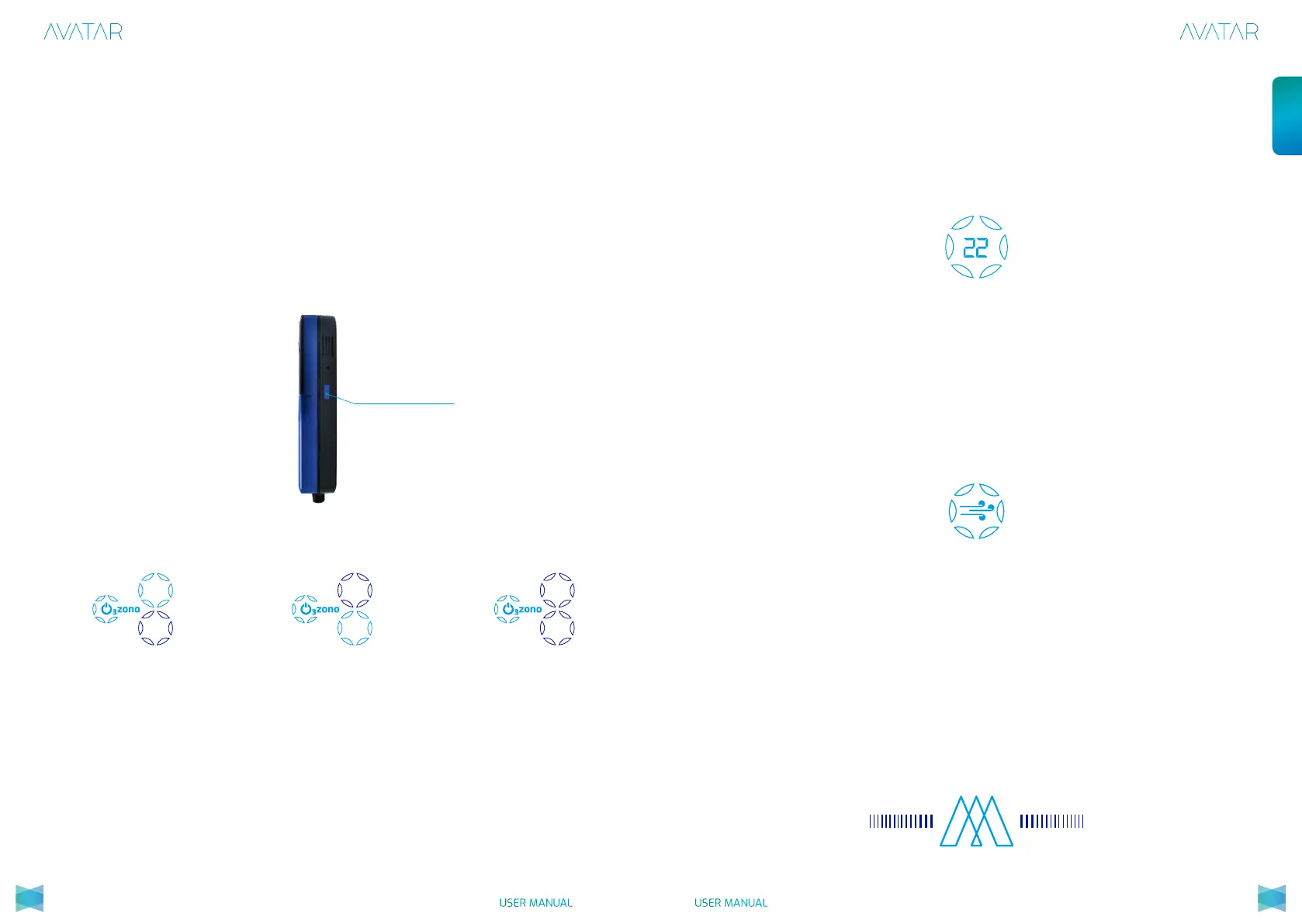
Avatar has a blue touch button on the right-hand side, to control the level of
O
3
zone generation. Whenever the Avatar is started-up, 100% of the O
3
zone
level will be generated by default. It can only be modied by touching the
button. With one press, Avatar will generate 50% O
3
zone and by pressing
twice it will stop generating O
3
zone in the water. By pressing again, the Avatar
will be programmed to generate 100%.
Generation of O
3
zone
Touch controller for the
O
3
zone generation
level
100%
50%
100%
50%
100%
50%
Generation at 100% Generation at 50% NO Generation
For white clothes or with stubborn stains, the 100% generation level is
recommended.
For more delicate laundry (linen, silk...), select the 50% generation level.
Tip for washing machine use:
Note: The dryer is used to remove internal humidity and to ensure the eciency
of the device.
o
C
The water temperature with which the Avatar is working is displayed on the
control panel. If a sensor fails and does not indicate the temperature properly,
this does not mean that the device is no longer generating O
3
zone.
The dryer switches on automatically when the Avatar is operating and stops
when it is no longer in operation. After 3 hours from when the Avatar was last
in operation, the dryer will switch on for approximately 30 minutes. Once the
process has ended, the symbol will automatically turn o and the Avatar will
go to stand-by.
The Avatar icon will switch on in blue and will light up the progress bars to
signal that the Avatar is working correctly and generating O
3
zone.
Water temperature:
Dryer:
Working progress:
2928
USER MANUAL USER MANUAL
English


 To Next Page