16
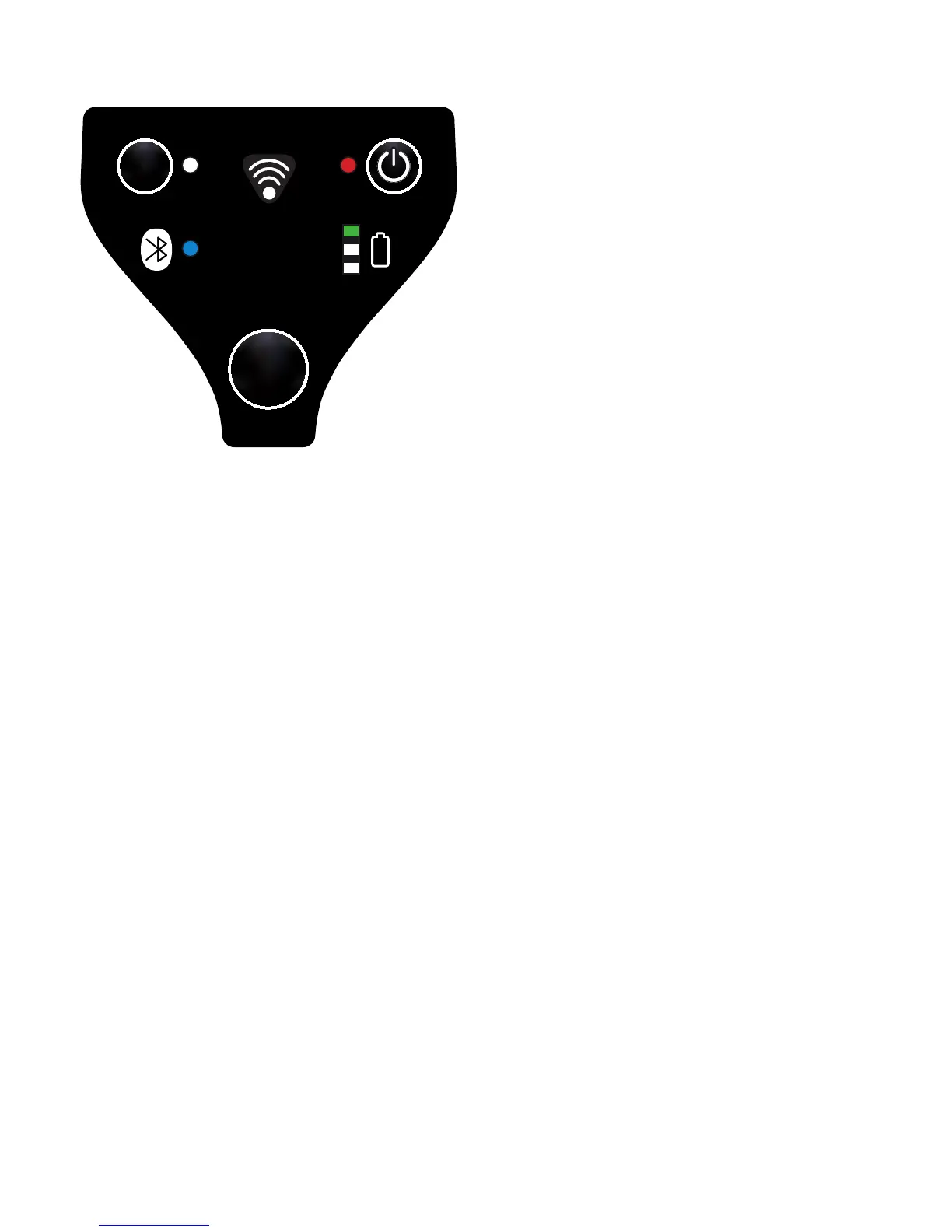
While the transfer is running, the yellow LED of the battery indicator will blink
until the transfer is nished or a failure occurs.
If the transfer was successful, the green LED of the battery indicator will go on
shortly.
The rmware will now be started.
If a failure occurs during the transfer, the rmware can’t be started and we will
stay in the Bootloader (a chaser light in the battery indicator goes from red, to
yellow, to green).
In this case the rmware hast to be installed again (see point Installation of new
rmware). A new Bluetooth connection has to be set up, if the connection is lost
while installing a new rmware (the SPP and Bluetooth LED are not on)
Installation of new rmware of the Ident-Ex (with a mobile device)
Bluetooth pairing of Ident-Ex and the mobile device
To install new rmware on the Ident-Ex with a mobile device, at rst a Bluetooth
connection between the mobile device and the Ident-Ex hast o be set up.
The Bluetooth connection can be set up through the entity “Settings” by pressing
the button “connect”.


 To Next Page