EControls LLC. Confidential and / or proprietary information. Do not copy or distribute without prior written approval.
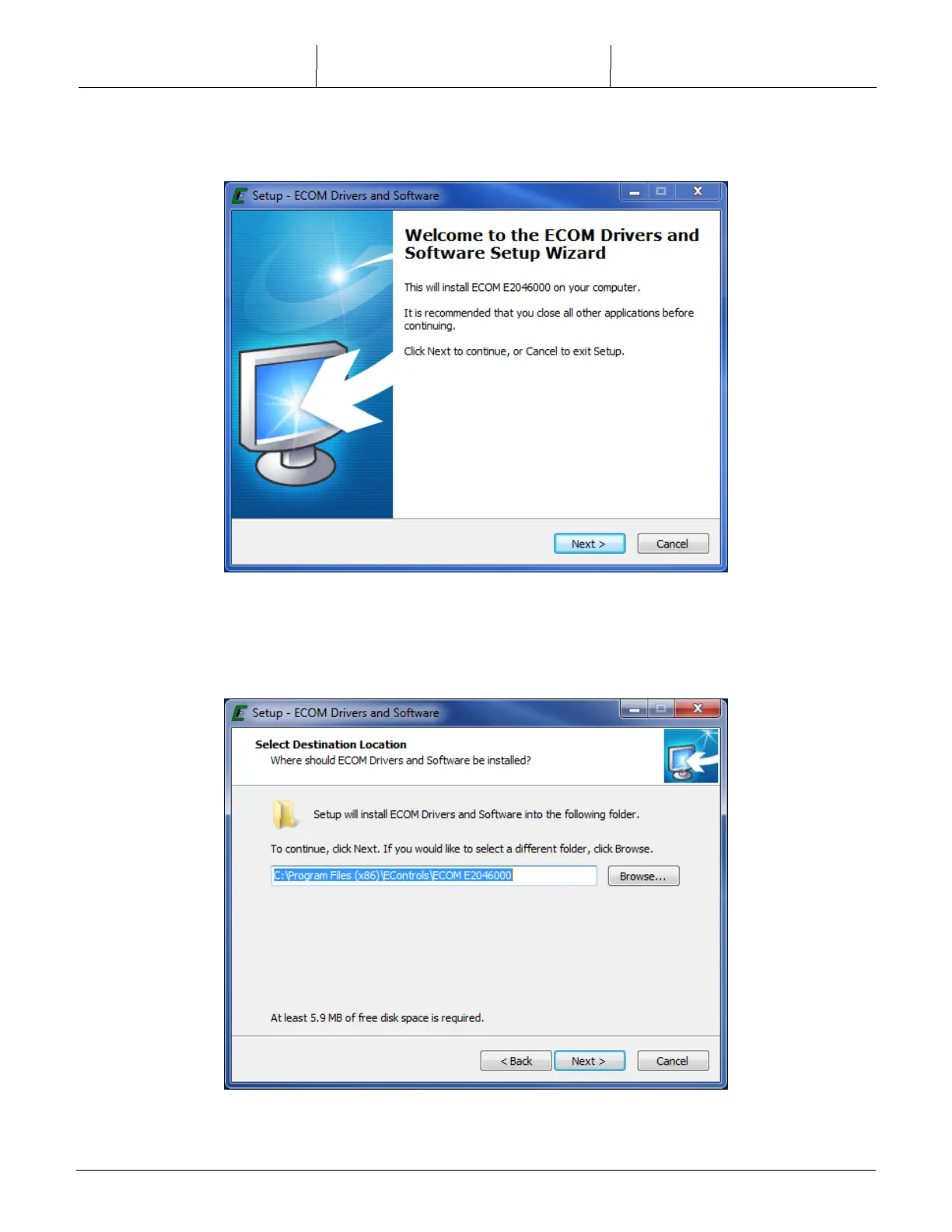
2) After the WELCOME to the ECOM
TM
Drivers and Software Setup Wizard opens, click on the
[NEXT>] button.
3) Select the folder you wish to use for installing the driver software. This folder will contain a
few example programs and the uninstaller, depending on the options you select in the next
step.



 To Next Page