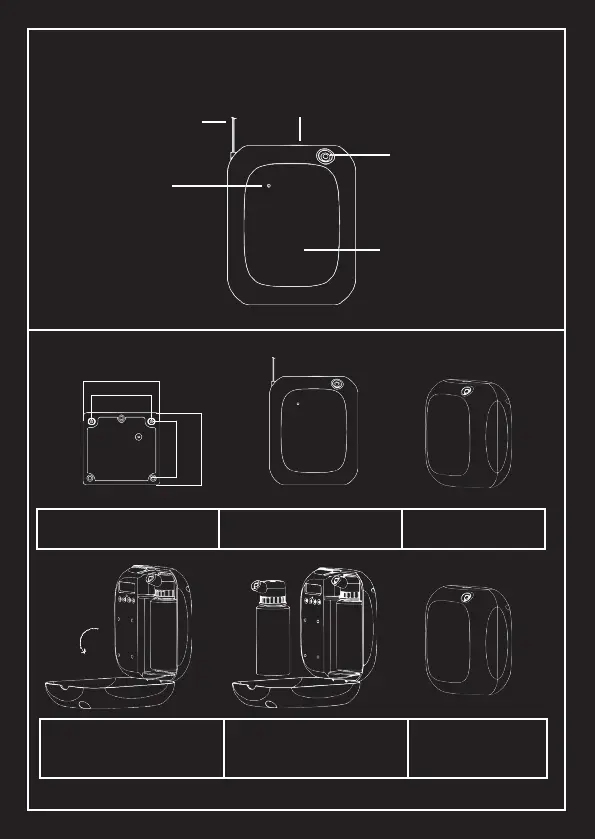
Installation Instruction
Place the device on the hanging
plate, x with screws, connect the
power supply
Fix the hanging plate according
to the dimensions in the drawing.
Open the cover according
to the arrow direcon.
To remove the oil bole, turn
counter-clockwise, add the fragrance
oil and replace the bole, now set the
program working me.
Close the cover, the signal light
is lit during the working period,
represenng the work is normal.
Gently press the top raised
buon to open the cover.
Cover Release Buon
Power Supply
Signal Light
Air Outlet
Cover
Hanging Plate
90
8574
74



 To Next Page