EcoTouch Installation
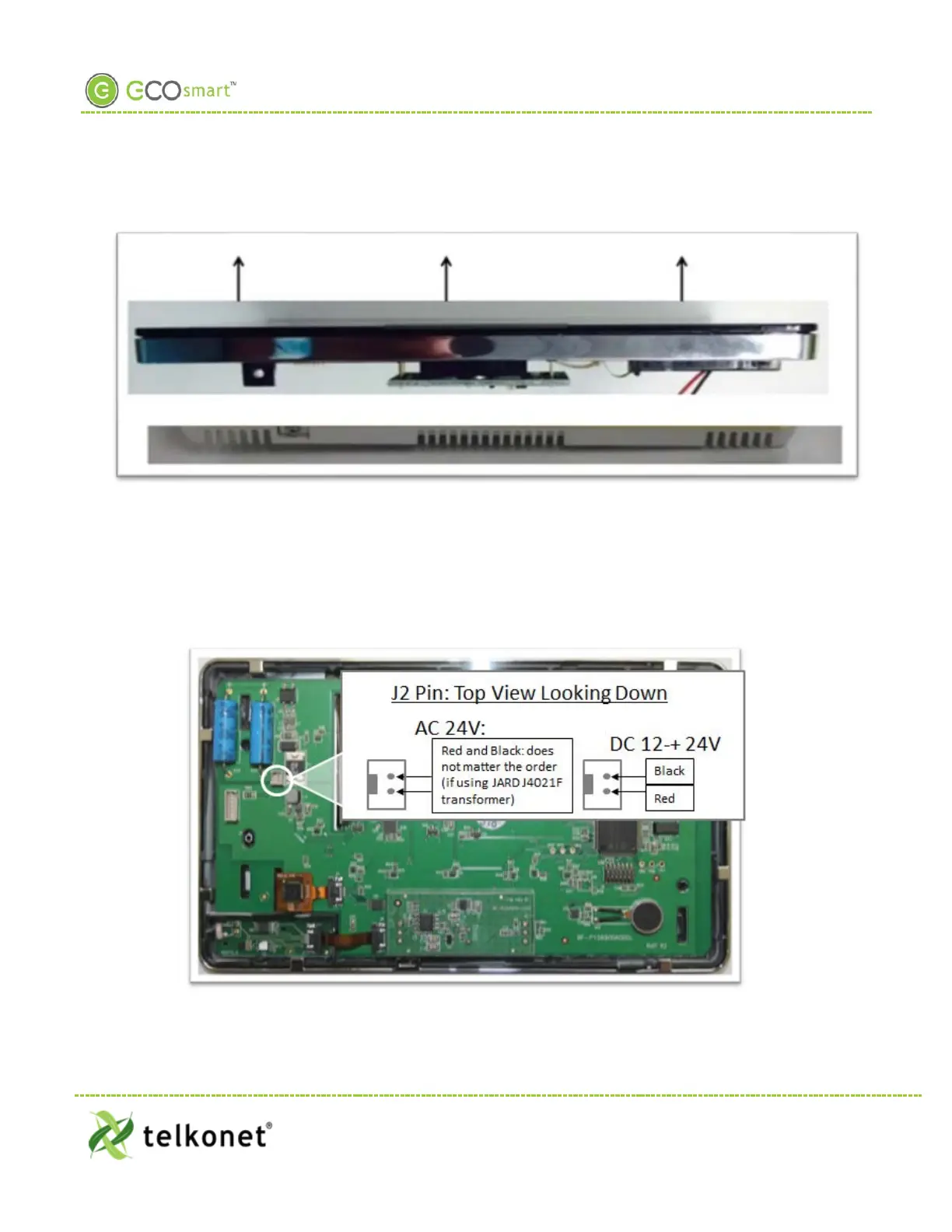
Step 4 Lift the front plate up and off of the back plate as shown in Figure 27.
Figure 27: Lift Up and Off
Step 5 Level the backplate on the wall.
Step 6 Mark the placement for the mounting screws.
Step 7 Mount the backplate to the wall using the mounting screws.
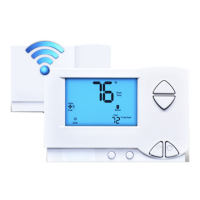
Step 8 Note the J2 pin as shown in Figure 28; this is the pin to which you will connect power.
Step 9 Note the J2 wires coming out from the wall.
Step 10 You will attach the J2 wires to the J2 pin.
Figure 28: J2 Pin
EcoWave Featuring EcoTouch IO&M Guide Telkonet, Inc.
For Use with Firmware Version 2.x 20800 Swenson Drive, Suite 175
EcoTouch Waukesha, WI 53186
Revision 2 (800) 380-9640
Page 27 www.telkonet.com


 To Next Page