INSTRUCTIONS MANUAL
-19-
FIG. 6
BOTTLE
REL
EAS
E
BOT
TLE
SCA
LE
REL
EAS
E
BOT
TLE
TOOLS:
Screw
driver
+
Box
spann
er
n°10
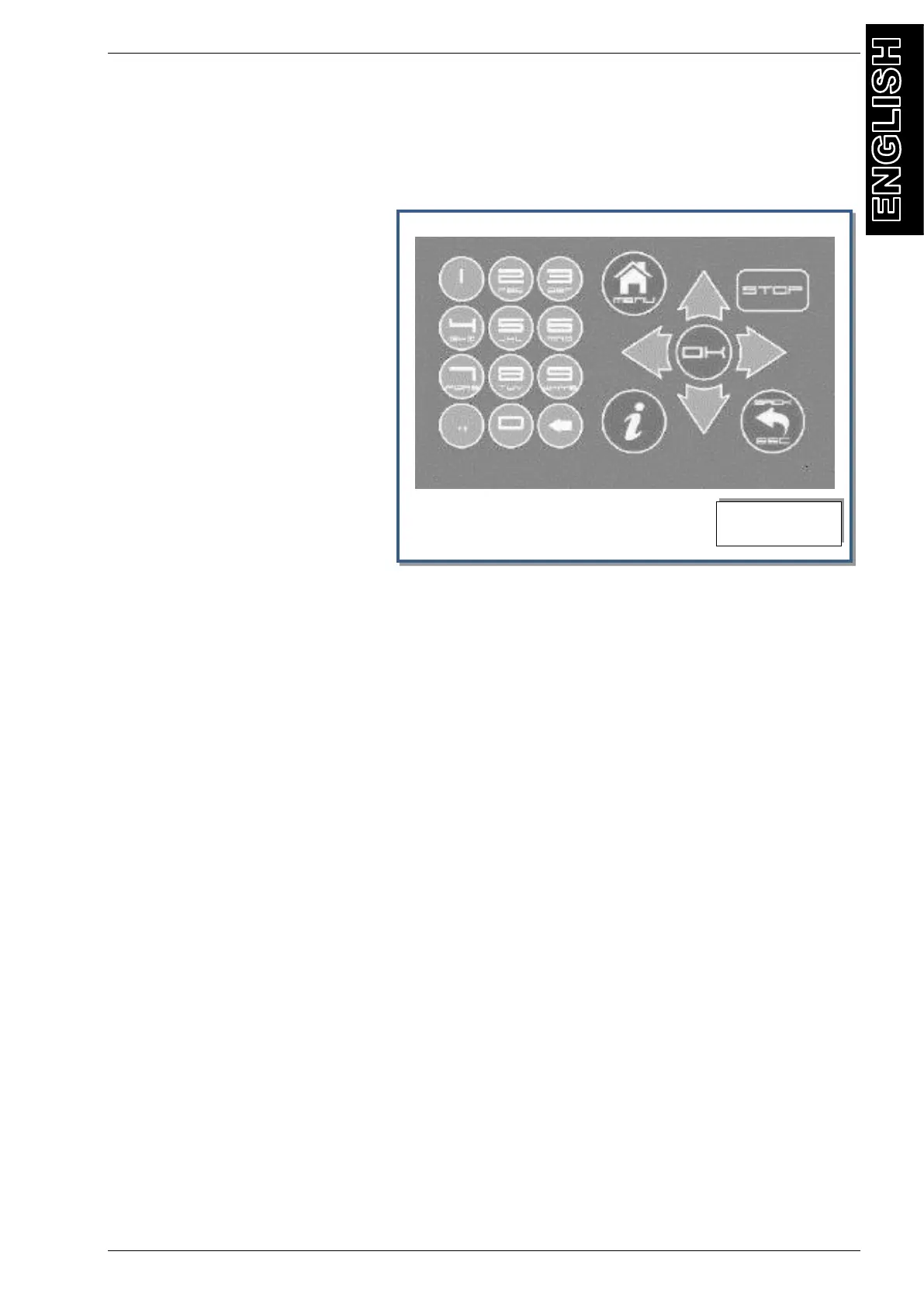
FUNCTION SELECTOR KEYBOARD
Refer to Fig.6 :
STOP: interrupt and pause a operation (could be used in case of emergency)
OK: confirm or finish a procedure
or operation shown on the display,
: used for scrolling down through
menu items..
: used for scrolling up through
menu items.
: used for scrolling right through
menu items.
: used for scrolling left through
menu items.
BACK: Return back to previous
menu, or to exit from a procedure
i: visualize data information or
restore default values when
requested
MENU: to return to main menu
KEYPAD: Numerical keypad (includes an alphabet that is used similar to text messaging)
KEYPAD : key to cancel during the input of a parameter, value, plate or code



 To Next Page