3. Operating and Programming /3.4 ECOVACS HOME App
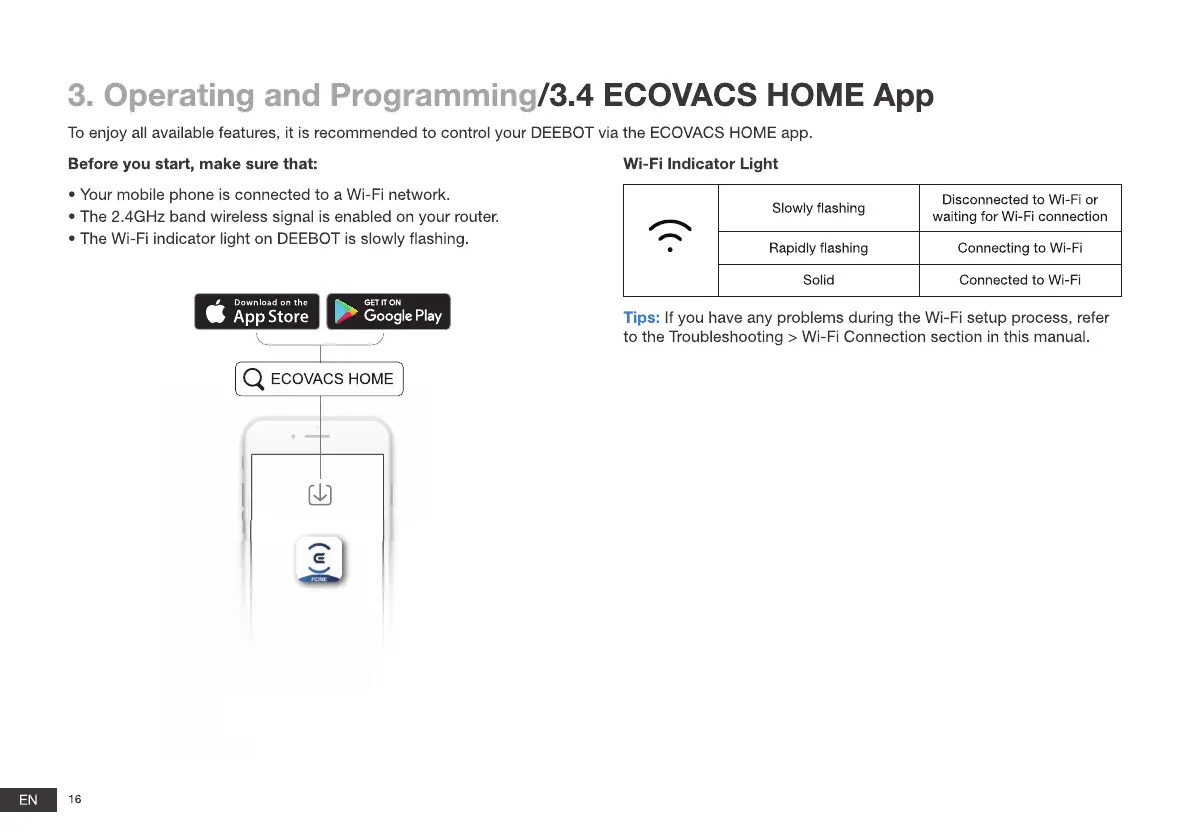
To enjoy all available features, it is recommended to control your DEEBOT via the ECOVACS HOME app.
Before you start, make sure that:
• Your mobile phone is connected to a Wi-Fi network.
• The 2.4GHz band wireless signal is enabled on your router.
• The Wi-Fi indicator light on DEEBOT is slowly flashing.
Wi-Fi Indicator Light
Slowly flashing
Rapidly flashing
Solid
Disconnected to Wi-Fi or
waiting for Wi-Fi connection
Connecting to Wi-Fi
Connected to Wi-Fi
Download on the
App Store
GET IT ON
Google Play
Tips: If you have any problems during the Wi-Fi setup process, refer
to the Troubleshooting > Wi-Fi Connection section in this manual.
EN
Q ECOVACSHOME
16







 To Next Page