EasyManua.ls Logo

ECOVACS Deebot N8 Pro - User Manual

ECOVACS Deebot N8 Pro
32 pages
Print Icon
To Next Page IconTo Next Page
Loading...
Instruction Manual

Questions and Answers

  • K
    Kimberly WhitakerAug 17, 2025
    Why is my ECOVACS Deebot N8 Pro Vacuum Cleaner DEEBOT not charging?
    • M
      Mr. David KelleyAug 17, 2025
      There are several reasons why your ECOVACS Vacuum Cleaner DEEBOT might not be charging: * Ensure the DEEBOT is switched ON. * Confirm that the robot's Charging Contacts are connected to the Docking Station Pins. * Verify the Power Cord is firmly connected to the Docking Station. * Check that the Docking Station is connected to the power supply. If the battery is completely discharged, please contact Customer Care for assistance.
  • R
    Richard SanfordAug 19, 2025
    What to do if water is not coming out when ECOVACS Vacuum Cleaner DEEBOT is mopping?
    • B
      Benjamin FitzpatrickAug 19, 2025
      If water isn't coming out of the reservoir when your ECOVACS Vacuum Cleaner DEEBOT is mopping: * The water inlet filter on the bottom of the Reservoir may be clogged. Unscrew the water inlet and clean the filter. * The Reservoir might be empty. Add water to the Reservoir. * The water outlets on the bottom of the DEEBOT may be clogged. Check the water outlets and clean them.
  • W
    William HuntAug 22, 2025
    Why ECOVACS Deebot N8 Pro Vacuum Cleaner DEEBOT cannot return to Docking Station?
    • T
      Tami FlemingAug 22, 2025
      If your ECOVACS Vacuum Cleaner DEEBOT is unable to return to the Docking Station, consider the following: * Ensure the Docking Station is correctly connected. * Avoid manually moving the Docking Station during cleaning. * Do not pause the DEEBOT for more than 90 minutes. * Make sure the DEEBOT starts cleaning from the Docking Station.
  • R
    Robyn CarrAug 26, 2025
    Why ECOVACS Deebot N8 Pro DEEBOT returns to Docking Station before finishing?
    • Y
      ynelsonAug 26, 2025
      If your ECOVACS Vacuum Cleaner DEEBOT returns to the Docking Station before finishing, it could be due to these reasons: * The battery may be low, causing it to switch to Recharge Mode. Turn on the Continuous Cleaning function in the ECOVACS HOME App so the DEEBOT will automatically resume cleaning when Continuous Cleaning is enabled. * The DEEBOT might be unable to reach certain areas due to furniture or barriers. Tidy up the area to be cleaned by putting furniture and small objects in their proper place. * The Docking Station might be too far from the center of the house. Place the Docking Station against the wall of a central room of the house.
  • K
    kenneth92Aug 28, 2025
    What to do if ECOVACS Deebot N8 Pro Vacuum Cleaner DEEBOT gets stuck?
    • T
      taylordavidAug 28, 2025
      If your ECOVACS Vacuum Cleaner DEEBOT gets stuck, it may be due to: * Tangling with objects on the floor like wires or carpet fringes. The DEEBOT will try to free itself. If it cannot, remove the obstacles and restart it. * Getting stuck under furniture. Use a physical barrier or set a Virtual Boundary in the ECOVACS HOME App.
  • A
    Amanda BryantAug 31, 2025
    Why ECOVACS Deebot N8 Pro DEEBOT misses cleaning spots?
    • A
      Alfred ReedAug 31, 2025
      If your ECOVACS Vacuum Cleaner DEEBOT misses spots or repeats areas, consider the following: * Small objects or barriers may interfere with the cleaning cycle. Remove power cords and small objects from the floor. Avoid moving the DEEBOT or blocking its path during cleaning. * Slippery polished floors can affect performance. Make sure the floor wax is dried before the DEEBOT starts cleaning. * Furniture or barriers may block access to certain areas. Tidy up the area by placing furniture and small objects properly. * The TrueMapping Distance Sensor may be blocked. Remove any obstructions.
  • M
    Malik MitchellSep 2, 2025
    Why ECOVACS Deebot N8 Pro Vacuum Cleaner DEEBOT does not start at scheduled time?
    • J
      Jeffrey AndrewsSep 2, 2025
      If your ECOVACS Vacuum Cleaner DEEBOT isn't cleaning at the scheduled time: * Check if the Time Scheduling function is cancelled. Program the DEEBOT to clean at specific times using the ECOVACS HOME App. * Ensure the DEEBOT is switched ON. * Make sure the robot’s battery is not low. Keep the DEEBOT switched ON and connected to the Docking Station.
  • R
    Robert RobinsonSep 5, 2025
    Why is ECOVACS Vacuum Cleaner DEEBOT making so much noise?
    • S
      Sarah BennettSep 5, 2025
      If your ECOVACS Vacuum Cleaner DEEBOT is making too much noise, it might be tangled or blocked with debris. Clean the DEEBOT and restart it.
  • K
    kristenmendezSep 7, 2025
    Why ECOVACS Vacuum Cleaner DEEBOT does not clean the whole area?
    • L
      Lynn JonesSep 8, 2025
      If your ECOVACS Vacuum Cleaner DEEBOT isn't cleaning the entire area, the cleaning area might not be tidy. Remove small objects from the floor and tidy up before starting the DEEBOT.
  • J
    Janice GibbsSep 12, 2025
    What to do if ECOVACS Deebot N8 Pro DEEBOT Side Brushes fall out?
    • R
      Robert WellsSep 12, 2025
      If the Side Brushes on your ECOVACS Vacuum Cleaner DEEBOT fall out during use, it's likely that they aren't correctly installed. Ensure the Side Brushes click into place when installing them.

Summary

Important Safety Instructions

Package Contents

Package Contents Overview

Lists and illustrates all items included in the DEEBOT package.

Robot Product Diagram

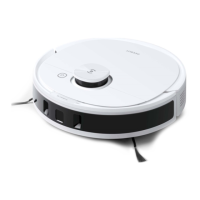
Detailed illustration of the DEEBOT robot, identifying key components and sensors.

Operating and Programming

Notes Before Cleaning

Provides essential tips and preparation steps before starting the DEEBOT cleaning process.

Quick Start Guide

Step-by-step instructions for initial setup, including removing protective strips and installing brushes.

Charging the DEEBOT

Instructions for proper docking station placement and charging the DEEBOT robot.

ECOVACS HOME App Connectivity

Guide to connecting and controlling the DEEBOT using the ECOVACS HOME mobile application.

Operating the DEEBOT

Instructions on how to start, pause, and return the DEEBOT to its charging station.

OZMO Mopping System Usage

Details on using the OZMO mopping system, including water usage and carpet detection.

Maintenance

Regular Maintenance Schedule

Table outlining maintenance frequency and replacement intervals for various DEEBOT parts.

OZMO Mopping System Maintenance

Instructions for cleaning the OZMO mopping system components, including pads and reservoir.

Dust Bin and Filter Maintenance

Guide on how to clean and maintain the DEEBOT's dust bin and filters for optimal performance.

Main and Side Brush Maintenance

Instructions for cleaning and maintaining the main brush and side brushes of the DEEBOT.

Other Component Maintenance

Procedures for cleaning other parts of the DEEBOT, such as charging contacts and sensors.

DEEBOT Storage Guidelines

Recommendations for storing the DEEBOT when not in use, including charging and powering off.

Indicator Light

Troubleshooting

General Troubleshooting

Solutions for common DEEBOT malfunctions like not charging or getting stuck.

Wi-Fi Connection Troubleshooting

Guidance on resolving issues related to connecting the DEEBOT to a home Wi-Fi network.

Technical Specifications

ECOVACS Deebot N8 Pro Specifications

General IconGeneral
ShapeRound
Product colorBlack, White
Dust container type-
Smartphone remote supportYes
Noise level- dB
Number of brushes2
Integrated sensorsInfrared sensor
Dust capacity (total)- L
Base station functionsCharging
Battery capacity- mAh
Suction power2600 Pa

Related product manuals