EasyManua.ls Logo

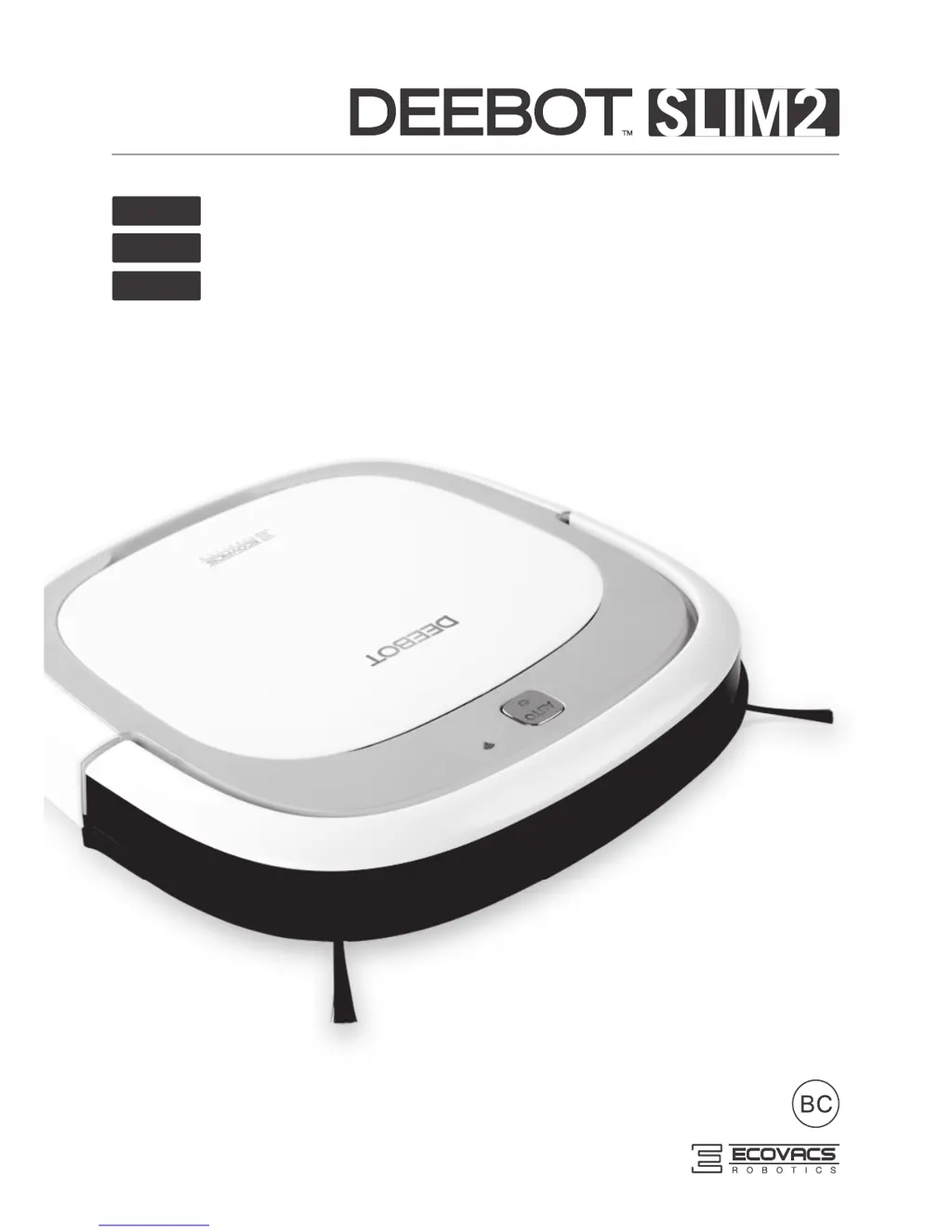
ECOVACS DEEBOT SLIM2 DA5G - User Manual

ECOVACS DEEBOT SLIM2 DA5G
72 pages
Print Icon
To Next Page IconTo Next Page
Loading...
Instruction Manual
EN
Manuel de l'utilisateur
Manual de instrucciones
FR-CA
ES-LATAM

Table of Contents

Questions and Answers

  • W
    William StoneAug 10, 2025
    What to do if ECOVACS DEEBOT SLIM2 DA5G Vacuum Cleaner DEEBOT will not clean at scheduled time?
    • Z
      ztorresAug 10, 2025
      If your DEEBOT isn't cleaning automatically at the scheduled time, consider these possibilities: * The Intelligent Scheduling function may be cancelled. * DEEBOT may be powered OFF. Solution: Power ON DEEBOT. * The robot’s battery may be low. Solution: Keep DEEBOT powered ON and on the Charging Dock to make sure it has full battery to work at any time. * The robot’s Suction Intake may be blocked and/or its components are tangled with debris. Solution: Turn the robot’s power OFF, clean the Dust Bin and invert the robot. Clean the robot’s Suction Intake and Side Brushes.
  • D
    Don Rodriguez Jr.Aug 17, 2025
    Why ECOVACS Vacuum Cleaner DEEBOT gets into trouble and stops?
    • O
      owenslindaAug 17, 2025
      If your DEEBOT gets into trouble while working and stops, it might be tangled with something on the floor like electrical cords, drooping curtains, or area rug fringe. DEEBOT will try to get itself out of trouble. If it can't, manually remove the obstacles and restart it.
  • J
    Jerome BellAug 26, 2025
    How to fix Remote Control failure in ECOVACS Vacuum Cleaner?
    • C
      copelandmicheleAug 26, 2025
      If you are experiencing Remote Control failure with your ECOVACS Vacuum Cleaner, consider these potential causes: * The batteries in the Remote Control need to be replaced. Solution: Replace with new batteries making sure they are installed correctly. * DEEBOT is powered OFF or the robot’s battery is low. Solution: Make sure DEEBOT is powered ON and fully charged. * The infrared signal cannot be transmitted because the Infrared Emitter on Remote Control or the Infrared Receiver on DEEBOT is dirty. Solution: Use clean dry cloth to wipe the Infrared Emitter on Remote Control and the Infrared Receiver on DEEBOT. * There is other equipment interfering with the infrared signal to DEEBOT. Solution: Avoid using the Remote Control near other equipment using infrared signals.
  • S
    sarahgrahamNov 2, 2025
    Why is my ECOVACS DEEBOT SLIM2 DA5G DEEBOT not charging?
    • B
      Benjamin TaylorNov 2, 2025
      Your DEEBOT might not be charging for several reasons: * The robot is not powered ON. Solution: Move the robot’s Bottom Power Switch to the ON position. * The robot has not made a connection with the Charging Dock. Solution: Be sure that the robot’s Charging Contacts have made a connection with the Charging Dock Pins. You may move the robot manually to make the connection if necessary. * The Charging Dock is unplugged while DEEBOT is powered ON, which causes battery consumption. Solution: Plug in the Charging Dock and ensure DEEBOT is powered ON. Keep DEEBOT on the Charging Dock to make sure it has full battery to work at any time. * The battery is completely discharged. Solution: Re-activate the battery. Place DEEBOT on the Charging Dock by hand, remove after charging for 3 minut...

Summary

Important Safety Instructions

General Safety Precautions

Covers safe usage, handling, and environmental considerations for the robot.

Package Contents and Technical Specifications

Package Contents

Lists all items included in the product package.

Technical Specifications

Details technical parameters like voltage, power, and battery.

Product Diagram and Controls

Illustrates the robot, control panel, and charging dock components.

Operating and Programming

Notes Before Cleaning

Important considerations and obstacle removal before starting cleaning.

Quick Start Guide

Step-by-step instructions for initial setup and operation.

Cleaning Mode Selection

Explains different cleaning modes available for the robot.

Programming the Robot

Details how to set up automated cleaning schedules.

Status Indicator Light and Sounds

Interprets indicator lights and sounds for status and error reporting.

Maintenance

Dust Bin and Filter Maintenance

Instructions for cleaning and maintaining the dust bin and filters.

Cleaning Cloth Maintenance

Guidance on washing and maintaining the cleaning cloth.

Suction Intake and Side Brush Maintenance

How to clean the suction intake and side brushes.

Other Component Maintenance

Cleaning instructions for universal wheel, sensors, and charging contacts.

Regular Maintenance Schedule

Recommended frequencies for cleaning and replacing parts.

Troubleshooting

DEEBOT Charging and Operation Issues

Addresses problems like DEEBOT not charging, getting stuck, or returning to dock prematurely.

Scheduling and Remote Control Issues

Solutions for DEEBOT failing to clean automatically or remote control malfunctions.

ECOVACS DEEBOT SLIM2 DA5G Specifications

General IconGeneral
BrandECOVACS
ModelDEEBOT SLIM2 DA5G
CategoryVacuum Cleaner
LanguageEnglish

Related product manuals