EasyManua.ls Logo

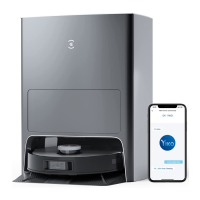
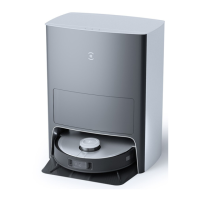
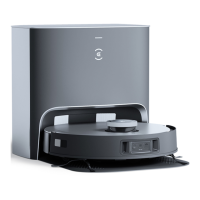
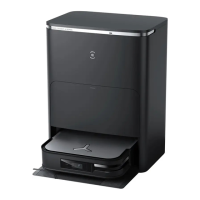
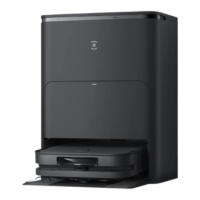
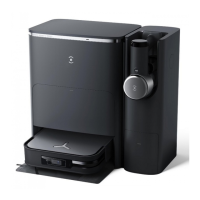
ECOVACS Deebot X1 Plus - User Manual

ECOVACS Deebot X1 Plus
52 pages
Print Icon
To Next Page IconTo Next Page
Loading...
平面印刷品基本技术要求
科沃斯机器人股份有限公司
设计:傅姜卫日期:
2022.01.24
物料名称说明书
尺寸:
A5(145*210mm)
材质:封面
157g
哑粉纸
+105g
内页哑粉纸型号
ZJ2115
页数:
96P
印刷颜色:
CMYK
四色印刷物料编号
451-2115-0501
比例:
1:1
装订方式:胶装版次
A00
变更记录:
ECOVACS
机密文档

Questions and Answers

  • A
    Alyssa MarshallSep 3, 2025
    How to fix ECOVACS Deebot X1 Plus unable to create furniture map on App?
    • A
      Amy BowenSep 3, 2025
      If your ECOVACS DEEBOT is unable to create a furniture map on the App, ensure that DEEBOT starts cleaning from the Station. Also, during cleaning, do not move DEEBOT as far as possible. Make sure DEEBOT automatically returns to the Station after cleaning.
  • K
    Kelly PatelSep 1, 2025
    Why is my ECOVACS Vacuum Cleaner running very loud during cleaning?
    • D
      Dawn WallSep 2, 2025
      Your ECOVACS DEEBOT might be running very loudly during cleaning because the Dual Dual Side Brushes and Floating Main Brush are entangled, or the Auto-Empty Dust Bin and filter are blocked (clean the Dual Side Brushes, Floating Main Brush, Auto-Empty Dust Bin, filter, etc. regularly). Alternatively, the DEEBOT might be in Strong Mode (switch to Standard Mode).
  • L
    Lisa SanchezAug 31, 2025
    Why ECOVACS Vacuum Cleaner has no signal and is unable to return to the Station?
    • K
      Krystal SotoAug 31, 2025
      If your ECOVACS DEEBOT can't find a signal and is unable to return to the Station, it could be due to several reasons. The Station might be incorrectly placed (place the Station correctly according to the instructions in the [Charging DEEBOT] section). The Station might be out of power or manually moved (check whether the Station is connected to power supply and do not move the Station). Also, the DEEBOT may not start cleaning from the Station (it is recommended that DEEBOT start cleaning from the Station). Finally, the charging route may be blocked (keep the charging route clear).
  • J
    John RodriguezAug 29, 2025
    What to do if ECOVACS Vacuum Cleaner DEEBOT gets stuck while working and stops?
    • D
      Daniel HillAug 29, 2025
      If your ECOVACS DEEBOT gets stuck while working, it might be tangled with something on the floor like electrical wires, curtains, or carpet fringing. The DEEBOT will attempt to free itself, but if it can't, manually remove the obstacles and restart it. Another possibility is that the DEEBOT is stuck under furniture with a similar height entrance. In this case, set a physical barrier or a Virtual Boundary in the ECOVACS HOME App.
  • S
    Susan PageAug 27, 2025
    Why ECOVACS Vacuum Cleaner returns to the Station before it has finished cleaning?
    • T
      tamaracainAug 27, 2025
      Your ECOVACS DEEBOT might be returning to the Station before finishing cleaning because the room is large and DEEBOT needs to recharge (turn on Continuous Cleaning in the App for more details). Alternatively, DEEBOT might be unable to reach certain areas blocked by furniture or barriers (tidy up the area to be cleaned by putting furniture and small objects in their proper place).
  • D
    Dylan McbrideAug 26, 2025
    Why is my ECOVACS Vacuum Cleaner DEEBOT not able to connect to ECOVACS HOME App?
    • S
      Stephanie BakerAug 26, 2025
      Your ECOVACS DEEBOT might not be connecting to the ECOVACS HOME App due to several reasons: an incorrect Wi-Fi username or password being entered (ensure you enter the correct credentials); the DEEBOT being out of range of your home Wi-Fi signal (move the DEEBOT closer to the Wi-Fi router); the DEEBOT not being in configuration state (connect DEEBOT to the power supply, turn it on, open the cover, and press the RESET button until you hear a voice prompt); an incorrect app being installed (download and install the ECOVACS HOME App); or not using a 2.4GHz or 2.4/5 GHz mixed network (DEEBOT does not support 5G network, so use a 2.4GHz or 2.4/5 GHz mixed network).
  • D
    dhendersonAug 25, 2025
    What to do if ECOVACS Deebot X1 Plus Vacuum Cleaner DEEBOT OZMOTM Pro 3.0 Oscillating Mopping System drops out of the place during use?
    • S
      Steven MorrisonAug 25, 2025
      If the OZMOTM Pro 3.0 Oscillating Mopping System on your ECOVACS DEEBOT drops out of place during use, make sure DEEBOT OZMOTM Pro 3.0 Oscillating Mopping System clicks into place when installing.

Summary

Important Safety Instructions

Package Contents

Product Diagram

Quick Start

Install the Dual Side Brushes

Guide on how to install the dual side brushes on the DEEBOT for initial setup.

Wi-Fi Connection

Charging DEEBOT

Operating DEEBOT

OZMO Pro 3.0 Oscillating Mopping System

Air Freshener

Regular Maintenance

Maintain OZMO Pro 3.0 Oscillating Mopping System

Maintain Auto-Empty Dust Bin and Filters

Maintain Floating Main Brush and Dual Side Brushes

Maintain Empty Station

Dust Bag

Maintain Other Components

Empty Station

Troubleshooting

DEEBOT ECOVACS App Connectivity Issues

Troubleshooting steps for DEEBOT failing to connect to the ECOVACS HOME App.

Furniture Map Creation Errors

Resolving issues where the DEEBOT cannot create a furniture map on the App.

Detached Dual Side Brushes

Addressing problems with DEEBOT's dual side brushes dropping out during operation.

Station Return Signal Loss

Troubleshooting no signal issues preventing DEEBOT from returning to the station.

Premature Cleaning Cycle Interruption

Resolving DEEBOT returning to the station before completing the cleaning cycle.

DEEBOT Charging Malfunctions

Diagnosing and fixing issues where the DEEBOT is not charging properly.

Excessive Operational Noise

Addressing loud running noises experienced by the DEEBOT during cleaning.

DEEBOT Stuck on Obstacles

Solutions for DEEBOT getting stuck on obstacles or furniture during operation.

Cleaning Inefficiency and Navigation Errors

Troubleshooting DEEBOT's route disorder, bias, and repeated cleaning patterns.

Video Manager Display Problems

Resolving problems with the Video Manager not opening or displaying a screen.

Delayed Remote Control Response

Addressing delays experienced in remote control commands for the DEEBOT.

AIVI Sensor Object Recognition Failure

Troubleshooting the AIVI Visual Detection Sensor's inability to recognize objects.

Auto-Emptying Initiation Failure

Resolving DEEBOT not initiating auto-emptying after returning to the station.

Auto-Empty Dust Bin Malfunction

Fixing issues where the DEEBOT fails to auto-empty the dust bin.

Dust Container Debris Accumulation

Resolving debris accumulation within the DEEBOT's dust container.

Dust Leakage During Operation

Troubleshooting DEEBOT leaking dust or debris during the cleaning process.

Air Freshener Abnormal Noise

Addressing abnormal noises originating from the Air Freshener.

Station Command Unresponsiveness

Fixing DEEBOT's unresponsiveness to instructions from the docking station.

Blocked Drive Wheels

Solutions for DEEBOT's driving wheels being blocked by foreign objects.

Mopping System Installation Error

Ensuring the OZMO™ Pro 3.0 Oscillating Mopping System is securely installed.

DEEBOT Stuck with Mopping System

Assisting DEEBOT when it gets stuck while using the mopping system.

Technical Specifications

ECOVACS Deebot X1 Plus Specifications

General IconGeneral
ShapeRound
Product colorBlack, Grey
Built-in displayNo
Number of wheels2 wheel(s)
Dust container typeDust bag
Smartphone remote supportYes
Package typeBox
Brush typeSide brush
Noise level68 dB
Navigation typeTrueMapping 2.0
Number of brushes2
Number of programs3
Water tank capacity0.24 L
Dust capacity (total)0.4 L
Base station functionsCharging
HEPA filtration system-
Floor surfaces supportedCarpet, Hard floor
Charging time6.5 h
Battery voltage14.8 V
Battery capacity5200 mAh
Suction power5000 Pa
Weight and Dimensions IconWeight and Dimensions
Height103.3 mm
Diameter353 mm

Videos

How to Set Up ECOVACS Deebot X1 Plus

How to Change the Dustbag on ECOVACS Deebot X1 Plus

How to Enable Auto-Empty on ECOVACS Deebot X1 Plus

How to Use Quick Map on ECOVACS Deebot X1 Plus

How to Add a Scheduled Clean on ECOVACS Deebot X1 Plus

How to Enable Artificial Intelligence Visual Interpretation on ECOVACS Deebot X1 Plus

Related product manuals