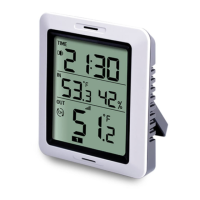
c. Short press【MODE】,step into Minute setting,
Short press【CH/+】to adjust the number from
d. Short press【MODE】, step into temperature
unit setting, short press 【CH/+】to select°C/°F
e. Short press 【 MODE 】 , to complete setting
mode and back to normal mode.
4.2 Setting for Alarm Clock
Short press【MODE】button, step into alarm clock
display setting mode, short press 【 CH/+ 】 to
enable ( speaker icon is lit) or disable alarm
a. Long press【MODE】button 3s, step into alarm
Hour setting, Short press【CH/+】to adjust the
number from 1-12 or 0-23.
b. Short press【MODE】, step into alarm Minute
setting, Short press【CH/+】to adjust the number
Note: When the alarm clock is ringing, you can
stop it by pressing any button.


 To Next Page