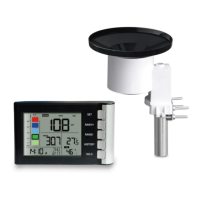
suggest you buy WH40 and use it together with WS90.
If there is no precise requirement on data of each rain,
then WS90 is just fine: After all the device works well
after a longer run time.
9.2 How to calibrate WS90
Ensure your mobile phone and gateway in the same
router, the WS90 has been paired with the gateway.
1. Set the Calibrate in the Ecowitt app
If you have data from a relatively accurate weather
station. You can use the data to do the calibration.
2. Make sure your mobile device is connected to the
same Wi-Fi network.
3.Click "…" on top right corner and choose
"Calibration".
4. For a certain parameter(Use Indoor temperature as
an illustration in the Figure 22). Calculate the offset of
data from accurate weather station and ecowitt sensor.
5. Fill in the offset got from step3, click Save.


 To Next Page