Page 30
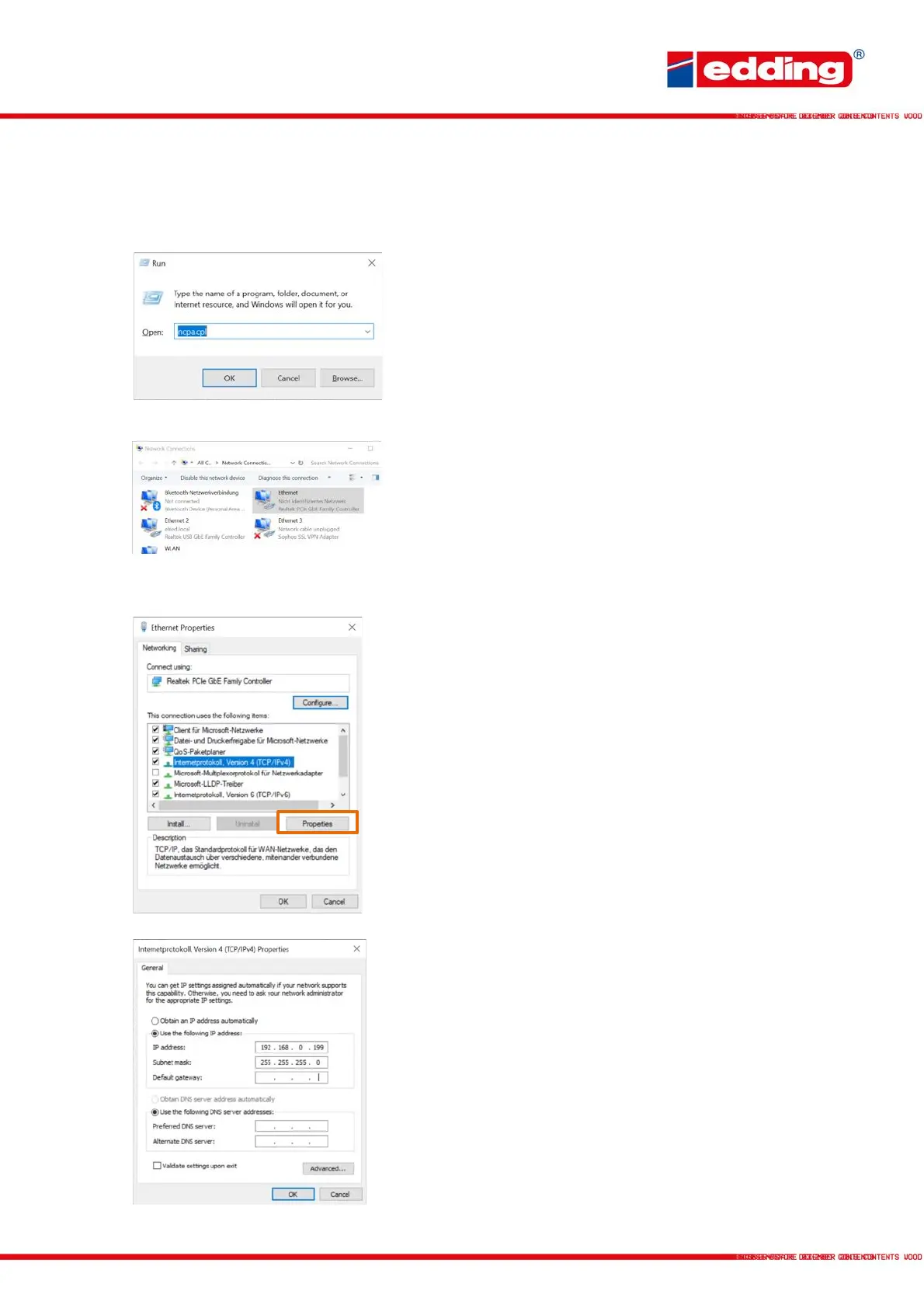
The following steps on the next page show how to set up the network to use the printer with the
PC:
Press the key combination [Windows - R] to display the
"Run" window. Then type the command ncpa.cpl and
press Enter to open the network connections.
Click on the displayed connection (unidentified network),
press the right mouse button and open in the Properties
menu.
In the properties of Ethernet, click/check Internet Protocol,
version 4 (TCP/IPv4) and press Properties (highlighted in
orange).
Activate the item Use the following IP address and enter
the IP address and subnet mask described in the figure.
Default gateway is left empty. Then press OK.



 To Next Page