Page 6
2 Introduction
This chapter describes the printer, the input and the menu structure.
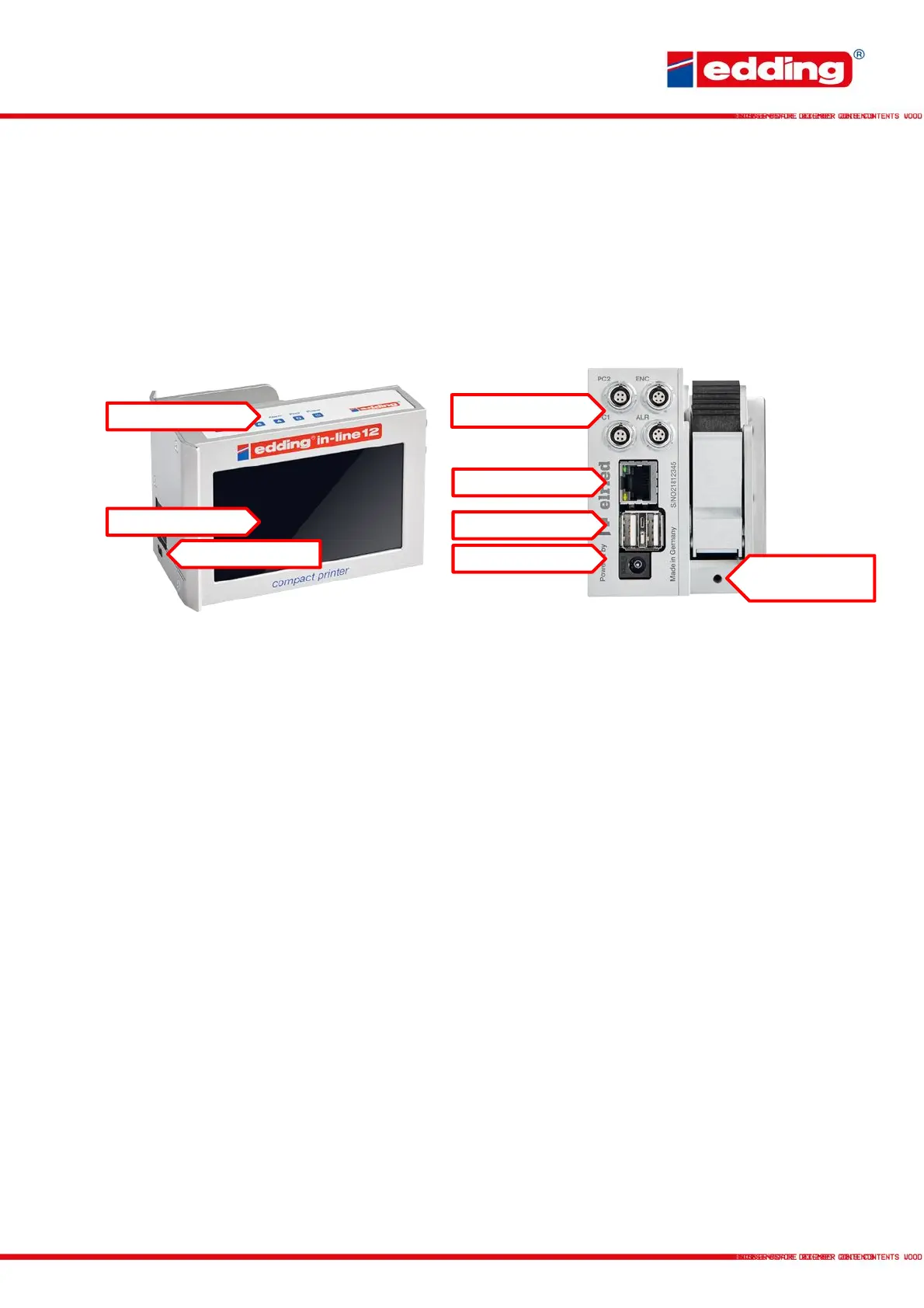
2.1 Device overview
Status LEDs
Power: Printer is supplied with voltage and powered-up
Print: Printer is in print mode; printing is performed when triggered
Ink low: Remaining cartridge volume is <10%; cartridge should be replaced soon
Alarm: Warning/error; the printer is not currently ready to print
Printing direction: Current print direction, viewed from the rear of the printer
Touchscreen
Central control panel of the printer; can be operated by touch or using the wireless keyboard
supplied.
Accessory ports
PC1/PC2: Printing triggered by an external photocell, for improved
recognition of complex surfaces
Encoder (ENC): Connection of an external rotary pulse encoder for accurately measuring the
current conveyor speed. For an optimal print image, even at varying speeds
Alarm (ALR): Connection of an external alarm light to visualise the operating status
Accessory cable length may not exceed 2.5 metres.
Connection for
grounding cable



 To Next Page