COPYRIGHT©EDECOA, ALL RIGHT RESERVED,PSW-USA-Rev2.6
4 / 17
3. INT ENDED USE
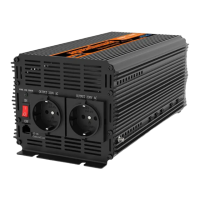
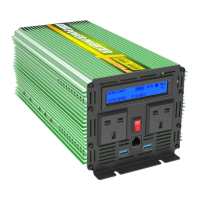
This inverter is used to convert low voltage (Direct Current-DC) into alternating voltage of 120V AC, for example, from
battery (preferably deep-cycle) or in photovoltaic-island systems.
A very simple way to use an inverter for emergency power (such as during a power outage), is to use a car battery (with
the engine running), and an extension cord running into the house, where you can then plug in electrical appliances.
Please use the inverter according to the following instruction and in accordance with the standards and guidelines
applicable locally. Any other use may cause injury or property damage. These inverters are not suitable for the supply of
life support and / or medical equipment. The inverters are no Uninterruptible Power Supply!
4. INS TALLATIO N
4.1 Caution: IMPORTANT NOTICE PRIOR TO USING
Do not install the inverter on flammable building materials.
Do not install the inverter in areas where flammable or explosive materials are stored.
The inverter must only be installed by sufficient trained personnel in compliance with local safety regulations.
When the inverter is running, the temperature of the chassis and the heat sink can be high. Do not install the inverter in
locations where it can be inadvertently touched.
Ambient temperature should be kept below 50 ℃, to ensure the best inverter operating conditions, and extend its
service life.
Inverter should be installed in a well-ventilated environment to ensure good heat dissipation.
Avoid placing the inverter in direct sunlight, rain and snow. This can extend the life of the inverter. It is advisable to
select the installation site with occlusion but ensure proper air-circulation.
Inverter protection class IP65, indoor and outdoor environment can be used.
The mounting method and position must be suitable for the weight and dimensions of the inverter, please refer to the
technical data.
4.2 Checking accessories
After unpacking the inverter package, check that the delivery unit is complete and that there is no visible external damage.
If any items are missing or if there is any damage, contact your dealer.
Check that the package contains the deliveries as listed below:
1) Power Inverter ×1
2) One pair of screw cap (Red and Black)
3) One pair of DC input terminal ring (For backup,Some models)
4) User manual ×1
5) Ground Cable×1
6) Battery cable
7) Remote controller and connecting cable
8) Spare fuse (Some models)
You need to choose the appropriate location to install the inverter to ensure that the inverter can work properly and
efficiently.
4.3 Install carrier requirements
The inverter mounting carrier must be fire-resistant.
Do not install the inverter on flammable building materials.
Please ensure that the mounting surface is strong enough to meet the load requirements of the inverter.
In a residential area, do not install the inverter on a plasterboard wall or similar sound-poor wall to avoid
interference with the noise in the work area.
4.4 Installation requirements:
Install it vertically or tilt it back up to 15 ° to allow the fan to cool the machine.


 To Next Page