User’s Guide
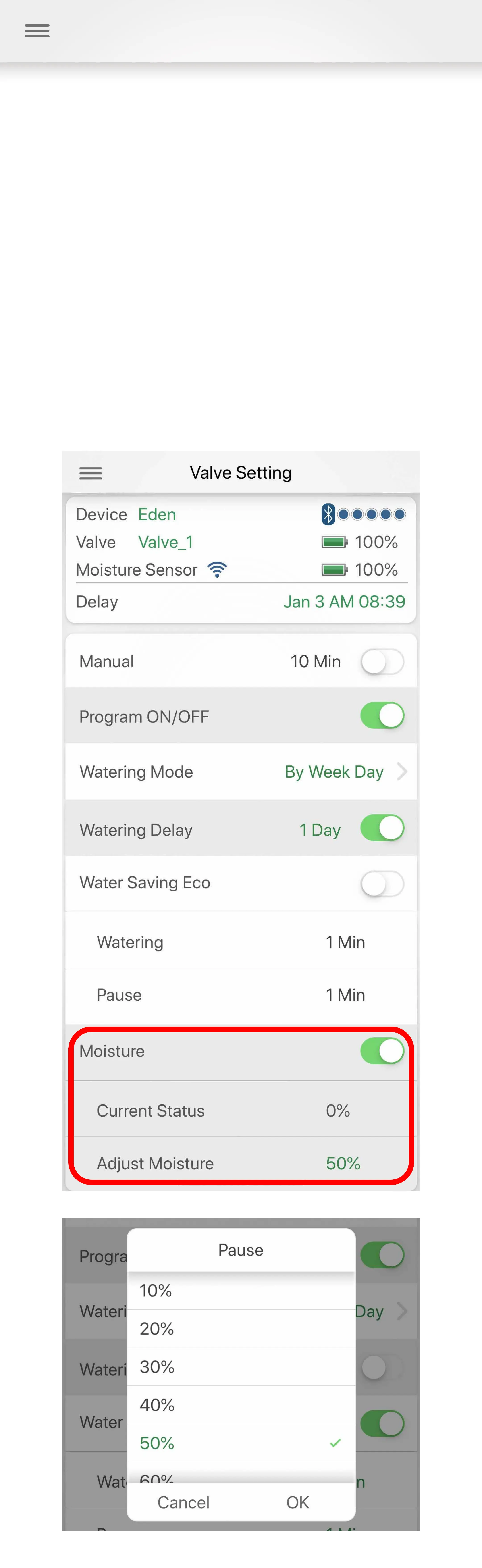
Set Moisture Levels:
You can setup the moisture levels according to your
soil requirement. 10% increments are selectable up
to 100%.
The current status will be shown once a Bluetooth®
moisture sensor is connected. Please wait three
minutes to receive a sensor reading.
Noted that more Moisture Sensors are connected to
the timer, the more battery use will be used. The
center light is a battery indicator. If it is flashing red,
change the batteries.


 To Next Page