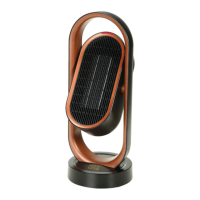
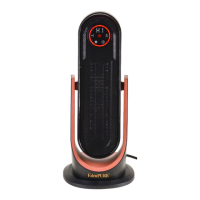
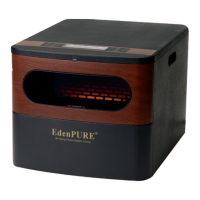
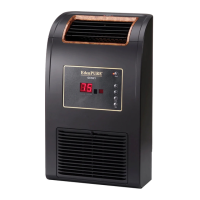
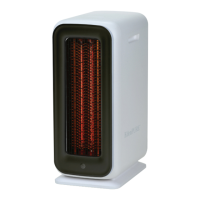
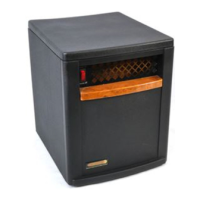
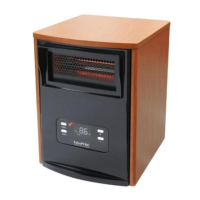
The EdenPURE® GEN40 Super Heater-Cooler is a portable and versatile heating and cooling unit designed for home and office use. It features easy-to-use touch button operation on the unit itself, complemented by a remote control for convenience. The device is engineered to provide a significant amount of air output while operating quietly.
Function Description:
The primary function of the EdenPURE® GEN40 is to offer both heating and cooling capabilities. For heating, it utilizes a PTC (Positive Temperature Coefficient) thermal unit, which ensures quick heat-up times without the need for an open flame, making it a safe option for various indoor environments. The unit can also function as a fan for cooling purposes. A key safety feature is the integrated tip-over switch, which automatically shuts off the unit if it accidentally tips over. The GEN40 is designed with an oscillation function, allowing it to swing left and right to distribute heated or cooled air over a wider area. This oscillation can be activated or deactivated via the unit's control panel or the remote control. The device also includes a timer function, enabling users to set it to operate for specific durations (2, 4, or 8 hours). If no timer is set, the unit will automatically shut off after 24 hours of continuous operation. The timer function also has a memory feature, recalling the last set timer length when the unit is turned on again.
Important Technical Specifications:
- Name: GEN40
- Model: A5964
- Rated Voltage: 120V
- Rated Power: 1500W
- Rated Frequency: 60Hz
- Electric Shock Class: II
Usage Features:
The EdenPURE® GEN40 offers several user-friendly features:
- Control Panel and Remote Control: Both the unit's touch button panel and the remote control are synchronized and can be used interchangeably to operate the device.
- Power On/Off: The unit can be turned on by pressing the on/off switch on its base, which puts it in stand-by mode. A subsequent touch of the POWER button (on the unit or remote) activates it, typically starting in high heat mode. To turn it off, the POWER button is pressed again, and the unit will continue to run for a few seconds to purge warm air.
- Mode Selection: After turning on, users can cycle through different modes—High Heat, Low Heat, and Fan—using the "MODE" button on the remote control.
- Indicator Lights: The unit features an indicator light that changes color to signify the current mode:
- Light red light: High heat
- Dark red light: Low heat
- Blue light: Fan
- No light: Off
- Oscillation Function: The oscillation feature can be activated by touching and holding the oscillation button on the unit for 2 seconds or by pressing the corresponding button on the remote. The same action turns it off.
- Timer Settings: The timer can be set for 2, 4, or 8 hours. On the unit, touching the timer button once sets it for 2 hours, twice for 4 hours, and three times for 8 hours. A red light indicates the selected timer duration. On the remote, the timer button toggles between these options.
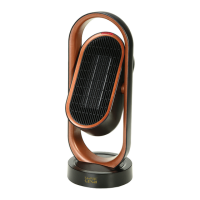
- Portability: The GEN40 is designed with a carrying handle at the top, making it easy to move from room to room.
- Safety Features: In addition to the tip-over switch, the unit is designed to prevent overheating. Users are warned not to cover the heater or block air inlets, maintaining at least 6 inches of air space from furniture. The protection grill separates the thermal unit from the user, and it should not be touched when the unit is in use as it may get warm.
Maintenance Features:
Proper maintenance ensures the longevity and safe operation of the EdenPURE® GEN40.
- Cleaning: Before any maintenance, the unit must be turned off and unplugged.
- Any dirt on the unit should be cleaned immediately to prevent fading or damage.
- Cleaning should be done with a soft cloth and gentle soap or detergent. Abrasive substances should not be used.
- Only the outside of the unit should be cleaned; the thermal unit itself should never be cleaned.
- Water should not be sprayed directly into the unit.
- Storage: After cleaning, the unit should be stored in its box in a dry place.
- Protection Grill: If the protection grill becomes damaged, the manufacturer should be contacted for replacement, and the unit should not be used until repaired.
- Power Cord: If the power cord is damaged, the manufacturer should be contacted immediately for replacement. Users should avoid twisting or pulling the cord from the outlet, always holding the end of the plug.
Warnings and Notes:
- Always ensure the unit is placed on a flat, stable surface and not in a position where it may lean more than 10 degrees or laid on its side during use.
- Do not use the unit in a flammable environment or near flammable objects.
- Keep the unit away from curtains or anything that could be sucked into it.
- Do not use the unit around water (e.g., bathtubs, sinks, swimming pools).
- Do not put fingers into the protection grill while the unit is turned on.
- Keep out of reach of children.
- Always turn off the power before unplugging the unit, and avoid unplugging with wet hands.
- The unit requires a 110V outlet.
Troubleshooting:
The manual provides a troubleshooting guide for common issues:
- Heater won't turn on: Check if the cord is plugged in, if the power button is on, or if there's damage to the main body. If the latter, contact the manufacturer. Ensure the heater is on a flat, solid surface, not thick, uneven carpet.
- Heater won't turn off: Check for a bad connection of the power button, damage to the main body, or damage to the circuit board. Contact the manufacturer for maintenance if needed.
- Abnormal noise from the fan: This usually indicates a foreign object in the fan; clear the object.
- Indicator light is off: The indicator light may be damaged; contact the manufacturer for maintenance.
Warranty:
The EdenPURE® GEN40 comes with a ONE-YEAR LIMITED COMPONENT WARRANTY. For issues, users are advised to contact the service center at 1-800-225-6595 or visit www.edenpuresupport.com for troubleshooting tips and service instructions.


 To Next Page
 General