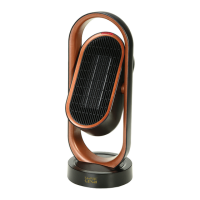
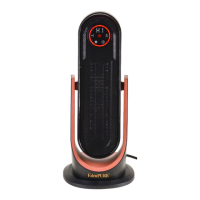
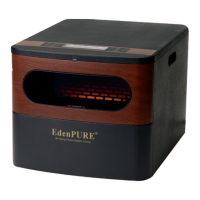
Welcome
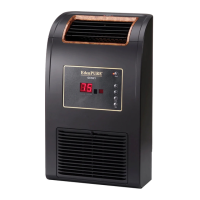
Thanks for choosing the EdenPURE
®
GEN40 Super Heater-Cooler.
Before using, please read the following instructions carefully.
Contents
Introduction ....................................................................................... 1
Specifications ..................................................................................... 1
Control Panel .....................................................................................2
Instructions ........................................................................................2
Warnings ............................................................................................3
Notes ...................................................................................................3
Maintenance ......................................................................................4
Troubleshooting ................................................................................5
Warranty .............................................................................................5
4. If you want the unit to oscillate, touch and hold the “
” button
on the unit for 2 seconds or touch the “
” button on the
remote. The unit will then oscillate left and right. To turn the
oscillation off, touch and hold the “
” button on the unit for 2
seconds or touch the “
” button on the remote.
5. To have the unit swing back and forth, touch and hold the
“
” button on the top of the machine for 2 seconds or touch
the “
” button on the remote. The unit will then swing back
and forth. To turn the swing function off, touch and hold the
“
” button on the top of the unit for 2 seconds or touch the
“
” button on the remote.
6. The timer can be set for either 2, 4 or 8 hours. To set the timer,
touch the “
” button on the top of the unit once for 2 hours,
twice for 4 hours and three times for 8 hours. A red light will
indicate the amount of time you’ve selected. Or, touch the “
”
button on the remote to toggle between 2, 4 and 8 hours.
7. If the unit is on without a timer being set, it will automatically
shut off after being on for 24 hours.
8. If the unit is set to turn off from the timer function, it will
automatically remember the timer length from the last time it
was turned on and will revert to that time period.
9. The panel on the unit and the remote control can be used
interchangeably, as they are synchronized.
Warnings
Don’t cover the heater to prevent it from overheating.
Don’t touch the protection grill in front of the thermal unit. It may
get warm.
Don’t block air inlets. Keep at least 6 inches of air space between
furniture and the unit.
Notes
1. Before using the unit, please make sure that you have a 110v
outlet to plug the unit into.
2. If the power cord becomes damaged, contact the manufacturer
immediately to have the cord replaced.
3. Don’t put the unit near curtains or anything that can be sucked
into the unit.
3


 To Next Page
 Loading...