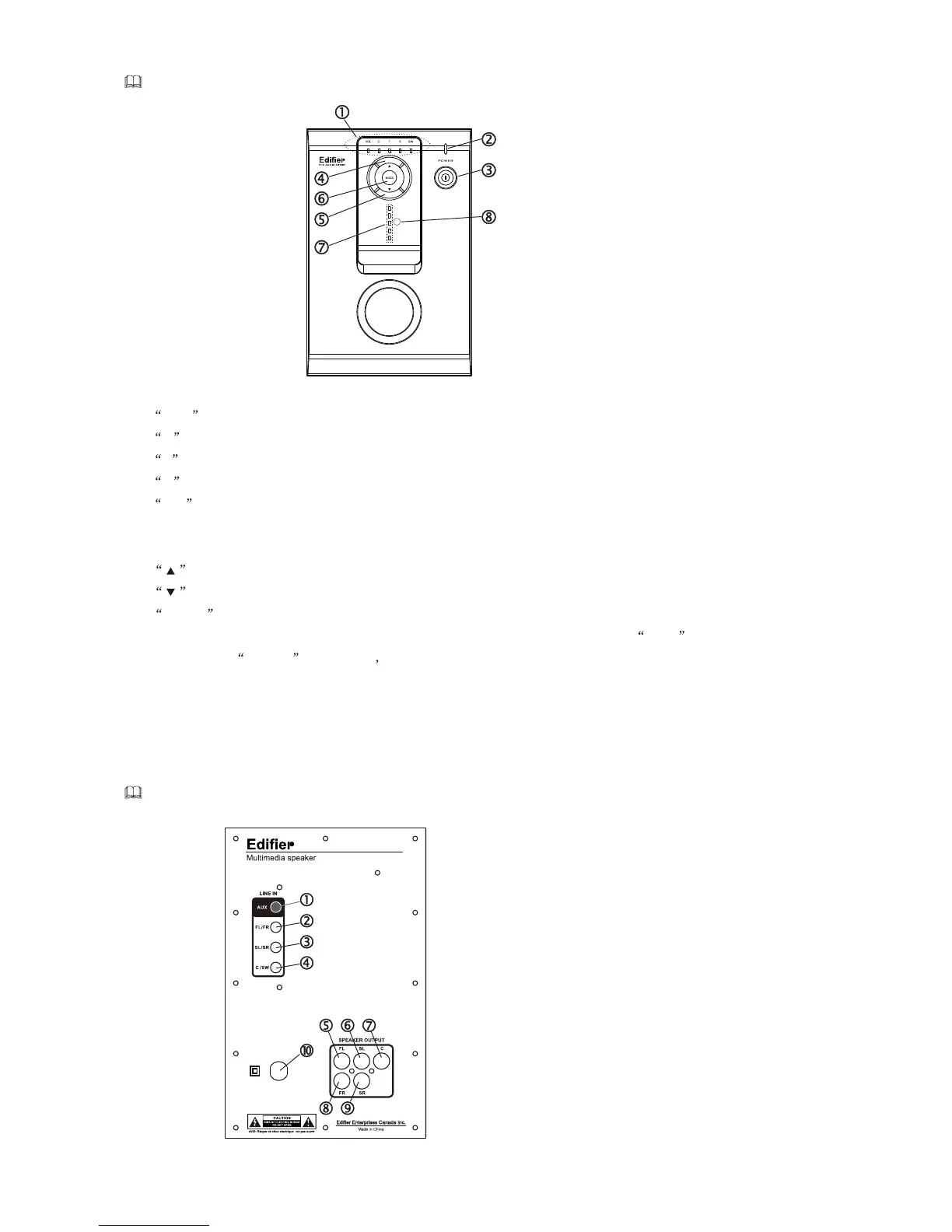
Introduction of front panel
1:State indicator:
VOL LED is on , the system is in the state of volume .
C LED is on ,the system is in the status of center volume fine-tuning.
F LED is on , the system is in the status of front Volume fine-tuning.
R LED is on , the system is in the status of surround volume fine-tuning.
SW LED is on ,the system is in the status of bass fine-tuning.
2: Power indicator
3: Power switch
4: volume up key: increase the volume and the other volume.
5: volume down key: decrease the volume and the other volume.
adjusting
6: MODE function key: change the adjusting status of the system; the system is in the status
of the volume adjusting when power supply is turned on ,at the same time the VOL indicator
is on; press the MODE key in turn the status indicator can circle by VOL-C-F-R-SW-VOL.
7: VOLUME indicator: display the volume from bottom to top , the volume is the most when the 5
LED are all on and the volume is the least when the 5 LED are off(the volume is in the middle
when the 3 LED are on that the system default.) EXPLAIN: the indicator have no change when
you adjust the other channel volume in the fine-tune state .
8: Sensor of the remote controller.
Introduction of back panel
1: AUX signal input port
2: Front left/right signal input port
3: Surround left/right signal input port
4: Center/bass signal input port
5: Front left satellite output port
6: Surround left satellite output port
7: Center satellite output portt
8: Front right satellite output port
9: Surround right satellite output port
10: Power cord
M3350M3350


 To Next Page