EasyManua.ls Logo

EDIFIER R1580MB - User Manual

EDIFIER R1580MB
5 pages
Print Icon
To Next Page IconTo Next Page
Loading...
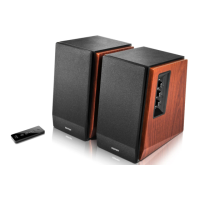
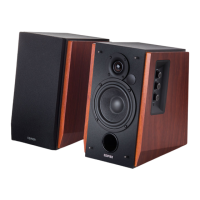
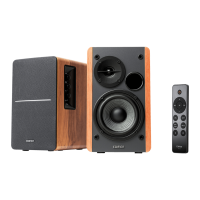
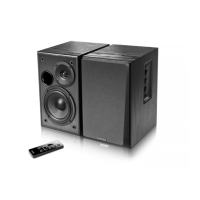
R1580MB
Multimedia Speaker
User manual
Page 1: What’s in the Box
Box Contents:
RCA to RCA audio cable (1.7M/5.5ft)
3.5mm to RCA audio cable (1.7M/5.5ft)
Speaker connecting cable (5M/16.4ft)
User manual
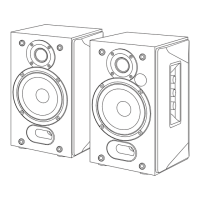
Passive speaker
Active
speaker
Remote control

Other manuals for EDIFIER R1580MB

Questions and Answers

  • R
    Robin AtkinsJul 27, 2025
    What to do if EDIFIER R1580MB have no sound?
    • J
      James EvansJul 27, 2025
      If your EDIFIER speakers aren't producing sound, first, ensure that the speaker is powered ON. Then, increase the volume using the master volume control or the remote. Check that the audio cables are securely connected and the input is correctly set. Finally, verify that the audio source is sending a signal.
  • A
    Alan FernandezAug 6, 2025
    What to do if my EDIFIER R1580MB Speakers do not turn on?
    • R
      Rebecca SmithAug 7, 2025
      If your EDIFIER R1580MB speakers aren't turning on, check that the main power is connected and that the wall outlet is switched on.
  • R
    Ryan BerryAug 16, 2025
    Why can't I connect to my EDIFIER R1580MB Speakers via Bluetooth?
    • K
      Katie HoffmanAug 16, 2025
      If you're having trouble connecting to your EDIFIER speakers via Bluetooth, make sure the speaker is set to Bluetooth input. Try disconnecting any currently connected Bluetooth device by pressing and holding the volume dial in Bluetooth mode, and then try pairing again. Also, remember that the effective Bluetooth transmission range is 10 meters, so ensure your device is within this range. As a last step, try connecting with another Bluetooth device to rule out compatibility issues.

Summary

Whats in the Box

Speaker Control Overview

Input and Connection Ports

Ports for PC/AUX input, microphones (MIC1/MIC2), and speaker connection.

Volume and Power Controls

Adjusts bass, microphone, and master volume; includes power switch.

Audio Source Selection and Power Indicator

Controls audio mode selection, standby, and indicates operating status.

Remote Control Functions

Remote Button Operations

Details functions like power, Bluetooth pairing, volume, track control, and mute.

Battery Loading and Safety

Instructions for battery installation and important safety warnings.

Connection and Bluetooth Operation

Speaker Connection Guide

Step-by-step instructions for connecting speakers and audio sources.

Bluetooth Pairing and Connectivity

Guide to pairing devices via Bluetooth and notes on compatibility.

Technical Specifications

EDIFIER R1580MB Specifications

General IconGeneral
Frequency Response55Hz-20kHz
Signal to Noise Ratio≥85dBA
Bluetooth ProfilesA2DP, AVRCP
Bluetooth Range10m
Total Power Output42W RMS
Input TypeBluetooth
Speaker Unit4 inch
Bluetooth Version4.0
Input Sensitivity450mV±50mV

Related product manuals