• Bluetooth virtual COM port for a server
Virtual COM port used when your device is the server, and requests are
received from another device.
4.3.2 Creating a virtual COM port
Bluetooth virtual COM ports are created according to the procedure below:
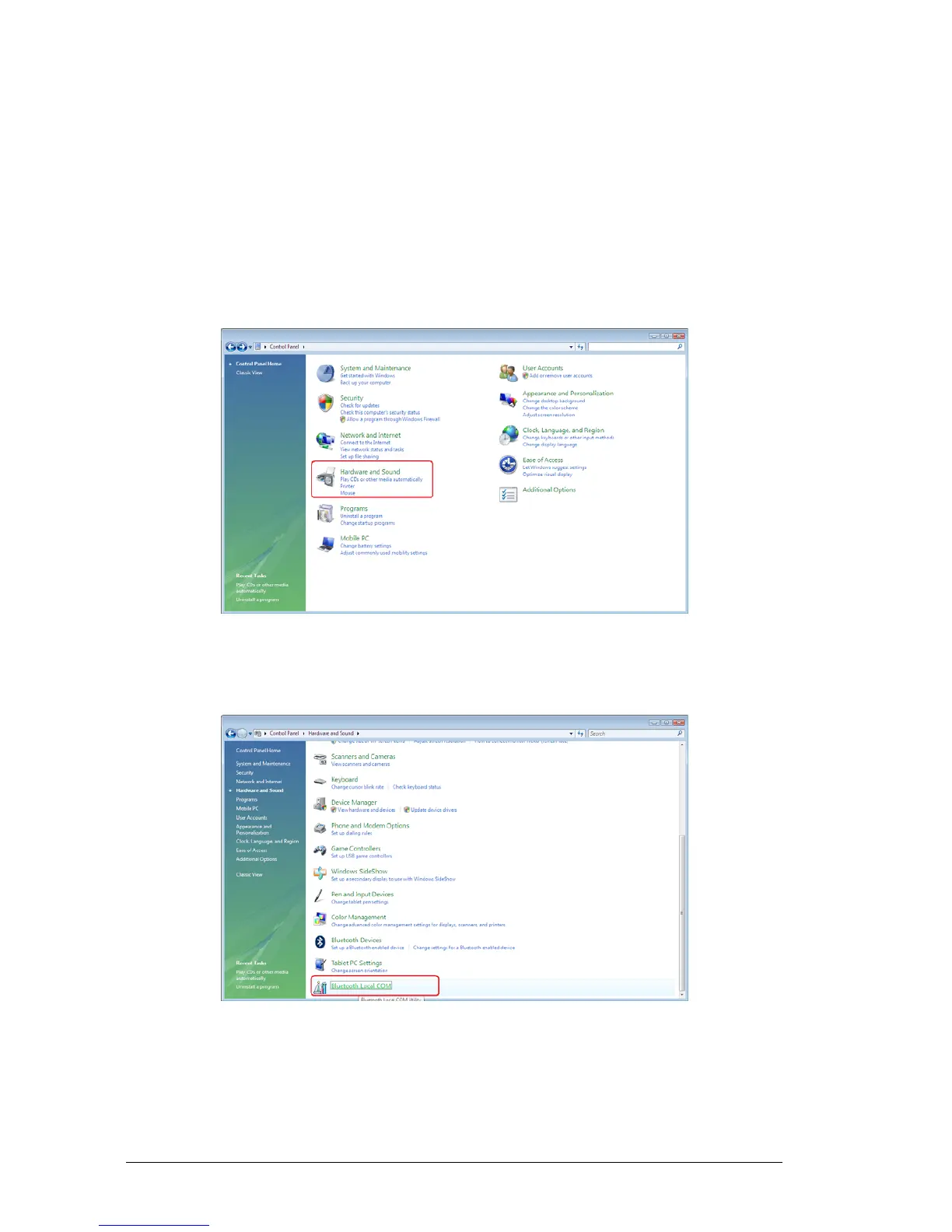
1. Select [Start]→[Control Panel], and double-click the [Hardware and
Sound] icon.
The [Printers and Other Hardware] window appears.
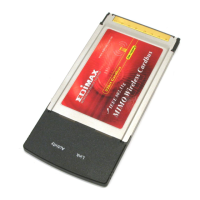
2. Double-click on the [Bluetooth Local COM] icon.
The [Printers and Other Hardware] window will appear.



 To Next Page