Note
●If the Control Panel is displayed in "Classic View" and you are running Windows 2000, skip
to Step 2.
● If you are running Windows XP, double-click on the [Printers and Other Hardware] icon.
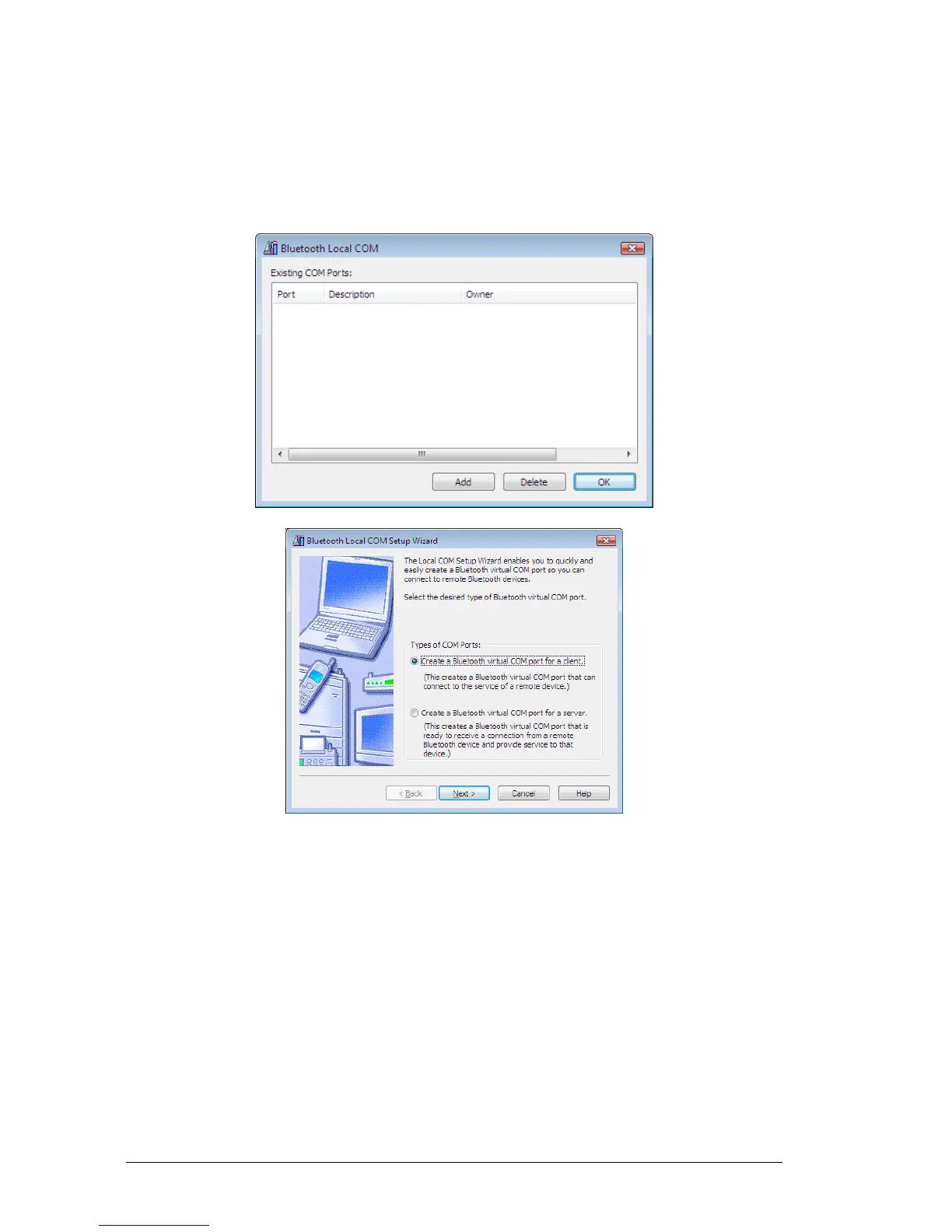
3. Click on the [Add...] button.
Note
●Even when the Control Panel appears in Classic view, please simply click on the [Bluetooth
Local COM] icon.
● No such distinction between viewing formats exists in Windows 2000.
4.3.3 Deleting a virtual COM port
Note
●You can only delete virtual COM ports created by the Bluetooth Local COM utility.
1. Select the port you wish to delete from the [Bluetooth Local COM]
window, and then click on the [Delete] button.



 To Next Page