74
3-2 Security Settings
This wireless card supports wireless encryption in AP mode, which
will encrypt the data being transferred over the air to enhance data
security level. It’s recommended to enable data encryption unless
you wish to open your computer (and its internet connection) to the
public.
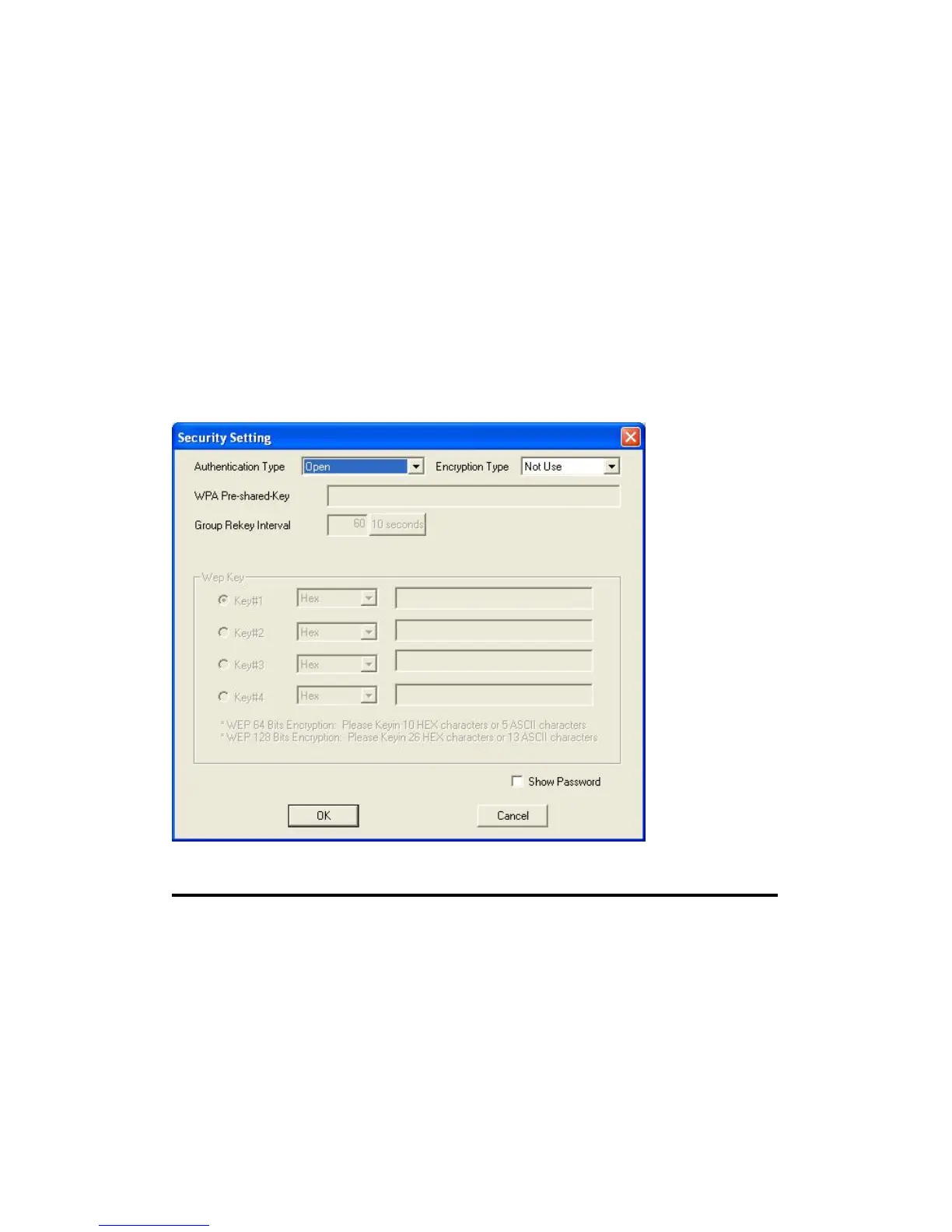
When you click ‘Security Setting’ in Edimax configuration utility, the
following window will appear:
Here are descriptions of every setup items:
Authentication Please select a wireless authentication type you
Type wish to use. Available options are ‘Open’,
‘Shared’,
‘WPA-PSK’, ‘WPA2-PSK’, and ‘WPA-PSK /
WPA2-PSK’. If you want to disable wireless
data encryption, you must select ‘Open’ or
‘Shared’.


 To Next Page