83
3-6 Statistics
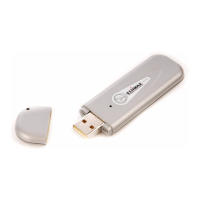
If you want to know detailed information about how your software
access point works, you can follow the following instructions to view
the statistics of the access point:
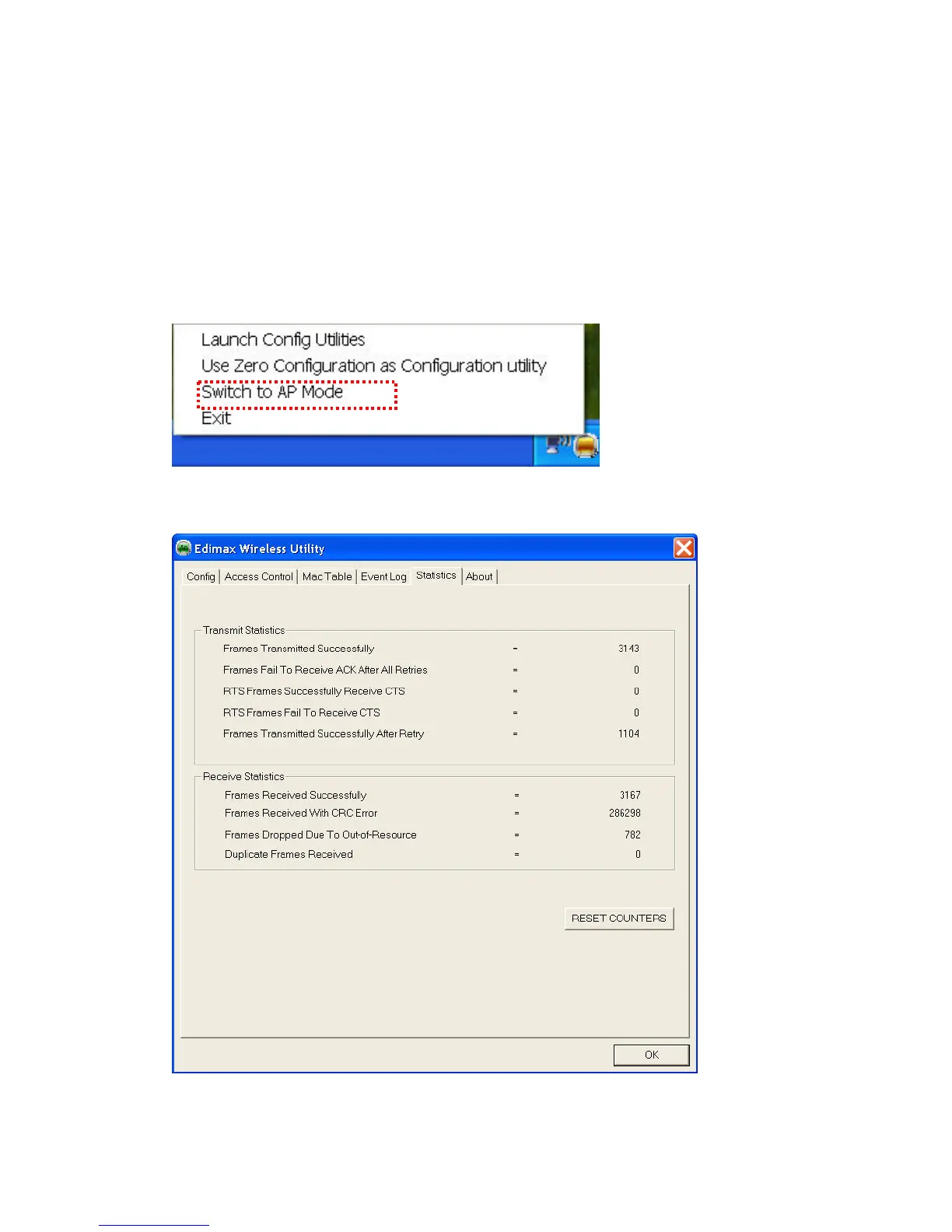
1. Right-Click Edimax configuration utility icon, and select ‘Switch to
AP Mode’
2. Click ‘Statistics’ tab, and the event log will be displayed:
You can click ‘Reset Counter’ button to reset all counters to zero.


 To Next Page