32
2-3-2Using Windows Zero Configuration
Windows XP and Vista has a built-in wireless network configuration
utility, called as ‘Windows Zero Configuration’ (WZC). You can also
use WZC to configure your wireless network parameter:
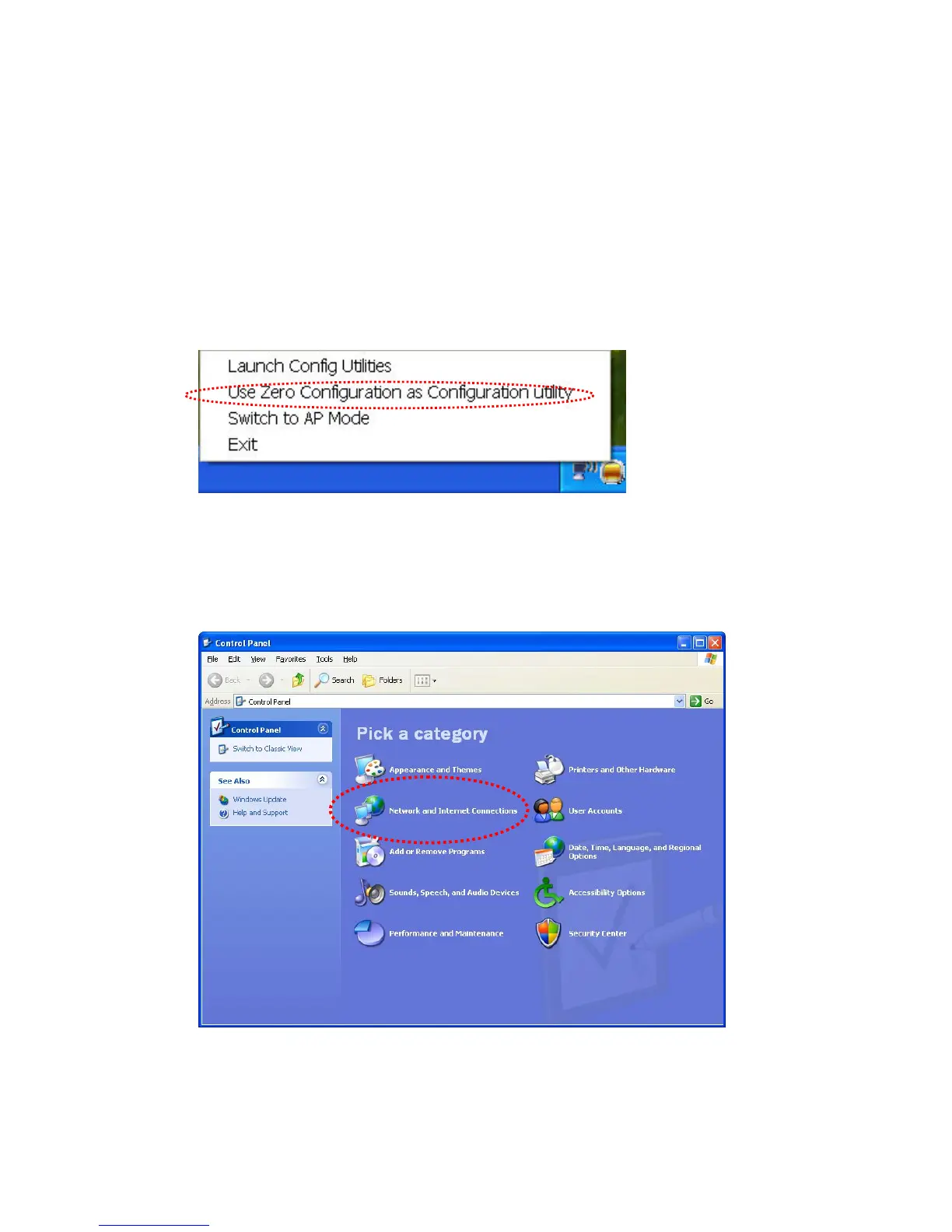
1. Right-click Edimax configuration utility icon and select ‘Use Zero
Configuration as Configuration utility.
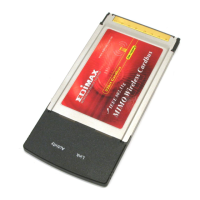
2. Click ‘Start’ button (should be located at the bottom-left corner of
windows desktop), click ‘Control Panel’, then click ‘Network and
Internet Connections’ in Control Panel.


 To Next Page