33
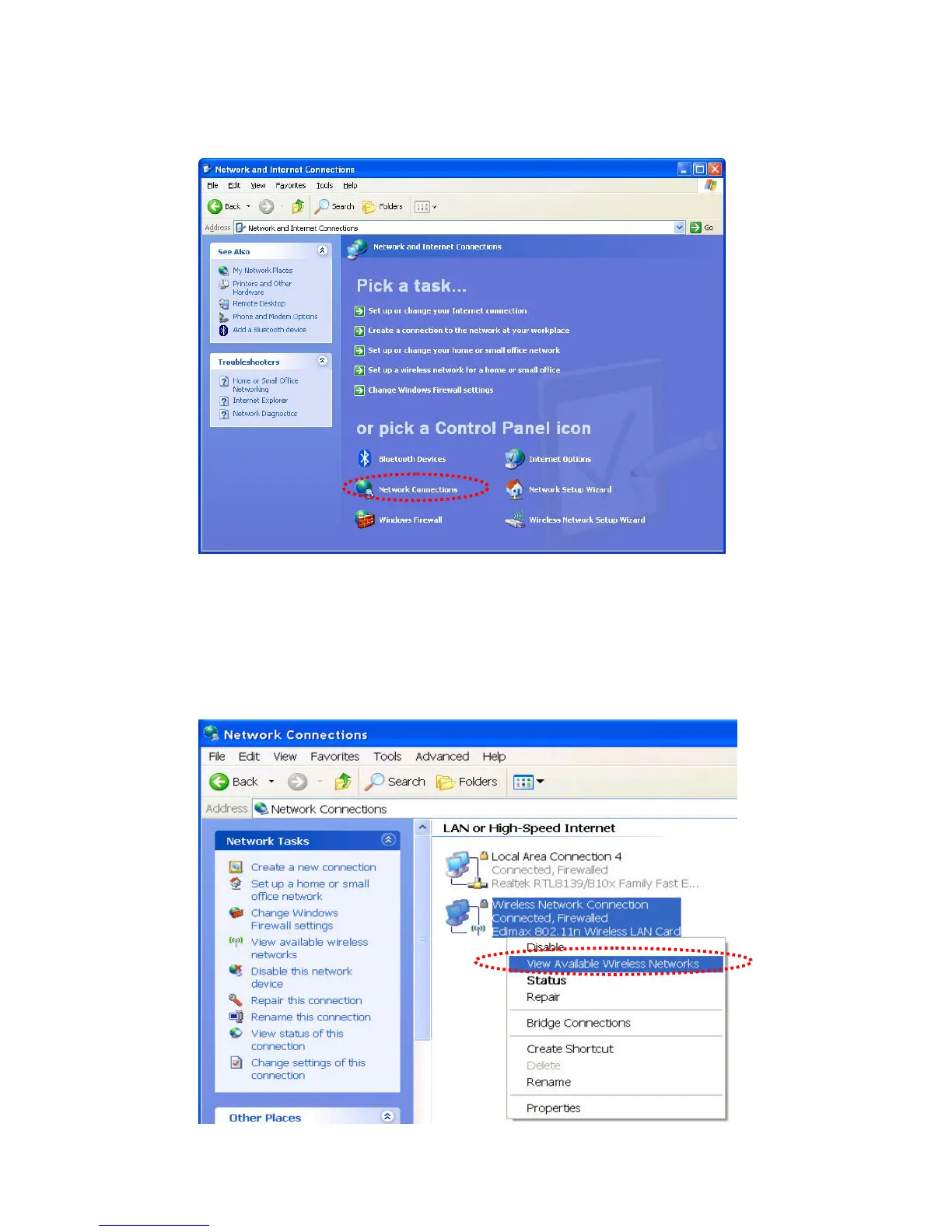
3. Click ‘Connect to a network’ under ‘Network Connections’
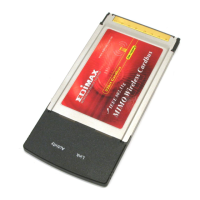
4. Right-click ‘Wireless Network Connection’ (it may have a
number as suffix if you have more than one wireless network
card, please make sure you right-click the ‘Edimax 802.11n
Wireless LAN Card), then select ‘View Available Wireless
Networks’.


 To Next Page