34
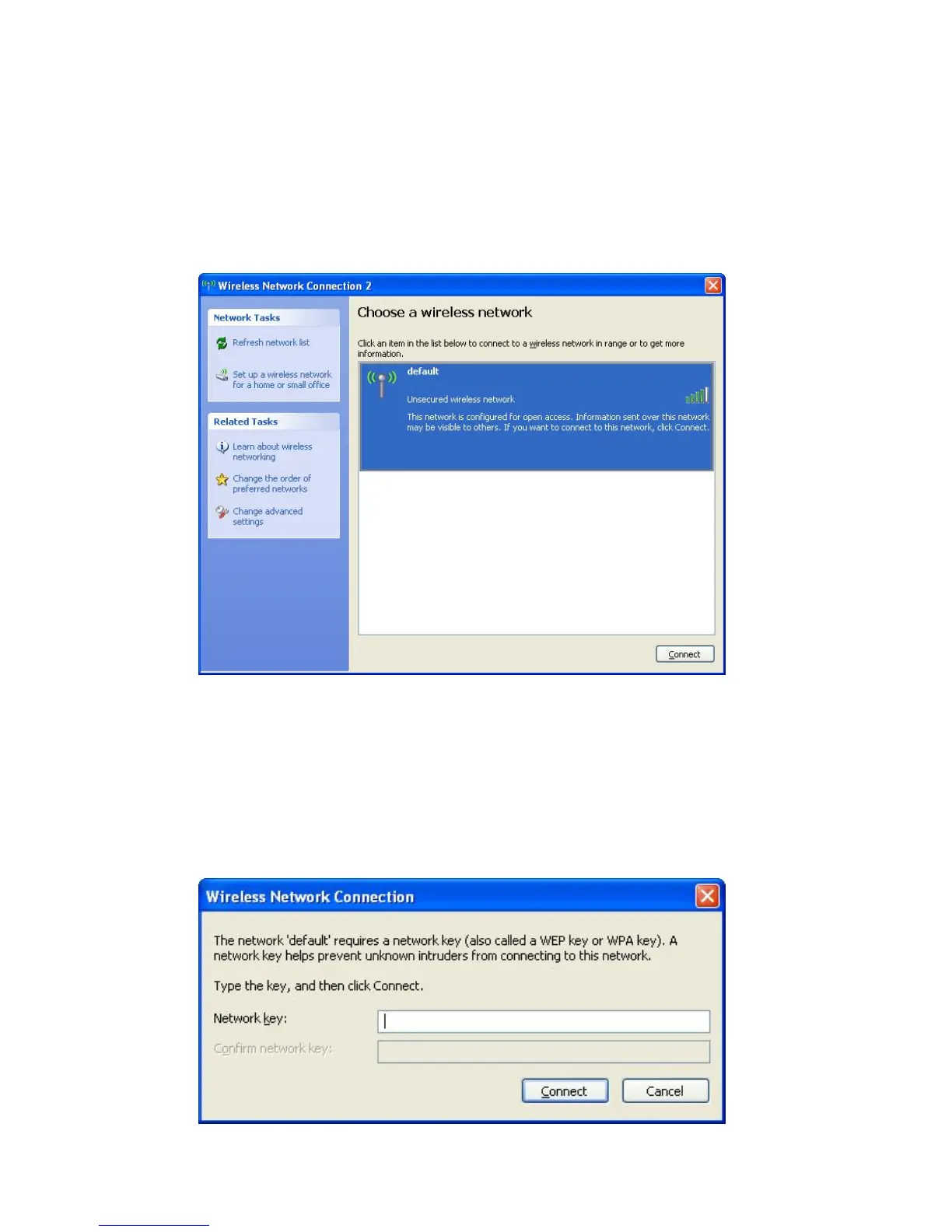
5. All wireless access points in proximity will be displayed here. If
the access point you want to use is not displayed here, please
try to move your computer closer to the access point, or you can
click ‘Refresh network list’ to rescan access points. Click the
access point you want to use if it’s shown, then click ‘Connect’.
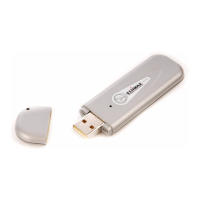
6. If the access point is protected by encryption, you have to input
its security key or passphrase here. It must match the encryption
setting on the access point.
If the access point you selected does not use encryption, you’ll
not be prompted for security key or passphrase.


 To Next Page