28
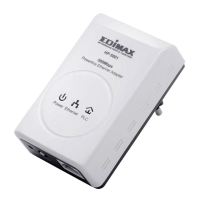
Click Wireless Settings --> Security to display the Wireless Security/Encryption
Settings page.
On this page, set the security mode of the HP-2002APN to accord with the
peer AP.
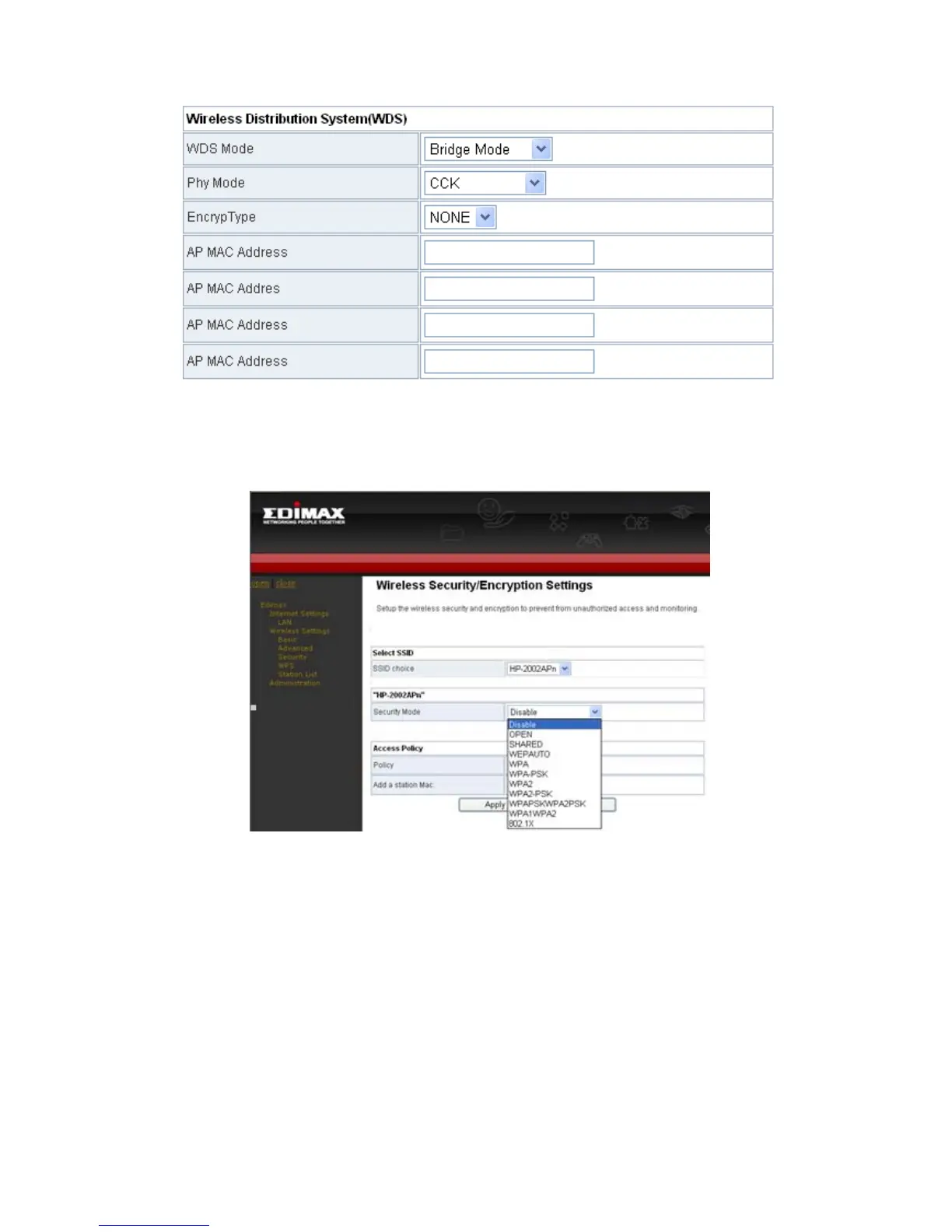
Note: In the WDS mode, don’t set any mixed modes, for example,
WPA-PSK/WPA2-PSK. Do not set all the WDS APs to be Lazy mode, please
ensure that at least one WDS AP acts as Root Bridge, and enter the MAC
addresses in the WDS table on the Basic Wireless Settings page


 To Next Page