www.edimax.com
Hardware Standards Functions
1 x Power jack
1 x Power socket
1 x 10/100Mbps Fast Ethernet
port
1 x Group/Reset button
IEEE 1901
IEEE 802.3
IEEE 802.3u
Supports IPv6, IGMP, and MLD snooping
Supports VLAN pass-through
Integrated Quality of Service (QoS)
Coexistence with HomePlug 1.0 devices
Utility software
LED Modulation Schemes Operating Range
Power
Ethernet
Powerline
OFDM 4096/1024/256/64/16/8 QAM,
QPSK, BPSK and ROBO Modulation
Schemes
Up to 300 meters
Frequency Band Security Temperature & Humidity
2-68MHz 128-bit AES link encryption 0-40 degrees Celsius
10-90% (non-condensing)
Power Input Dimensions Certifications
100-240V AC, 50-60Hz
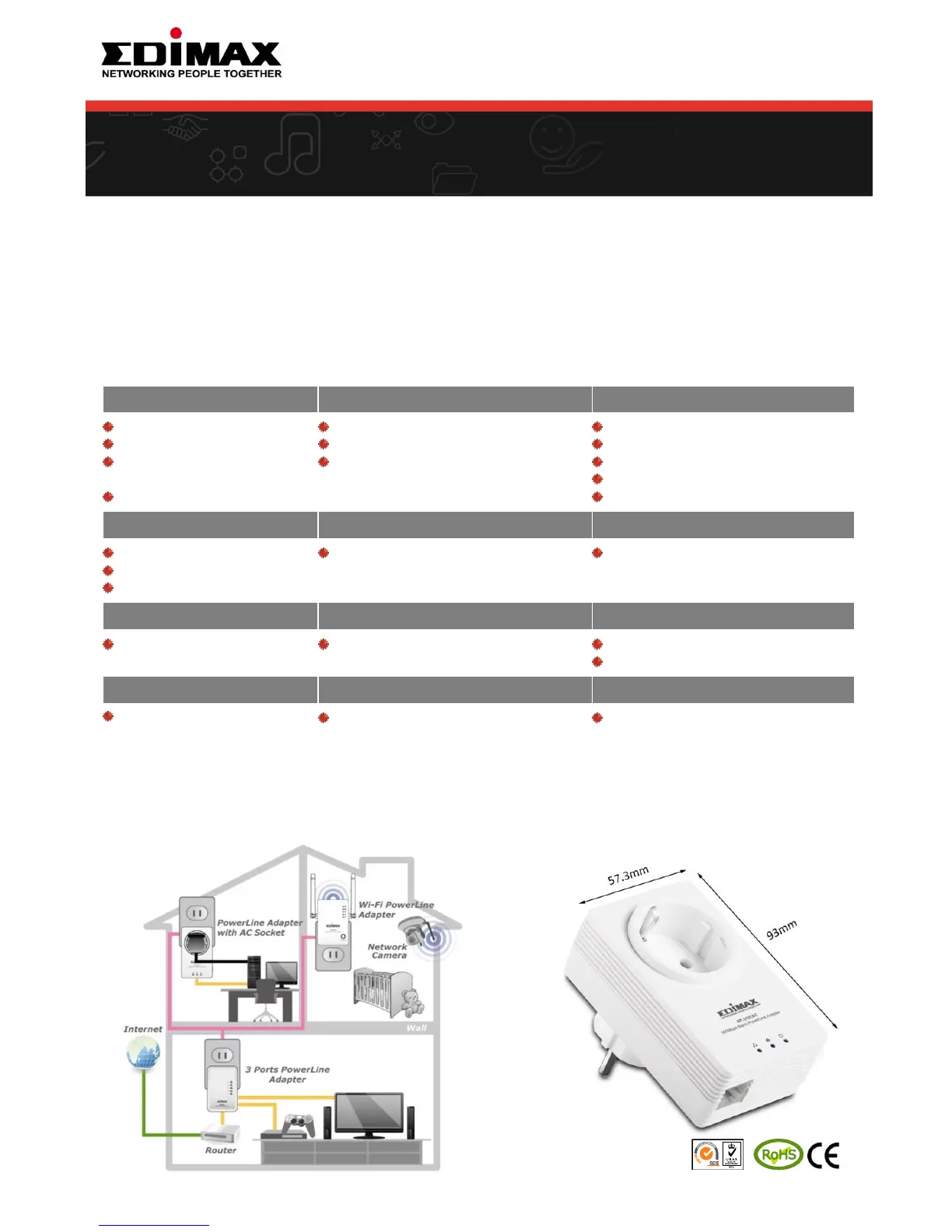
93 x 57 x 39 mm CE
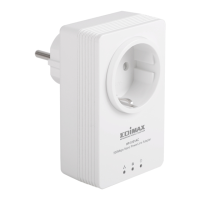
NANO SIZE DESIGN
• The HP-5101AC fits perfectly into existing
wall sockets.
• The HP-5101AC ‘s nano size, low profile
design is slim and compact, meaning it
only occupies a single power socket.
Copyright © 2012 Edimax Technology Co. Ltd. All rights reserved. Maximum performance, actual data rates, and coverage will vary depending on network
conditions and environmental factors. Product specifications and design are subject to change without notice.
FEATURES
• Easy plug-n-play setup and 128 bit AES security
• Maximum powerline speed of 500Mbps
• Backward compatible with 200Mbps powerline adapters
• Features energy saving mode to reduce power consumption
• Utilizes existing electrical wires to transmit network data
• Powerline transmission range up to 300 meters
• Integrated power socket with noise filter
NETWORK SETUP DIAGRAM
• Plug an HP-5101AC to a power outlet and connect it to a
broadband router.
• Plug another HP-5101AC to a power outlet and connect it
to a computer's Ethernet port to establish a powerline
connection.
TECHNICAL SPECIFICATIONS
500Mbps Nano PowerLine Adapter
with Integrated Power Socket
HP-5101AC


 To Previous Page